What integrating with Pacific Life does for you
Integrating with Pacific Life connects client accounts at Pacific Life to RightCapital. Once integrated, RightCapital pulls in position-level account data from each account and connects it with the client's net worth. The positions and values will be updated Tuesday through Saturday morning with the previous day’s closing value.
Currently, the integration will import variable, fixed, fixed index, and registered index-linked annuities. Other accounts held under Pacific Life will not import to RightCapital.
How to set up your Pacific Life Integration
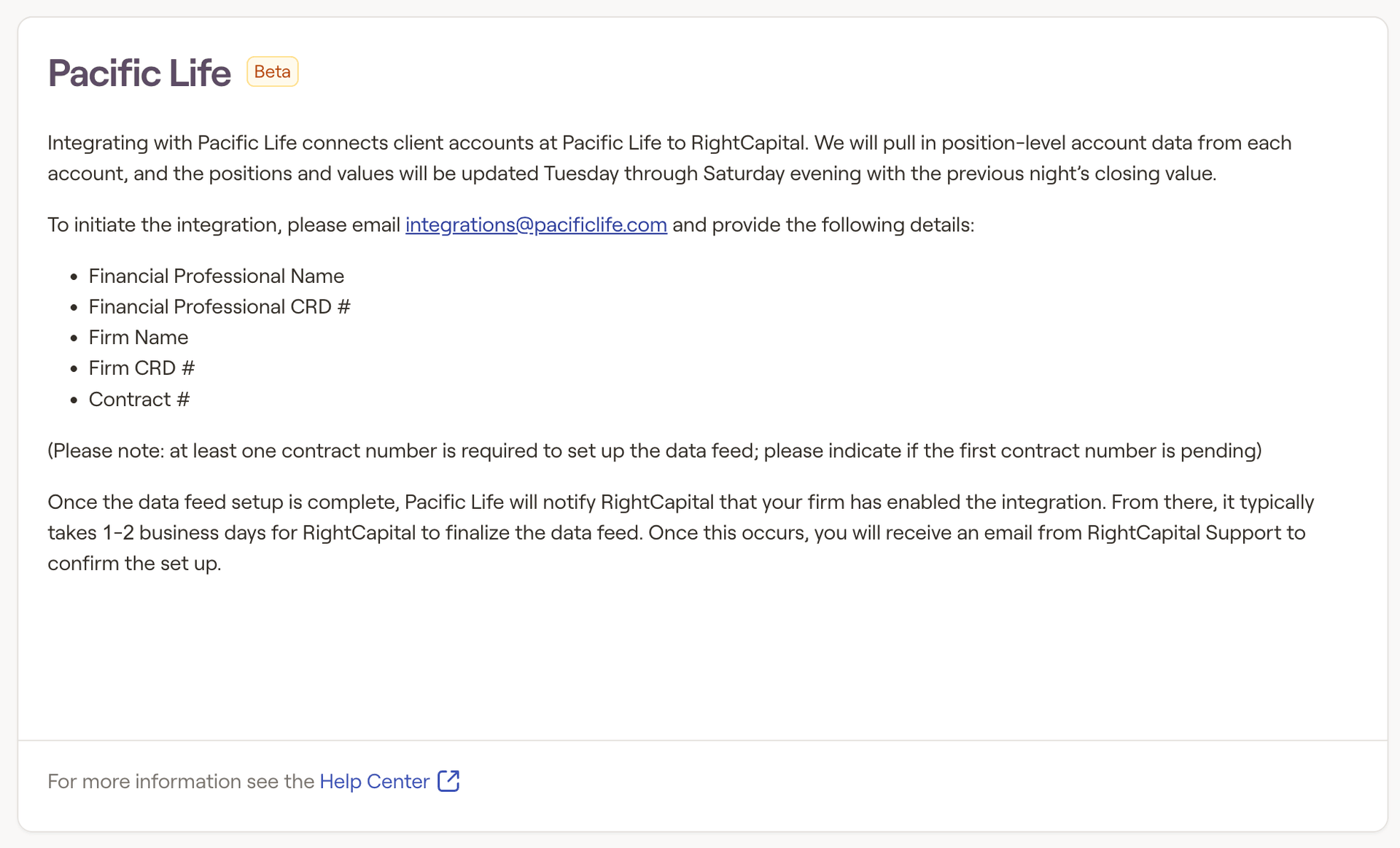
To set up an integration with Pacific Life:
In the email, please include:
- Financial Professional Name
- Financial Professional CRD #
- Firm Name
- Firm CRD#
- Contract #
Once the data feed setup is complete, Pacific Life will notify RightCapital that your firm has enabled the integration.
From there, it typically takes 1-2 business days for RightCapital to finalize the data feed. Once this occurs, you will receive an email from RightCapital Support to confirm the setup and attach instructions for use
How to use the Pacific Life Integration
Once the integration is setup, link client accounts by:
Log in to RightCapital
Click Open Client next to the client you’d like to integrate
Click + Link Account and select “Pacific Life” from the dropdown menu.
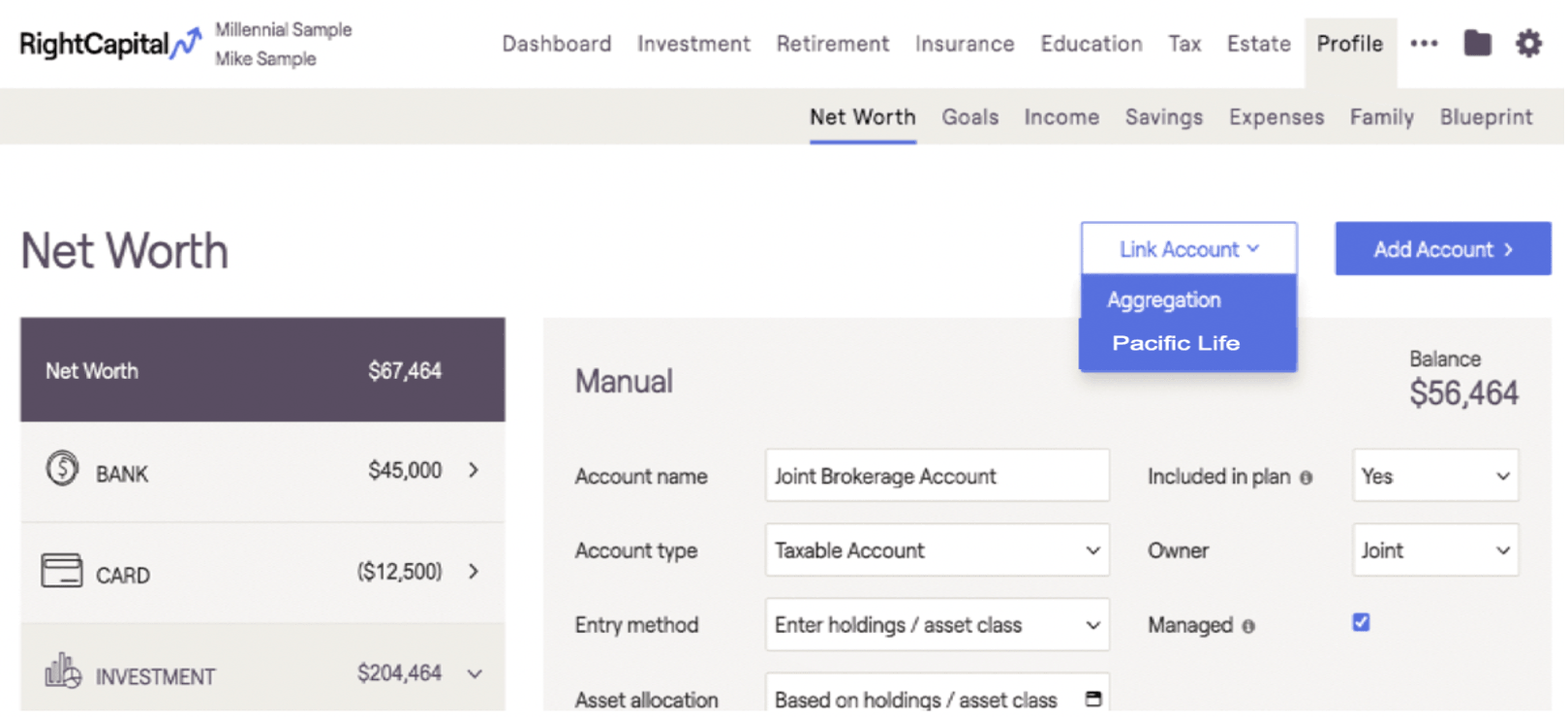
Search for the client’s name from the integrating database
Select accounts (using check boxes in the “Link” column) to assign to the current client.
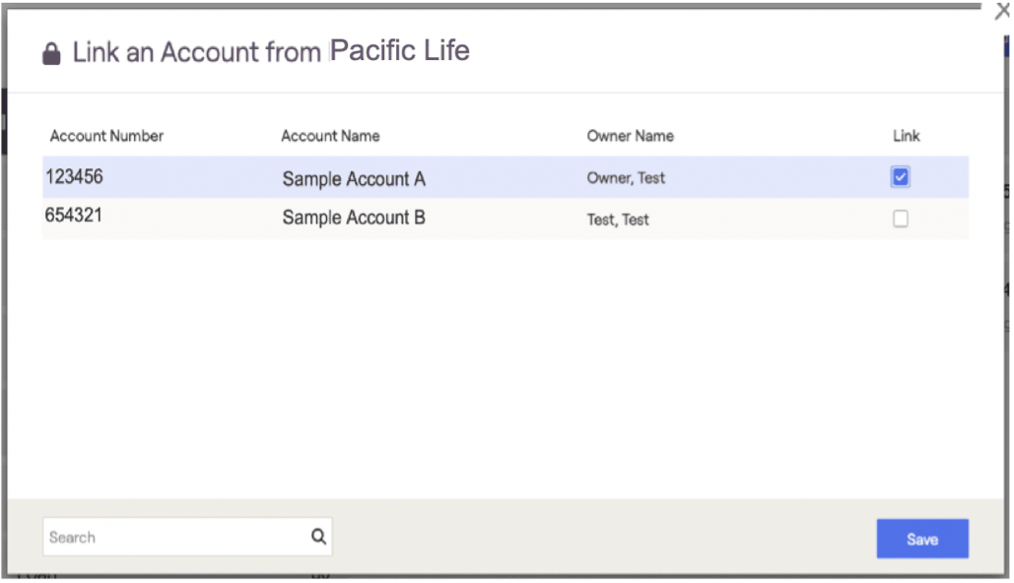
Save to create the connection for the accounts selected. Integrated accounts will then appear under the Investment bar on the left side of the Net Worth screen.
Contact information from Pacific Life is not synced. To link contact information, utilize a CRM integration, and then connect the Pacific Life information.


