Explore Firm Level Analytics With RightIntel
The Firm Level RightIntel Dashboard is available for the Super Administrator(s) of the firm.
Summary
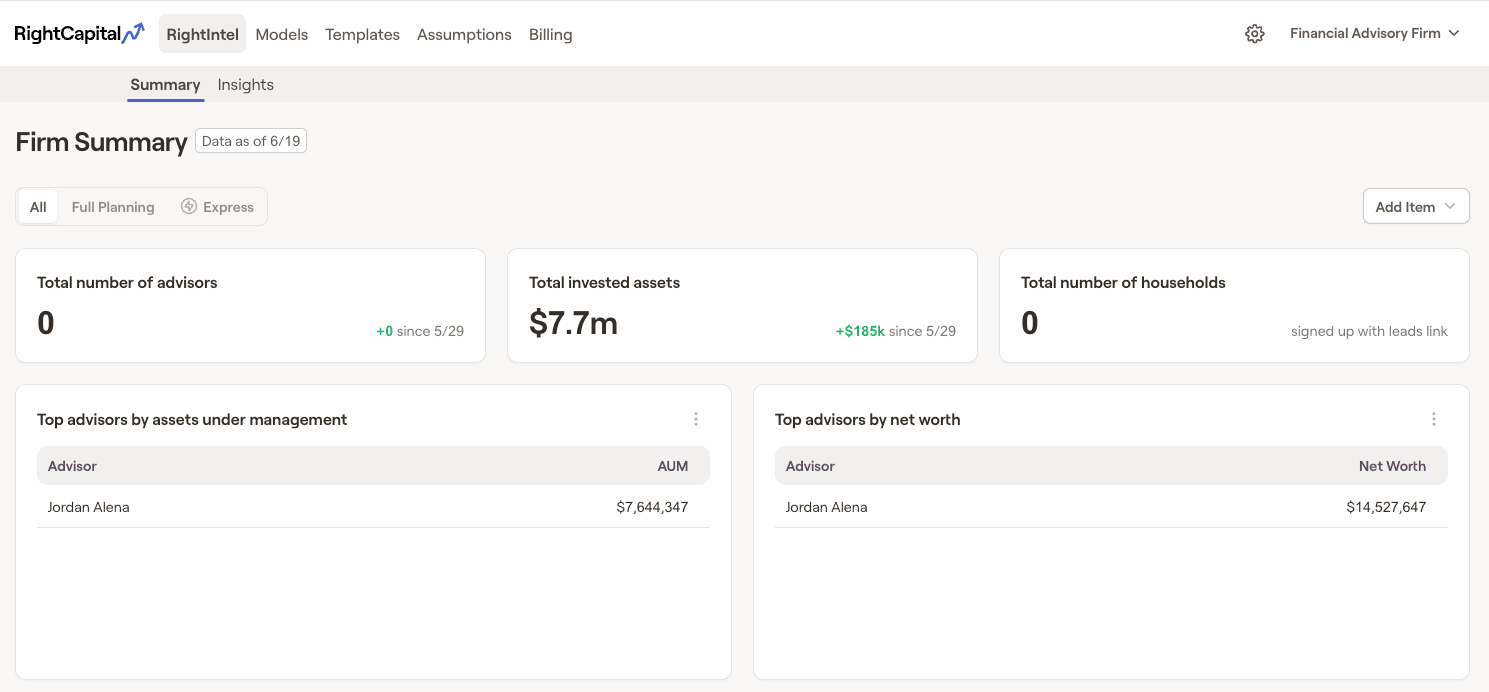
Add, Remove, & Reorder
To remove additional widgets, hover your mouse over the tile until the "x" icon appears in the upper right corner. Then click "x" followed by "Delete". Widgets that have been removed, can be re-added by clicking the blue "add" button in the upper right corner of the RightIntel dashboard:
Available Widgets
Total number of advisors
Total invested assets
Managed asset percentage
Top advisors by assets under management
Top advisors by net worth
Top clients by net worth
Total invested assets by account type
Top advisors by # of households
Top advisors by # of logins
Top clients by cash balance
Client demographics - employment
Client demographics - age
Insights
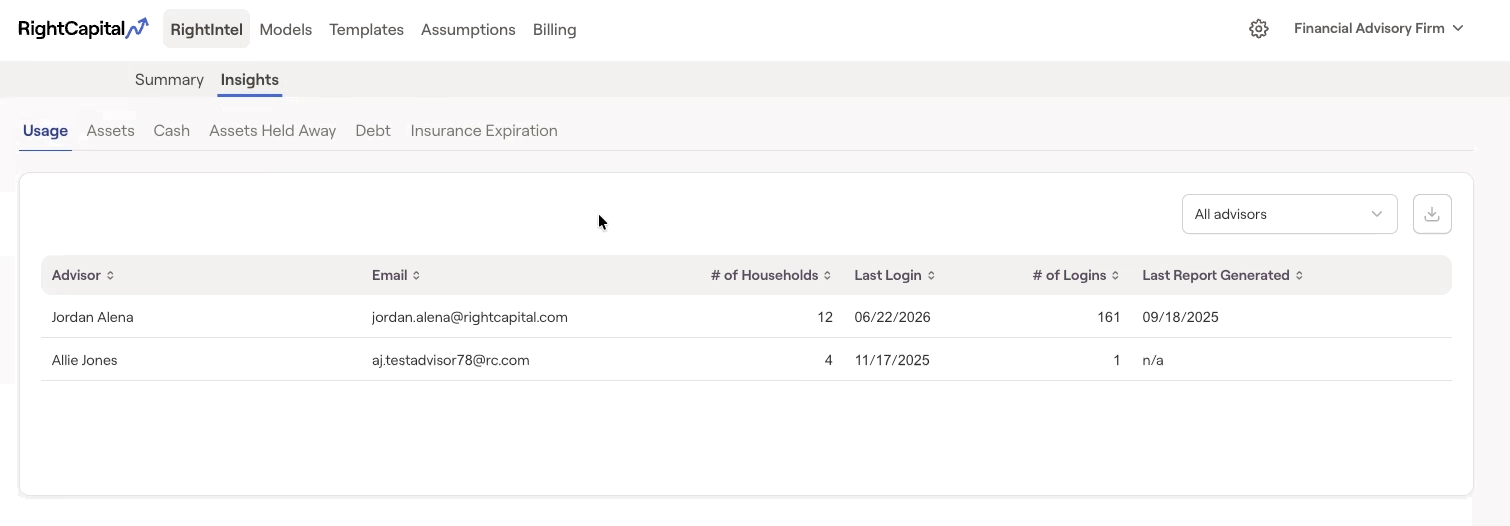
Usage
Highlights:
Advisor Name
Email
# of Clients
Last Login
# of Logins
Last Report Generated
Assets
Highlights:
Advisor Name
# of Clients
Net Worth
Invested Assets
Assets Held Away
- Cash Balance
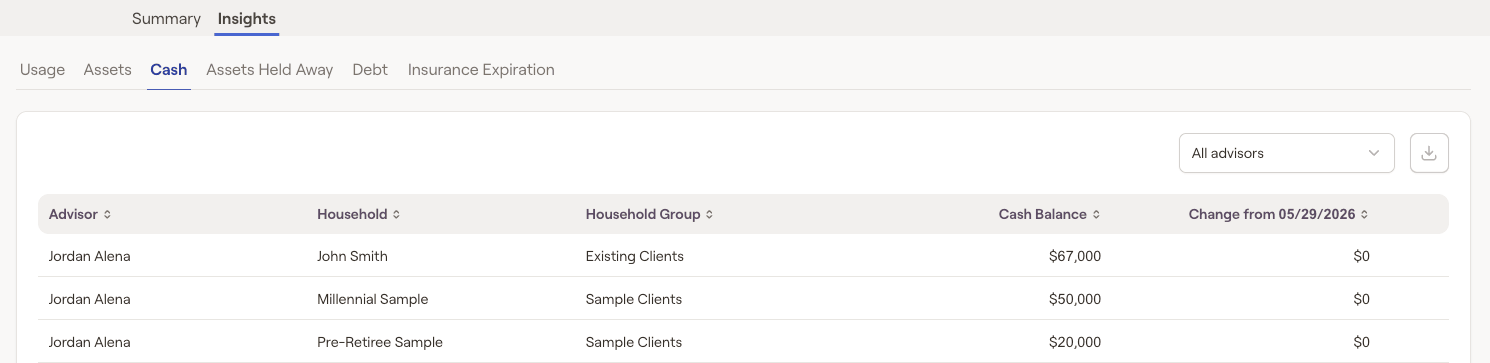
Cash
The Cash tab helps you quickly identify clients who have available cash to reinvest or those who may benefit from increasing their cash reserves. It displays each client's current cash holdings and changes to those balances.
Assets Held Away
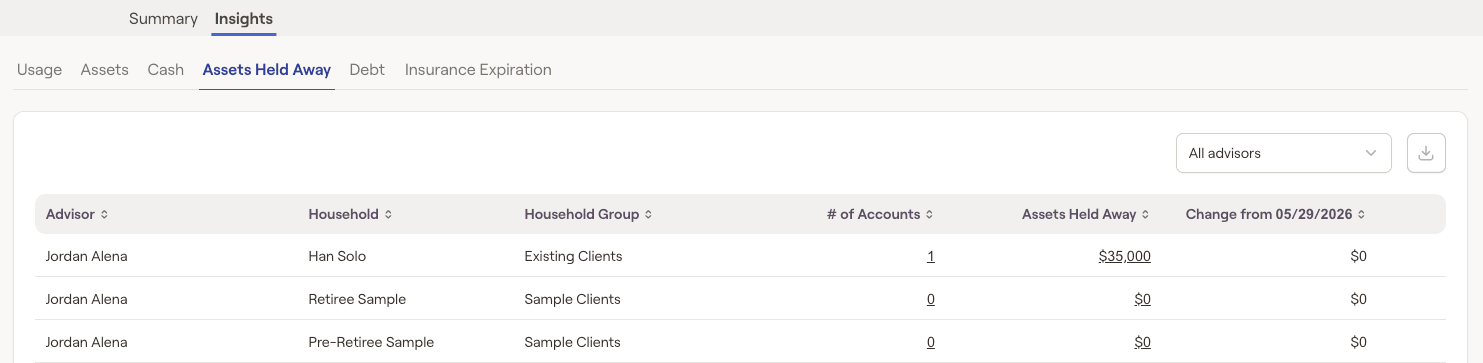
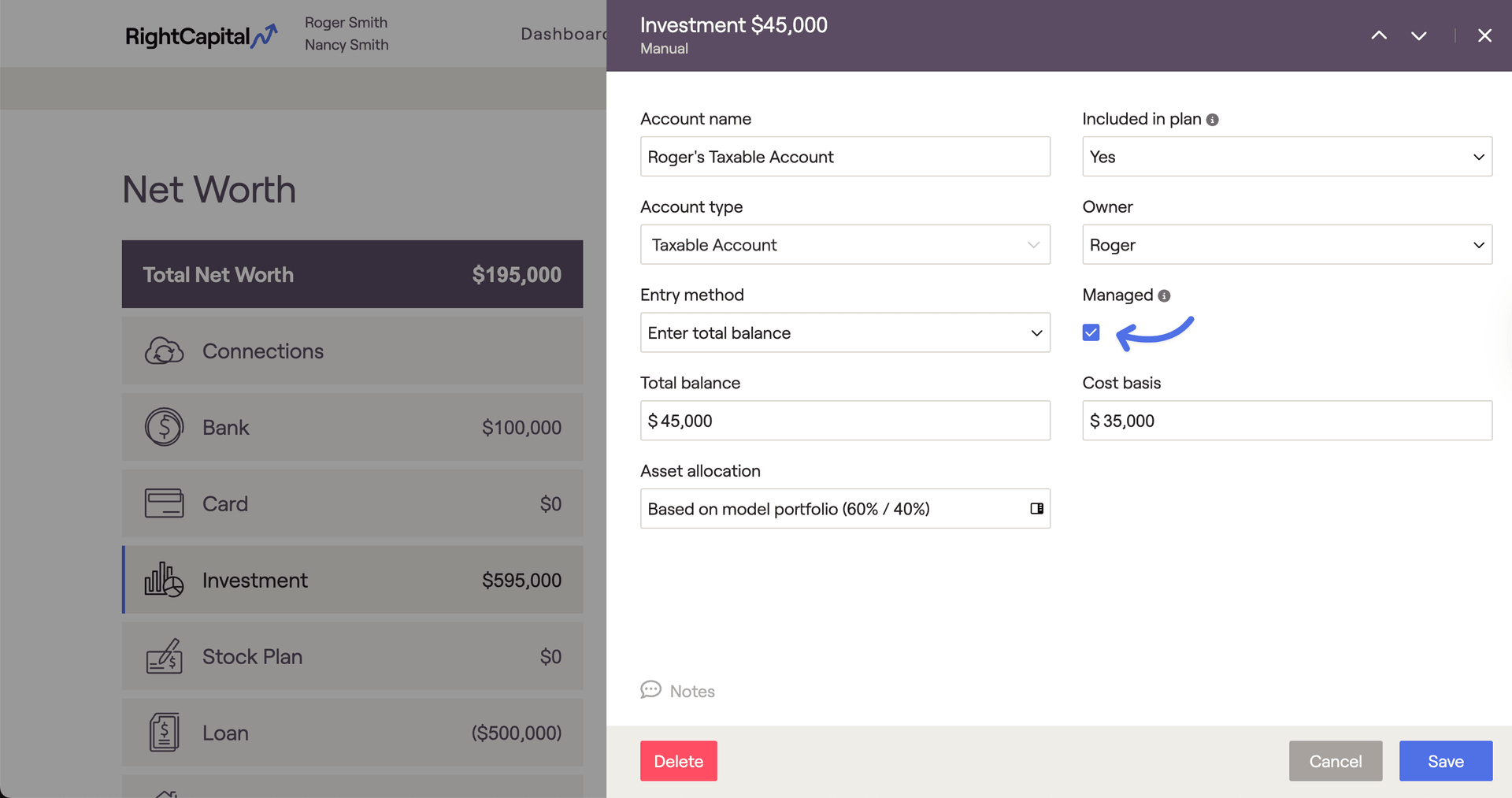
You can indicate that an investment is actively managed by checking off the 'managed' box within the investment, located under the client's Profile > Net Worth tab:
Debt
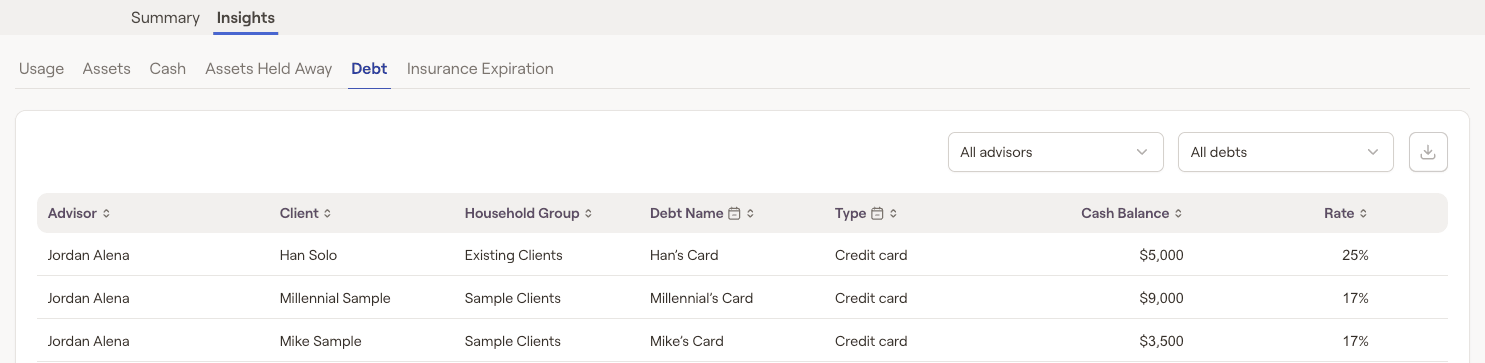
The Debt tab consolidates all client loan information across the firm, making it easy to identify clients who may benefit from refinancing or debt consolidation. It displays each loan's balance and interest rate, giving you a comprehensive view of their debt profile.
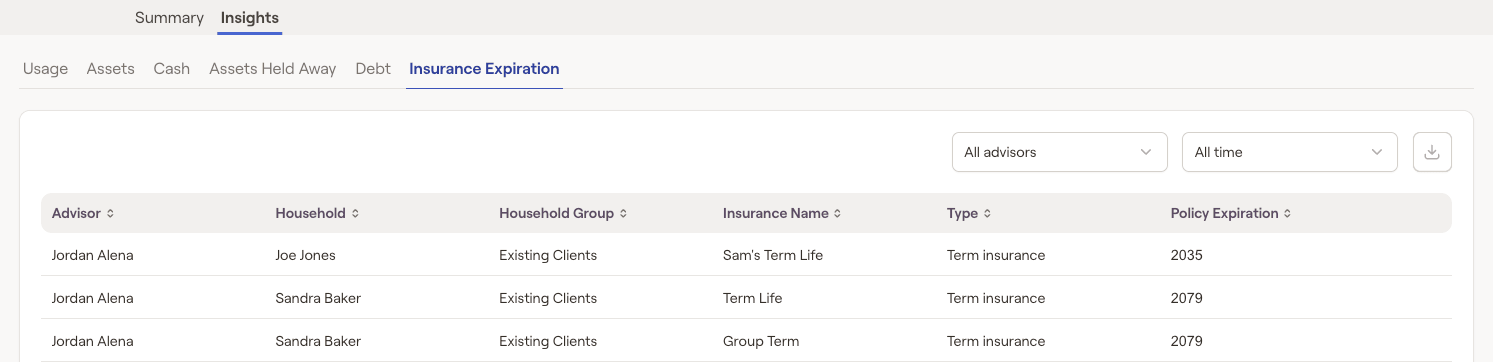
Insurance Expiration
The Insurance tab shows active term and disability insurance policies for each client across the firm. You can also filter the list to view policies that expire this year or next.