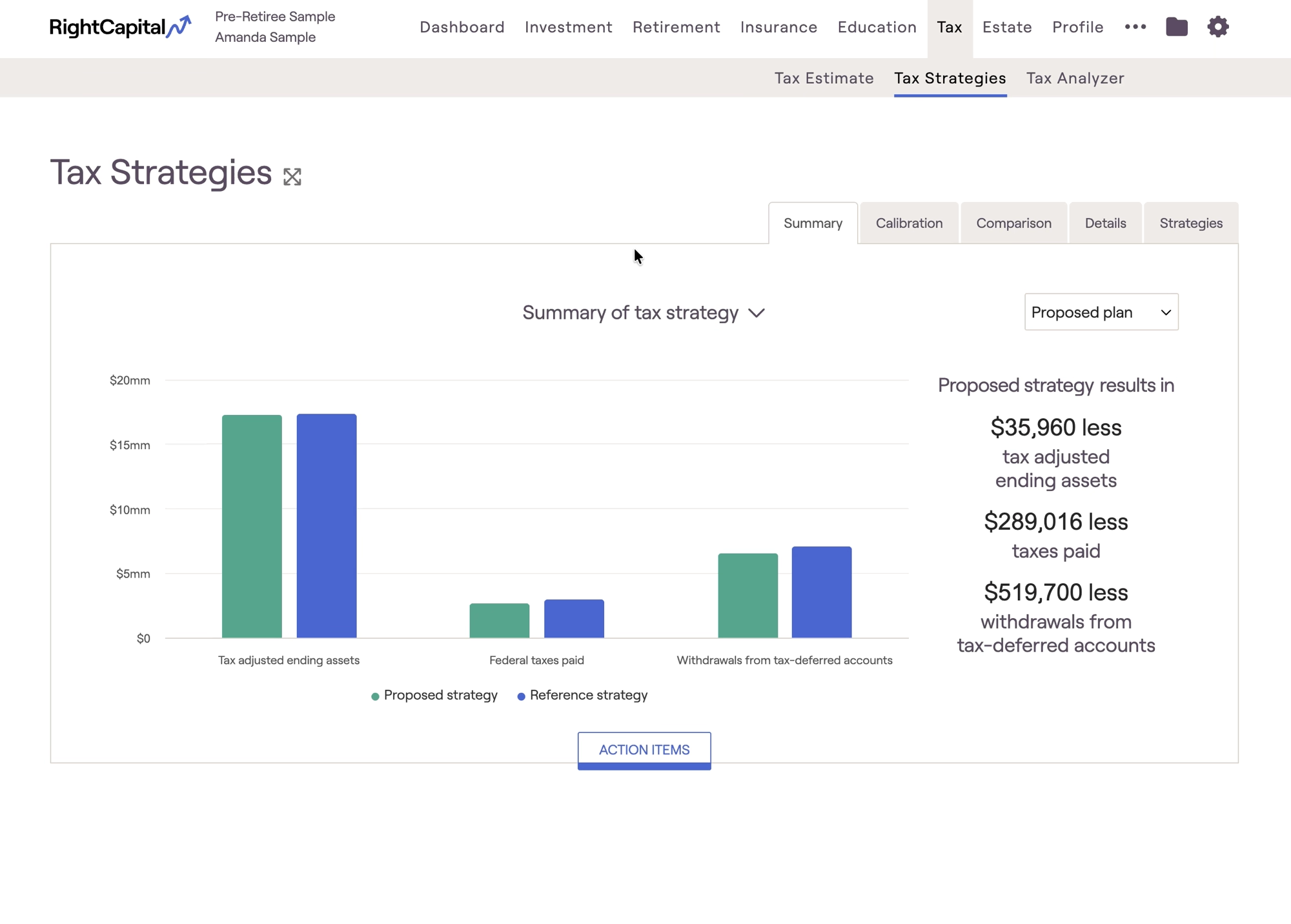
The Roth Conversion/Distribution Strategy is one of three strategies that can be modeled within the Tax Strategies module. This can be found within the Tax > Tax Strategies tab of each client plan. Click the 'Action Items' button at the bottom of the page to open a new drawer, revealing a set of tax strategies that you can model:
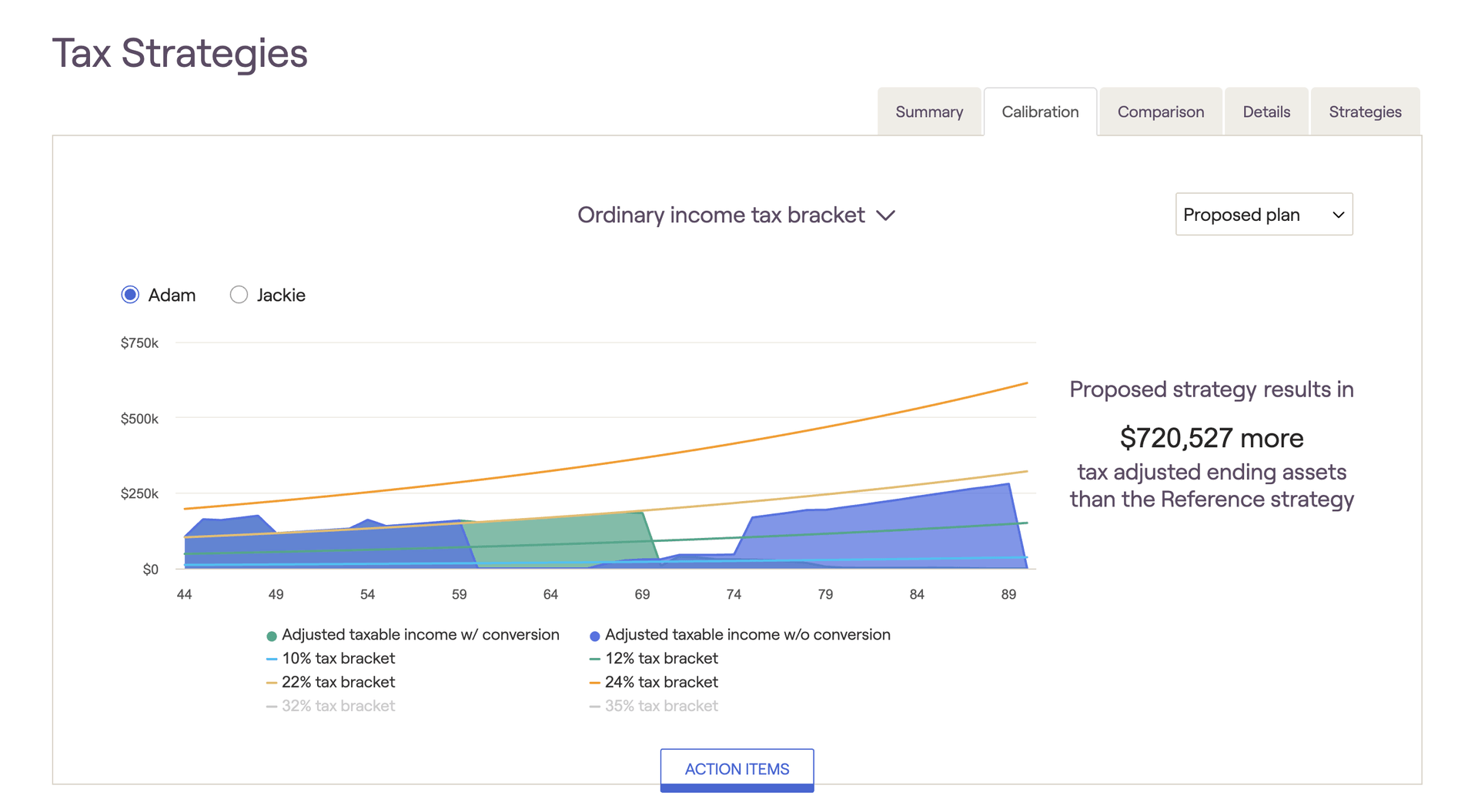
The Roth conversion/distribution strategy lets you choose a target, and then ‘fill up’ specific tax bracket thresholds with Roth conversions/distributions. This can be a quick and efficient way to identify if either of these strategies is a good fit for a client. When modeling, we recommend using the visuals within the Calibration tab:
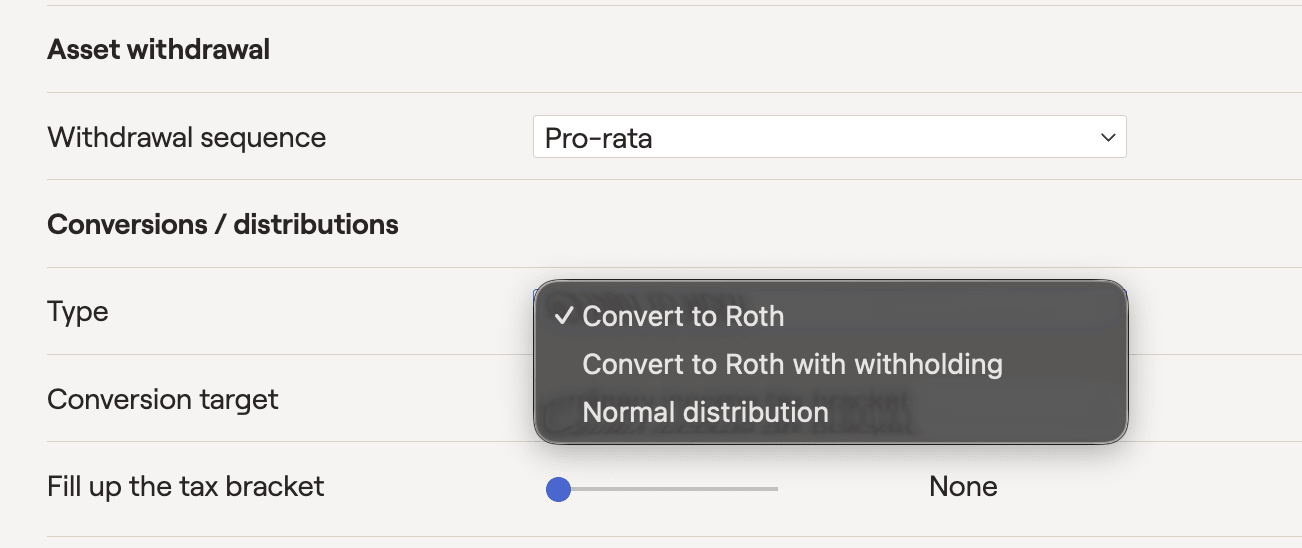
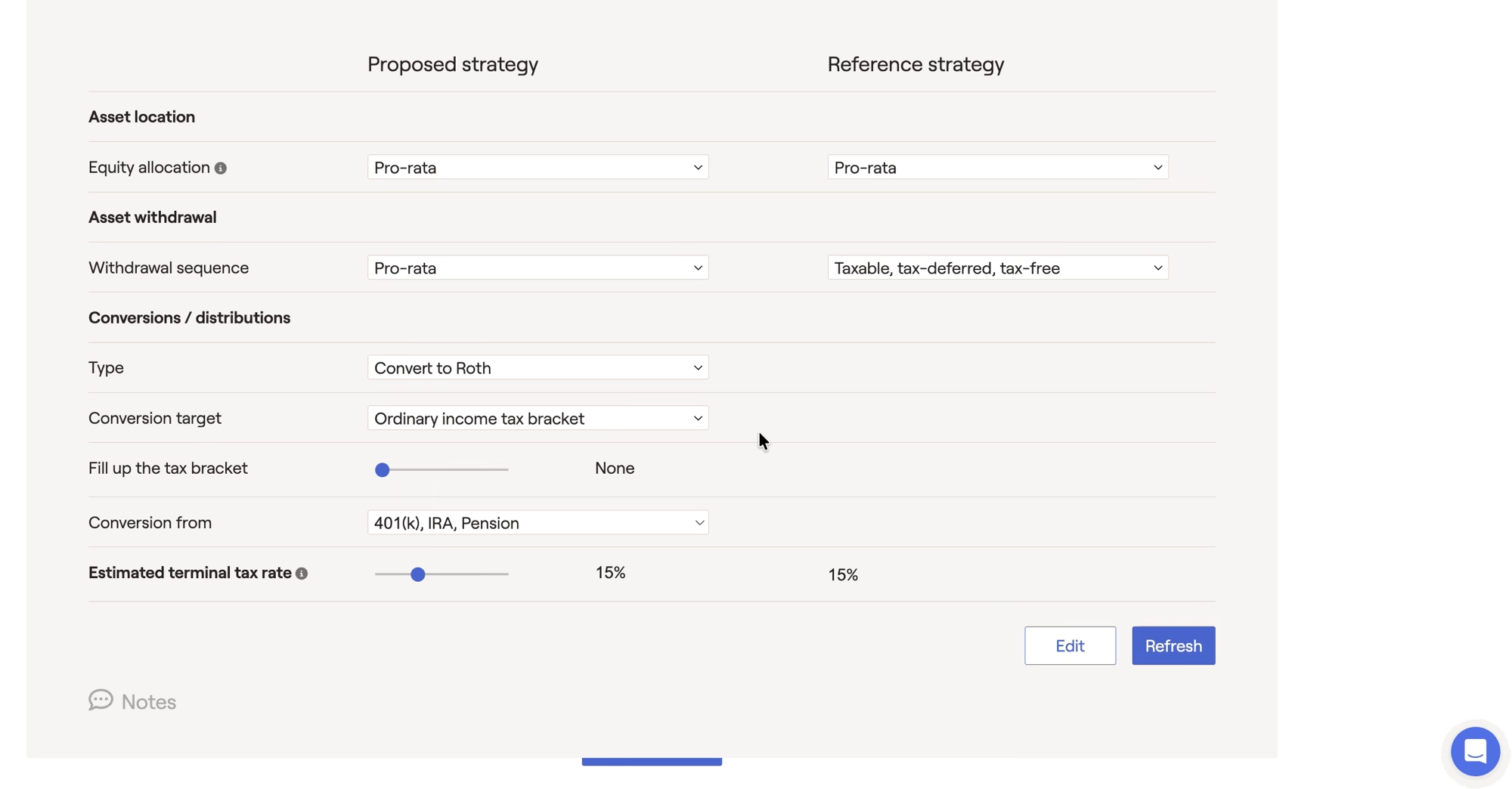
The 'Conversion/distribution type' option allows you to pick between three types of conversion or distribution options.
Choose between:
Convert to Roth: Convert available funds to a Roth IRA.
Convert to Roth with Withholding: Convert available funds while withholding funds for taxes.
Normal Distribution: Distribute funds with no conversion.
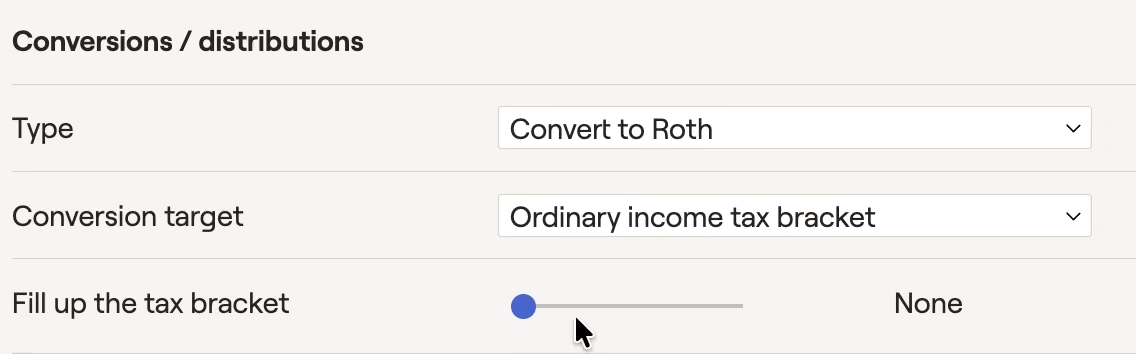
The 'Conversion/distribution target' determines which tax brackets will be targeted for your proposed conversions/distributions. Choose between ordinary income tax brackets, and capital gains tax brackets, or various IRMAA (Income-Related Monthly Adjustment Amount) Medicare premiumstiers.
After selecting a conversion target, use the 'Fill up the tax bracket' slider to choose a specific bracket threshold. RightCapital will then convert/distribute as much as possible without exceeding the specified bracket. Please note that these are the upper thresholds of each bracket (hence no 37% bracket for ordinary income, or 20% for capital gains):
When choosing a bracket threshold, conversions/distributions will only be generated in years where the household's adjusted taxable income is less than the specified bracket. For example, if you select the 10% ordinary income bracket for a client that never drops below the 12% bracket, no conversions will occur. Conversions will also stop automatically once there are no tax-deferred assets left to convert.
By default, conversions/distributions will occur throughout the duration of the client plan ('Already Started' through 'End of Both Plans'). To dial in a more specific time frame, click the Edit button in the lower right of the Action Items, and check the boxes for 'Conversions start' and/or 'Conversions end':
Some advisors will start conversions right after clients stop working, and end them right before RMDs begin within the projections. This is a popular strategy that works well for many clients!
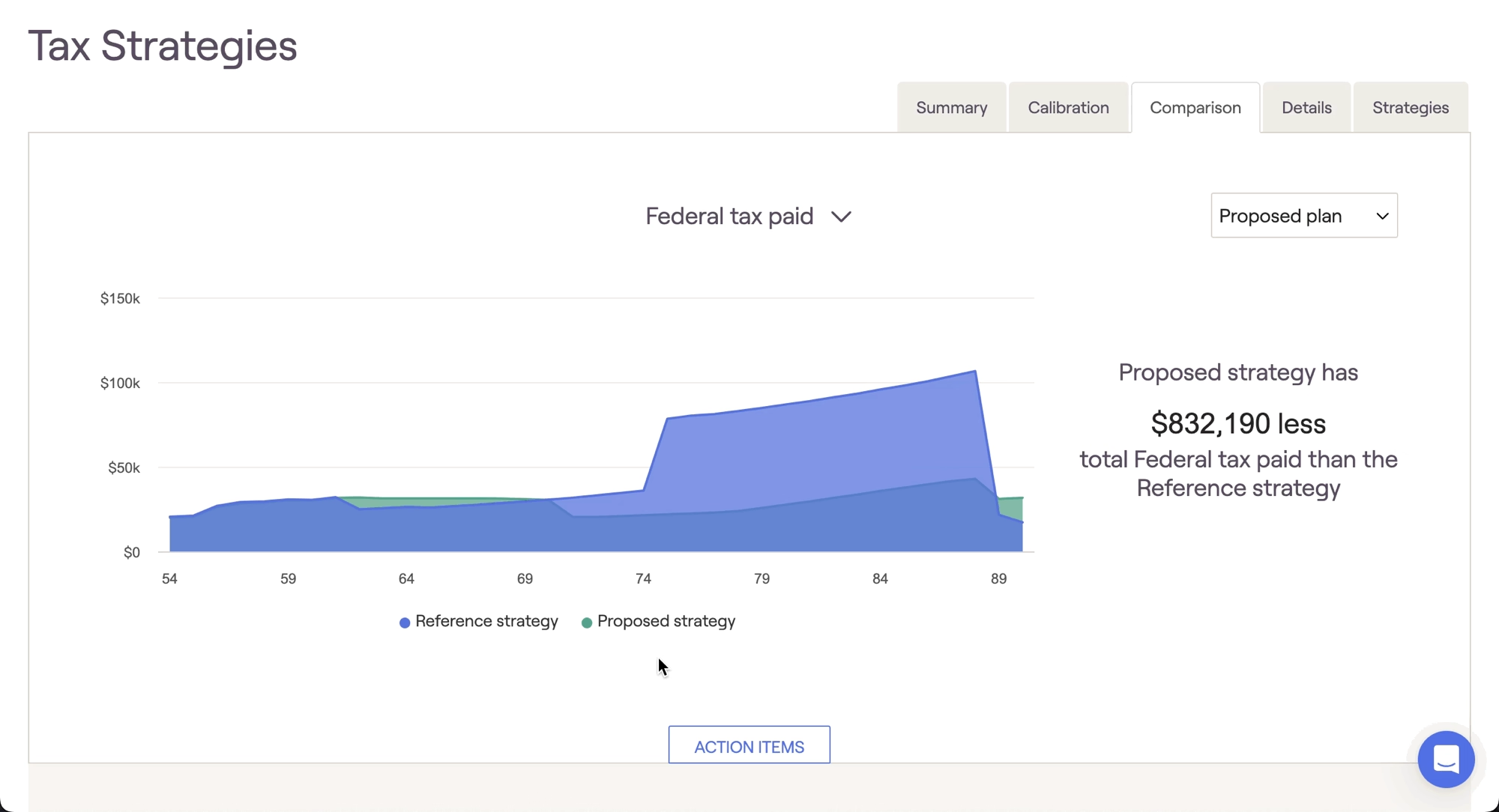
After fine-tuning your Roth conversion/distribution strategy in the Calibration tab, the Comparison tab is a great place to showcase the value of your conversion strategy in terms of overall invested assets, total taxes paid, and tax-adjusted ending wealth. The exact conversion amounts for each year can be found within the Details tab:
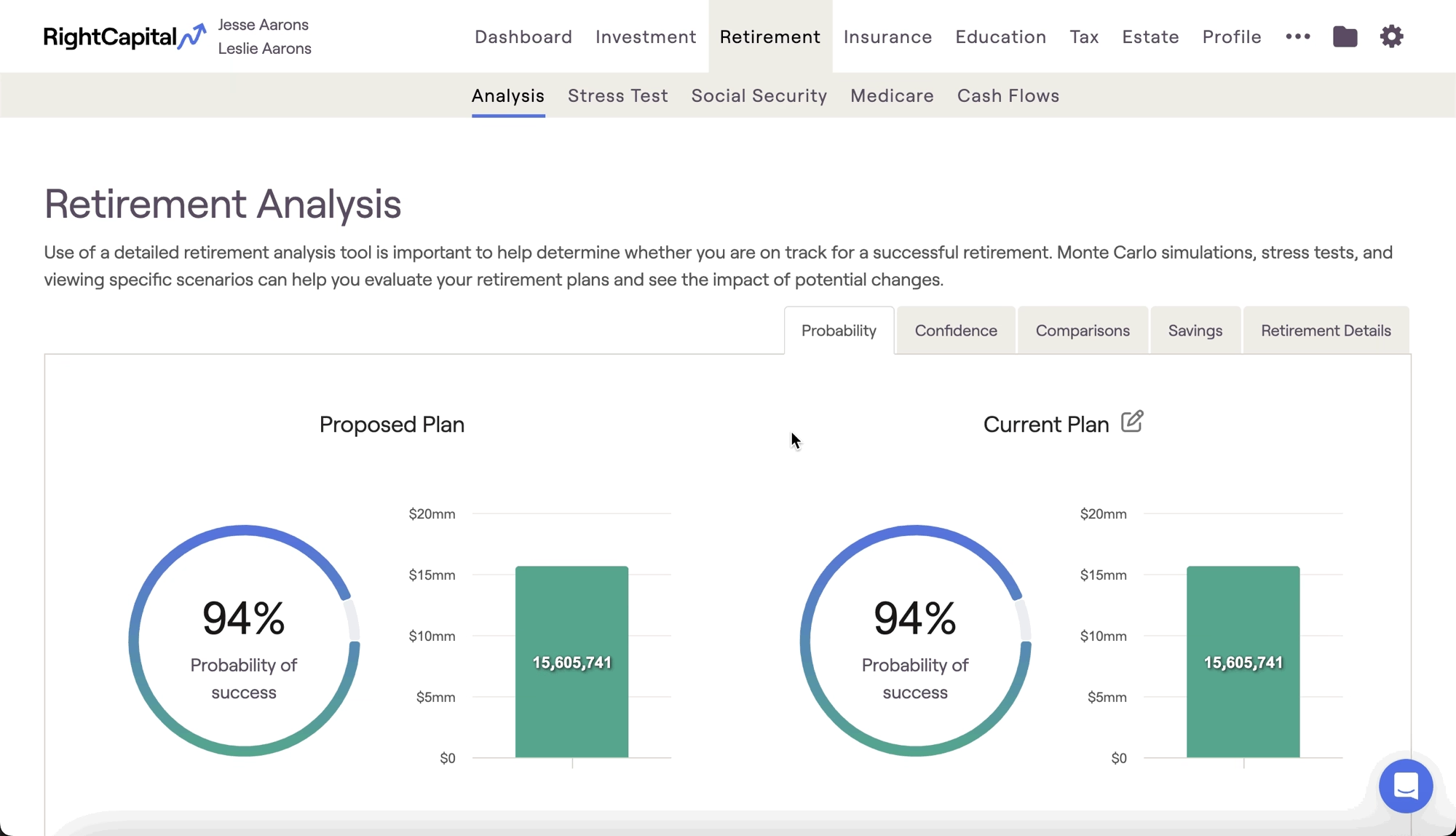
After dialing in a strategy within the Tax module, you can then choose to instantly reflect that strategy within any retirement proposal. To apply a tax strategy proposal, visit the Retirement Analysis module and access the action items at the bottom of the screen. On the right side of the action items, isolate the 'Tax Strategy' dropdown, and choose your desired tax proposal. Once you click Refresh in the lower right, details from the Tax Strategies module will flow into the Proposed plan:
The conversions can be seen within the Proposed plan by heading to the Cash Flows > Accounts tab. As a note, the only effect of the conversions on the Cash Flows > Summary tab is an increase in tax payments and a decrease in RMDs.
Can I model Roth Conversions in the Current Plan?
The other method of modeling Roth conversions in RightCapital is to use an Income Distribution card. These cards can be added in the Profile > Income section, allowing you to model Roth conversions within a client's Current Plan.
Contact Us
For additional assistance within RightCapital please contact our Support team.
Educational Webinars
RightCapital is committed to enabling your success. Each week, we cover essential planning modules and product updates.
RightCapital in Action
Check out our YouTube channel where we highlight Advisor Success Stories and share more Tips & Tricks!