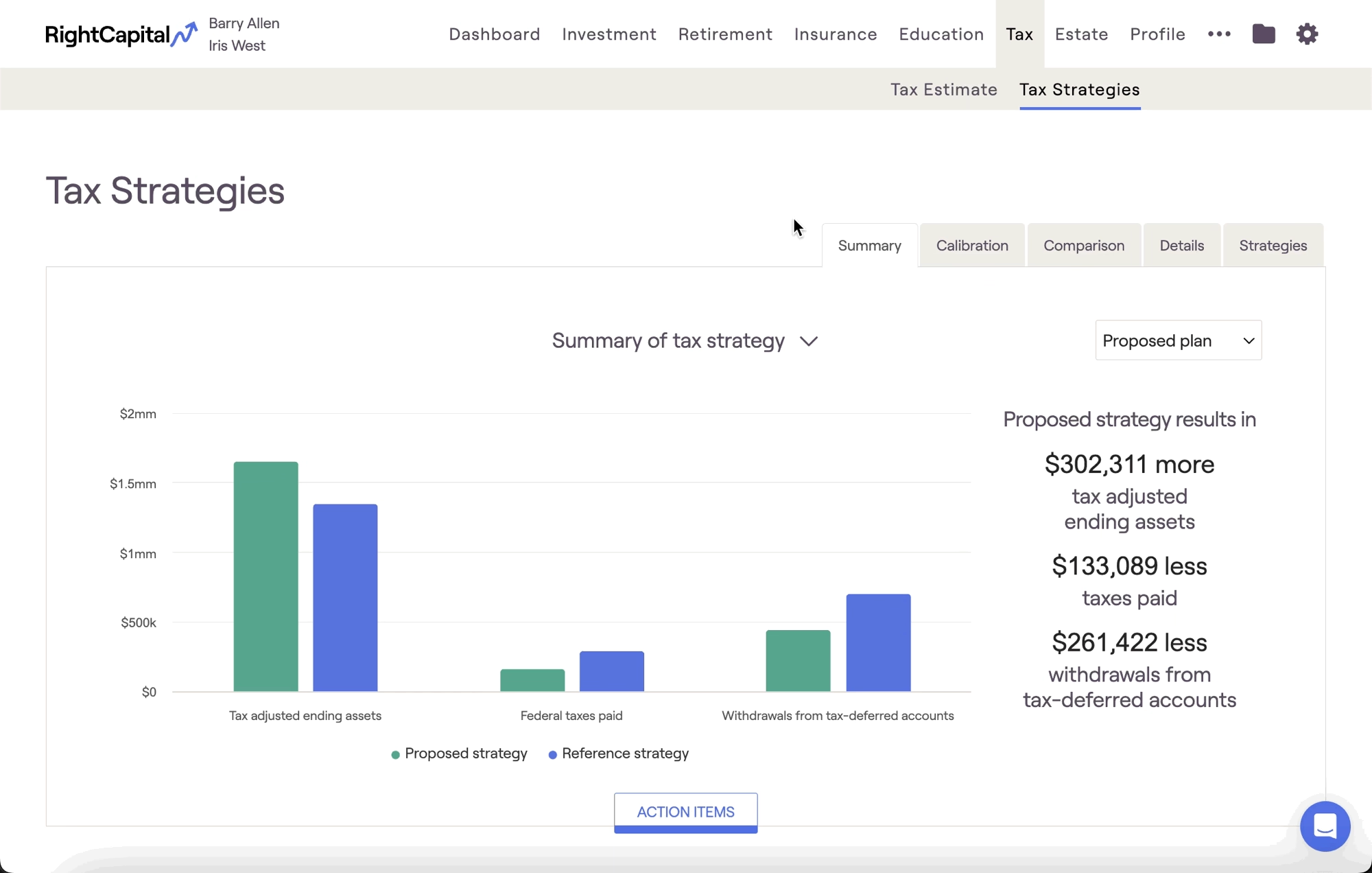
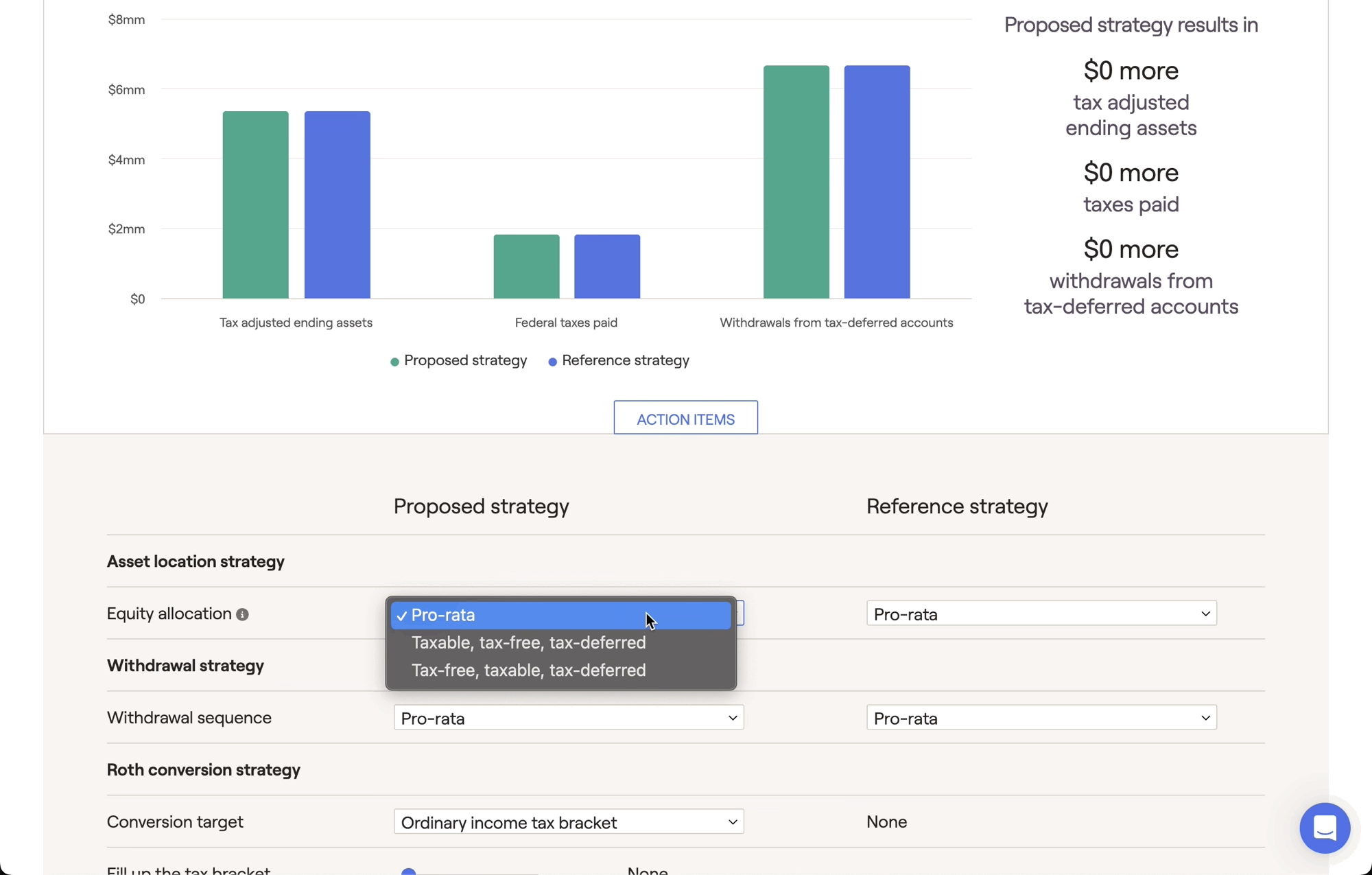
The Asset Location Strategy is one of three strategies that can be modeled within the Tax Strategies module. This can be found within the Tax > Tax Strategies tab of each client plan. Click the 'Action Items' button at the bottom of the page to open a new drawer, revealing a set of tax strategies that you can model:
The Asset location strategy grants you control over how a client's equities are allocated between the three tax buckets (taxable, tax-deferred, and tax-free). Put differently, you can choose how the equity portion of the client's overall asset allocation is spread between these tax buckets.
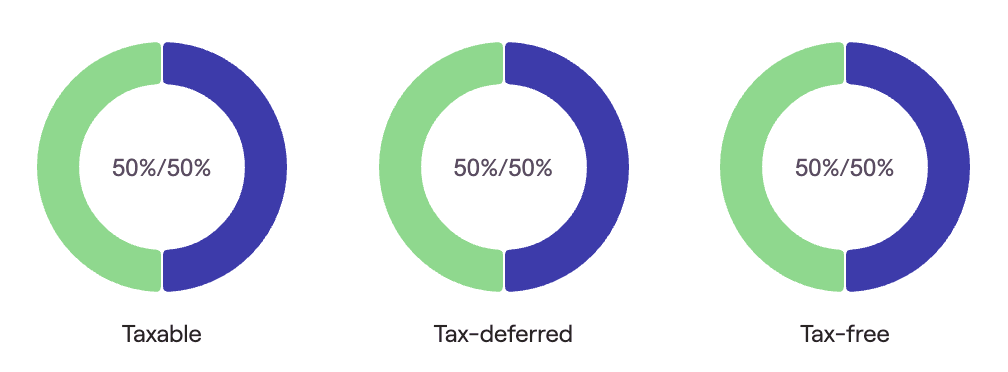
The default asset location strategy in RightCapital is Pro-rata. This option allocates a client's equities evenly across the three tax buckets. This can be best visualized using the Asset Location chart in the Summary tab:
Bank accounts will be included in the Fixed Income portion of the Taxable bucket, lowering the overall equity percentage. They have been excluded from these examples for demonstrative purposes.
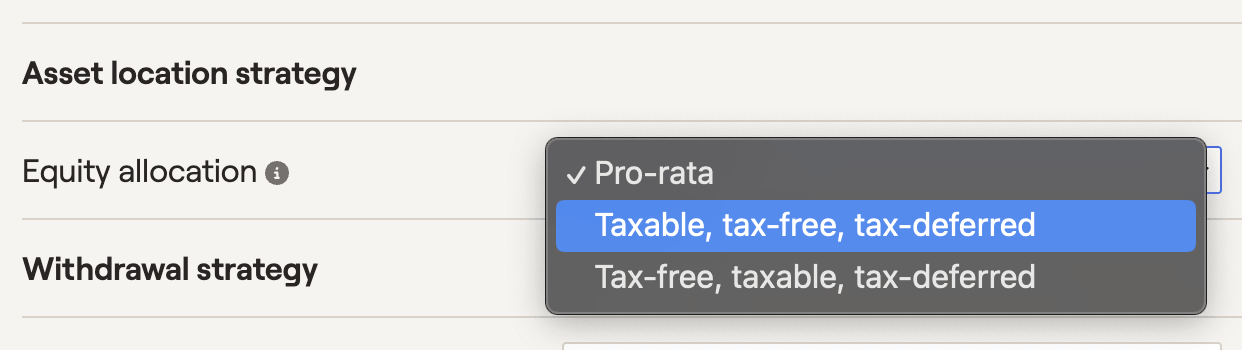
Additional strategies include Taxable, tax-free, tax-deferred, and Tax-free, taxable, tax-deferred. These options will reallocate a client's equities to "fill up" each tax bucket in order before "overflowing" into the next. Equities will be reallocated proportional to the current dollar value within each bucket.
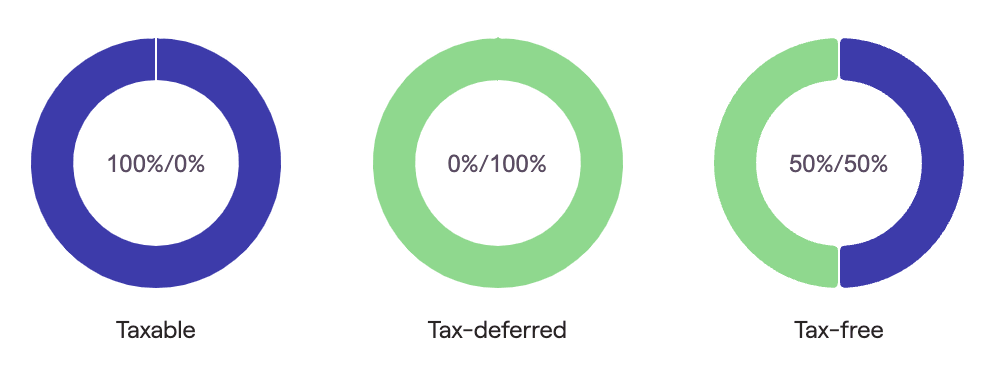
For example, let's say a client has a $300,000 portfolio, with $100,000 in each tax bucket. If the portfolio as a whole has a 50/50 split between equity and fixed income, here is how their asset location will look with the default Pro-rata strategy in place:
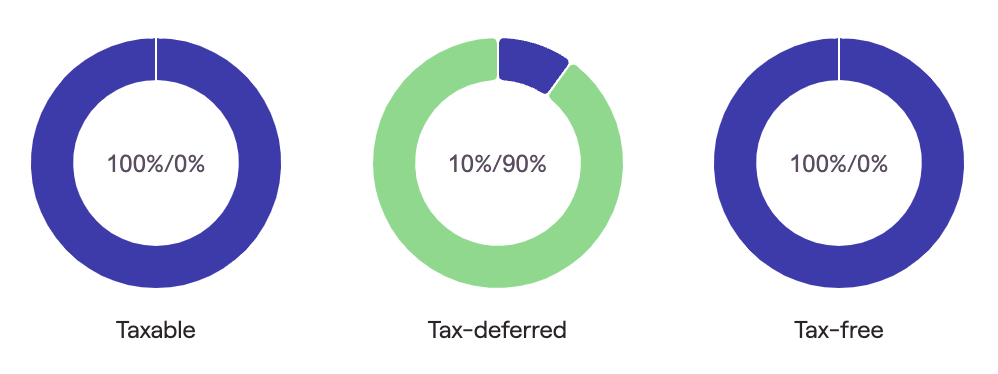
If we switch our equity allocation to Taxable, Tax-free, Tax-deferred, we will first shift as many equities as possible to the Taxable bucket. In this example, we have $150k in equity to work with, and our taxable bucket is only $100k. Using this strategy, our Taxable bucket will become 100% equity, and our $50k in overflow will be allocated to the Tax-free bucket next. Our new asset location looks like this:
Please note that in some cases, it is possible for the Taxable first strategy and the Tax-free first strategy to be the same. For instance, if we take the exact same example described above, but change our equity / fixed income split to 70/30, the overall amount of equity in the portfolio is $210,000. This is enough to fill both the taxable AND tax-free buckets, meaning both strategies will result in the following asset location:
Annuities, inherited IRAs, and 529s are all excluded from the asset location strategy, although these assets will be factored into the Asset location chart. You will also be unable to propose an asset location strategy when using 'No blending across account types' as your Allocation Method.
When should I use the Asset Location Strategy?
Genreally speaking, clients that currently fall into high marginal tax brackets (and/or clients that expect to be in lower tax brackets in the future) may benefit from an asset location strategy. However, this is highly plan dependant! Use the Tax Strategies module to quickly identify if an asset location strategy is a good fit for each client.
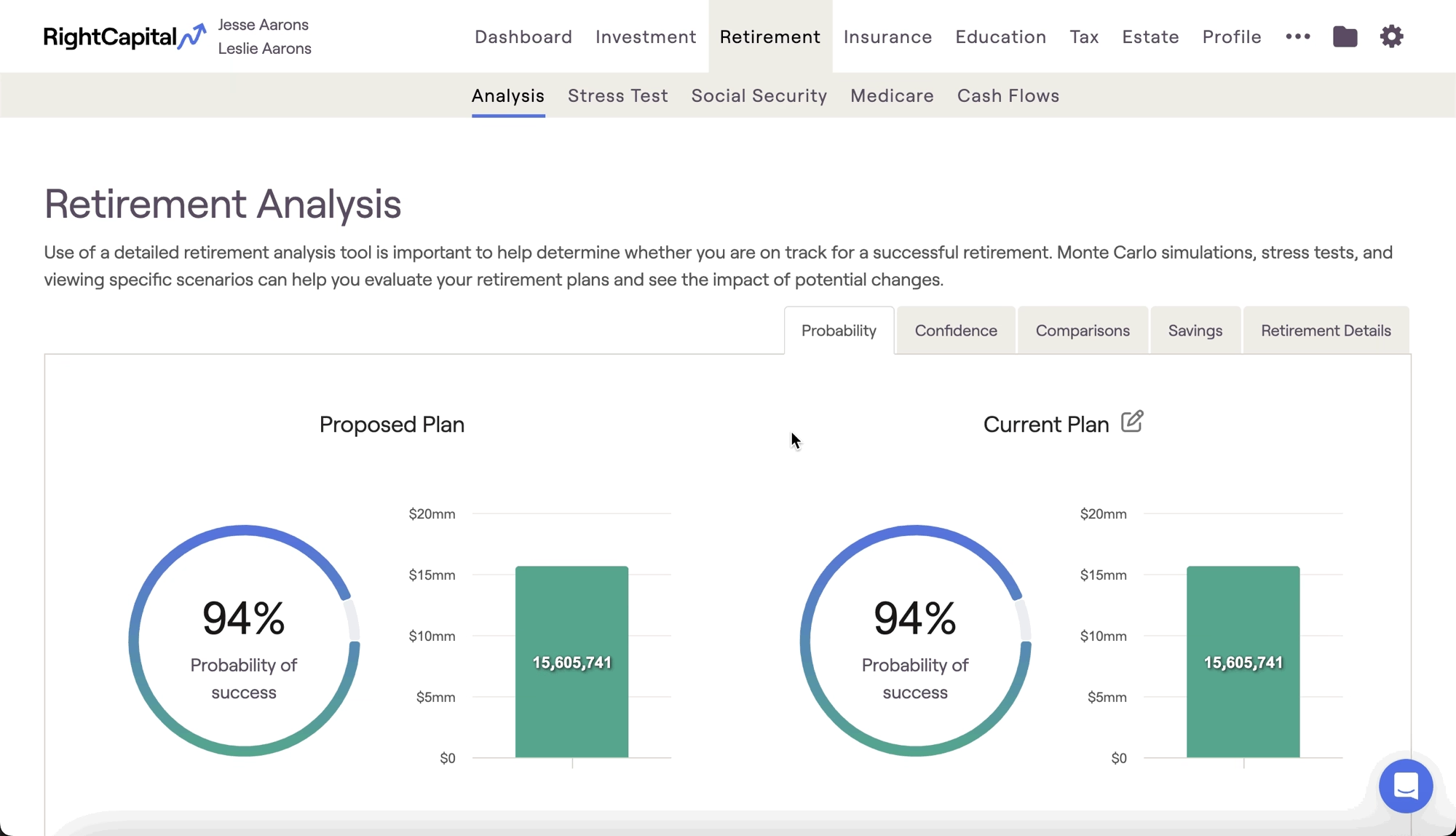
After dialing in an asset location strategy within the Tax module, you can then choose to instantly reflect that strategy within any retirement proposal. To apply a tax strategy proposal, visit the Retirement Analysis module and access the action items at the bottom of the screen. On the right side of the action items, isolate the 'Tax Strategy' dropdown, and choose your desired tax proposal. Once you click Refresh in the lower right, details from the Tax Strategies module will flow into the Proposed plan:
Contact Us
For additional assistance within RightCapital please contact our Support team.
Educational Webinars
RightCapital is committed to enabling your success. Each week, we cover essential planning modules and product updates.
RightCapital in Action
Check out our YouTube channel where we highlight Advisor Success Stories and share more Tips & Tricks!