The Details tab is where you can find a number of cash flow tables, breaking things down into specific dollar values that can tracked throughout the future projections. Here you can see the impact of different tax strategies on account balances and withdrawals, tax brackets and federal tax payments, and Medicare premiums. Use the dropdown menu in the upper right corner to switch between the four options:
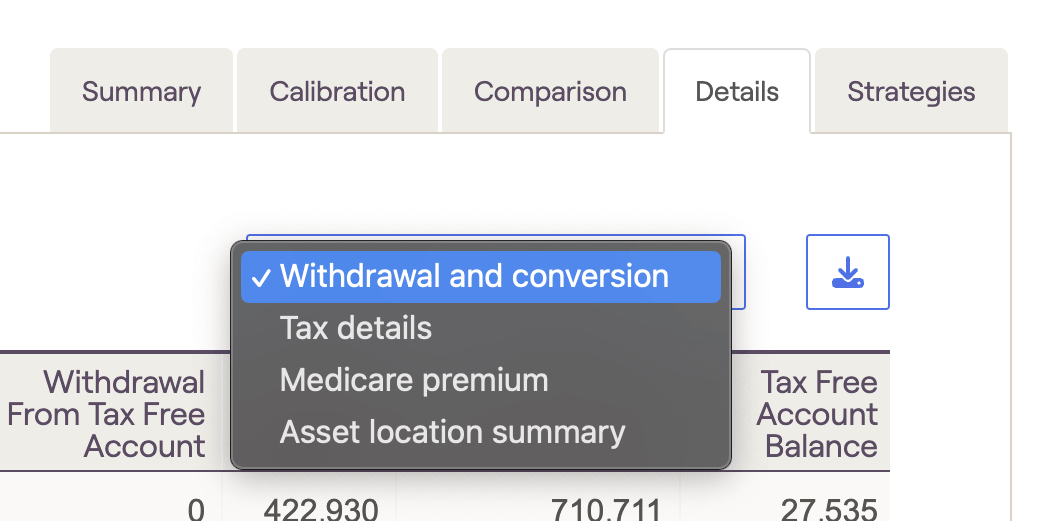
Please note that the Details tab will reflect whichever plan is currently selected within the other Tax Strategy tabs. You can toggle between current, proposed, and additional plans using the dropdown in the upper right of the other four tabs.
Withdrawal and conversion
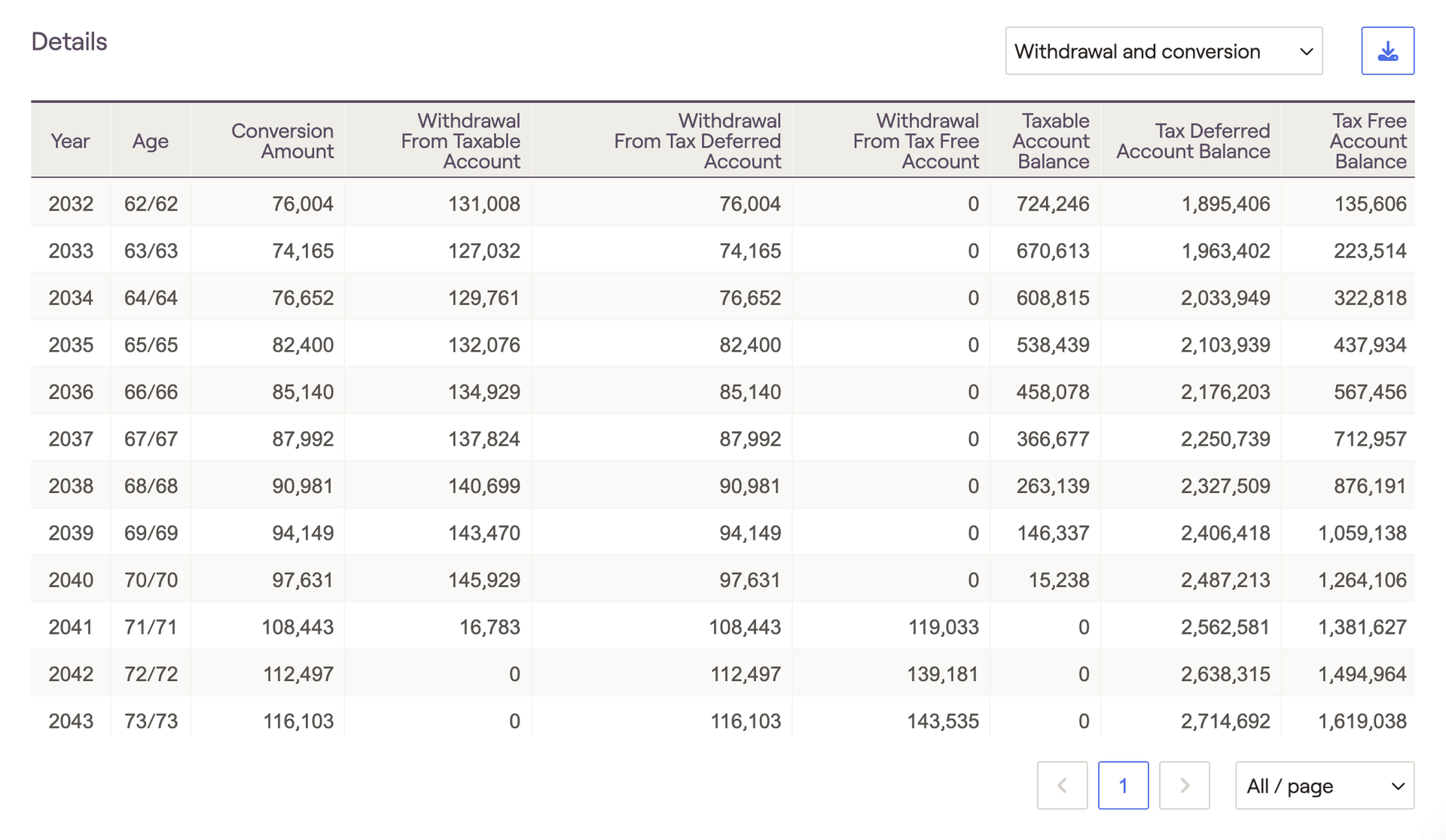
The Withdrawal and conversion table illustrates precise Roth conversion amounts each year, as well as other taxable, tax-deferred, and tax-free account data. Conversion amounts are calculated based on your Roth conversion strategy, and can be tracked in the 'Conversion Amount' column to the far left. The remaining columns will track withdrawals and ending account balances for each tax bucket throughout the plan:
Tax details
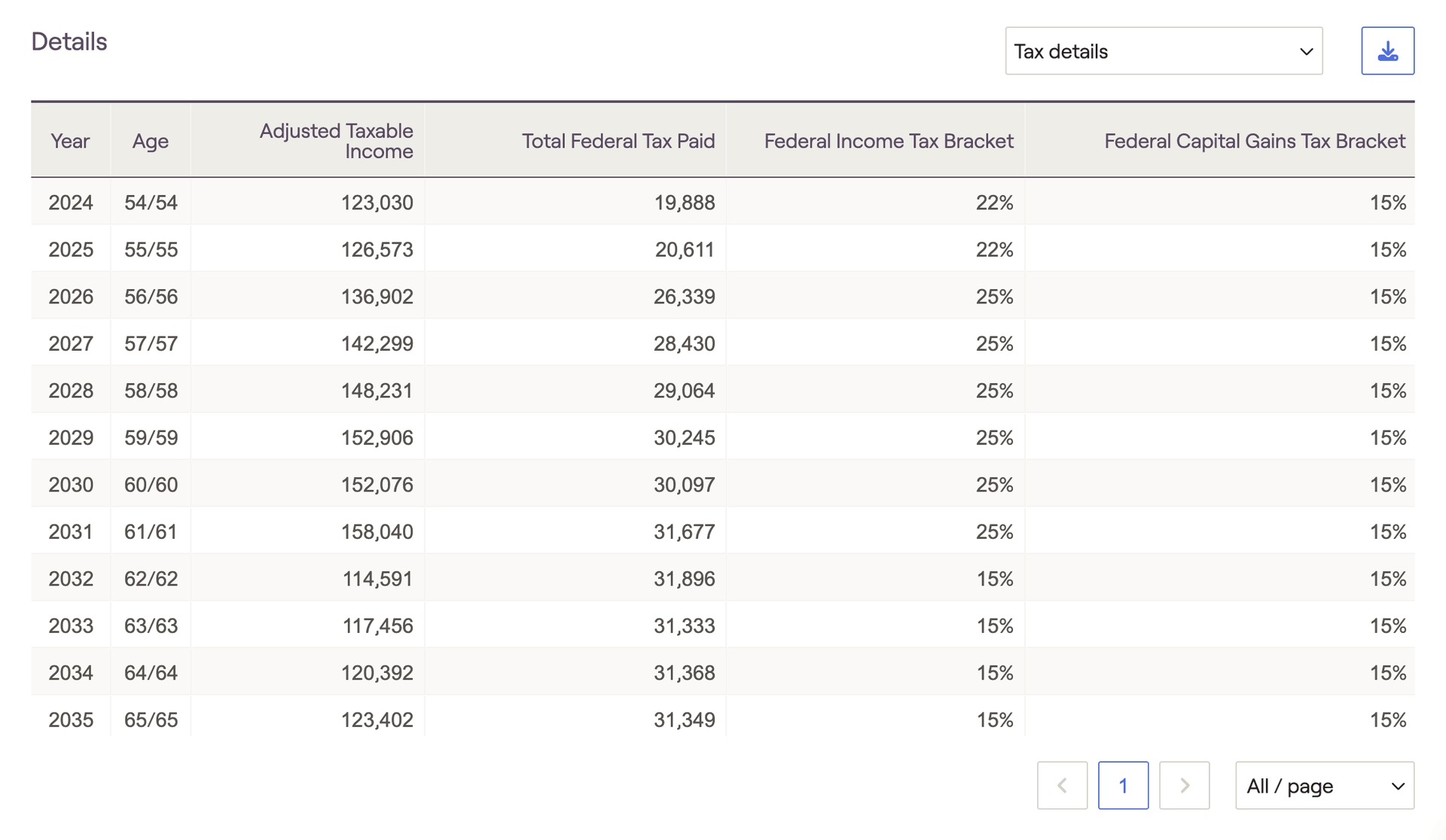
The Tax details table highlights crucial tax information, including adjusted taxable income, federal taxes paid, and the maximum ordinary income and capital gains tax brackets for each year:
Medicare premiums
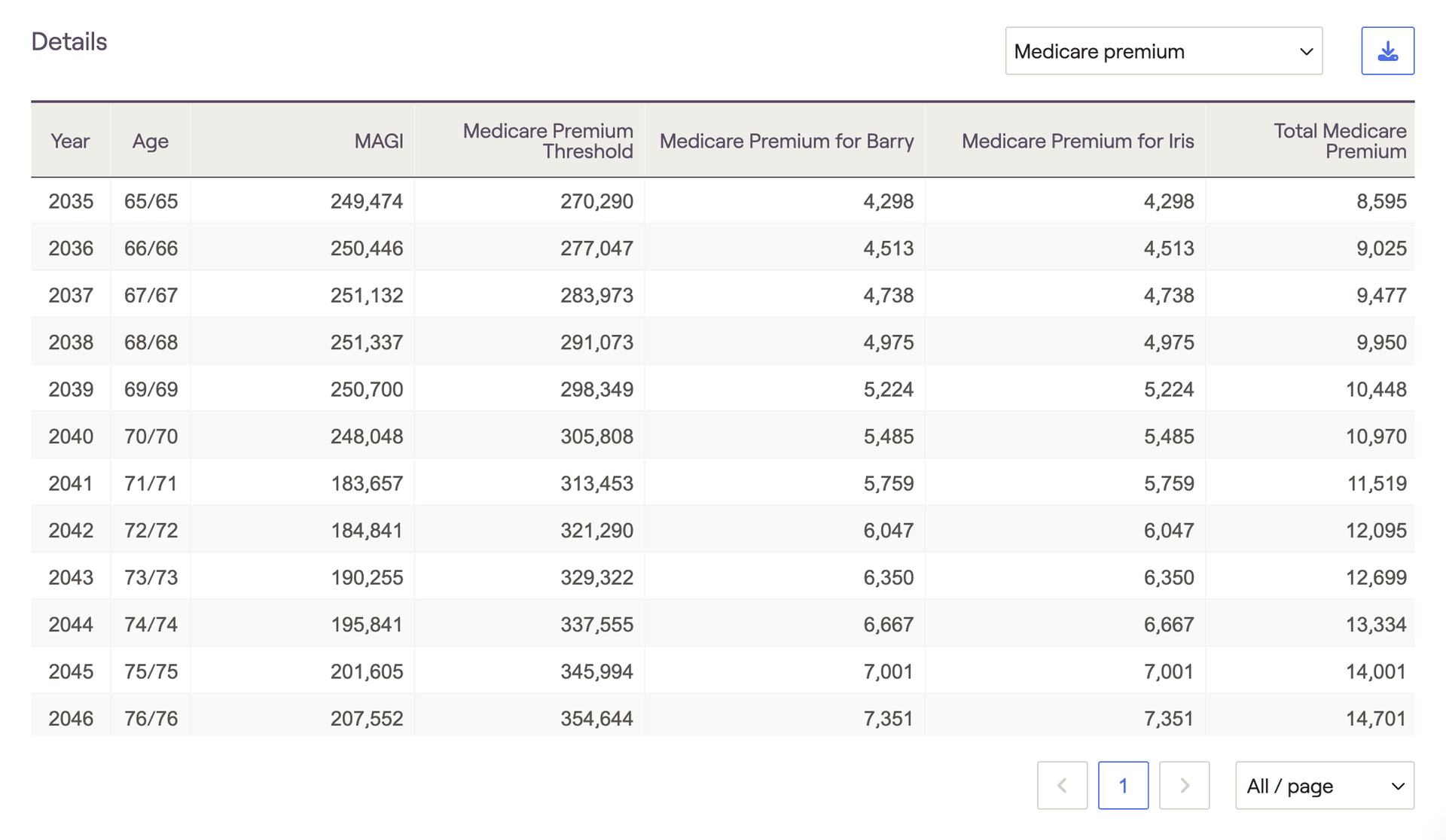
The Medicare premiums table tracks year-to-year MAGI values, IRMAA adjustment thresholds, and medicare premiums paid for each client. Please note that the 'Medicare Premium Threshold' is the lowest IRMAA bracket (indicating the point at which Medicare premiums will be increased).
Asset location summary
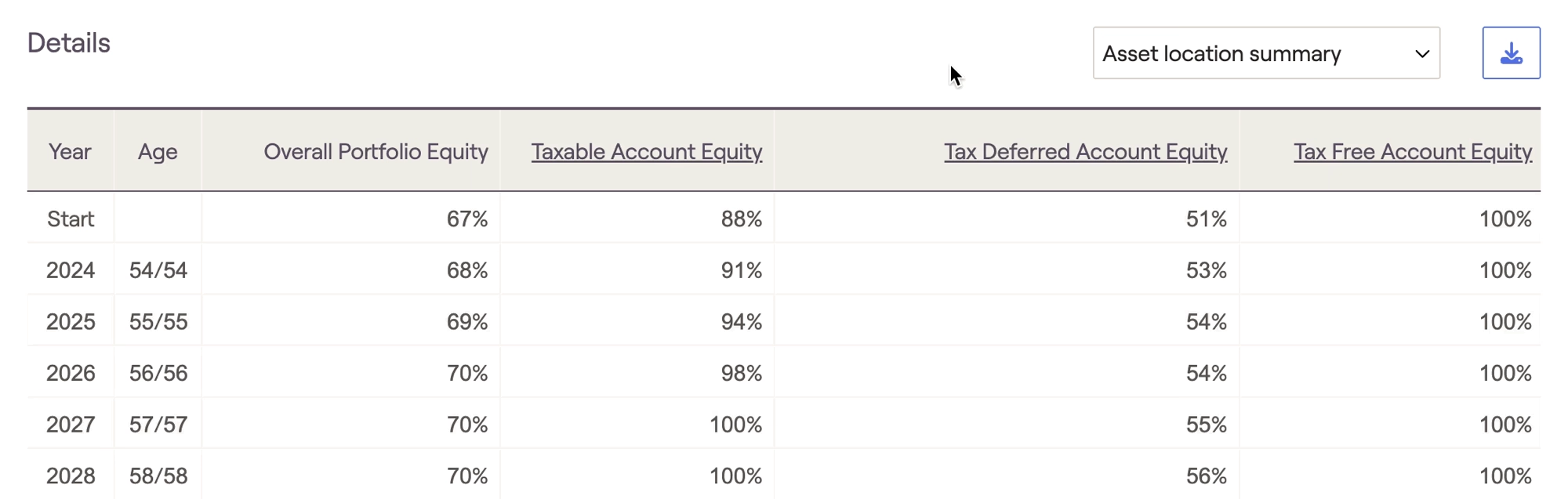
The Asset location summary table tracks changes in a client's asset location each year. The column on the left displays the percentage of equity within the overall portfolio, and each subsequent column tracks equities within the three tax buckets. The 'Start' year will correspond with the Asset location chart in the Summary tab, factoring in the Asset location strategy that you've selected in the Action Items:
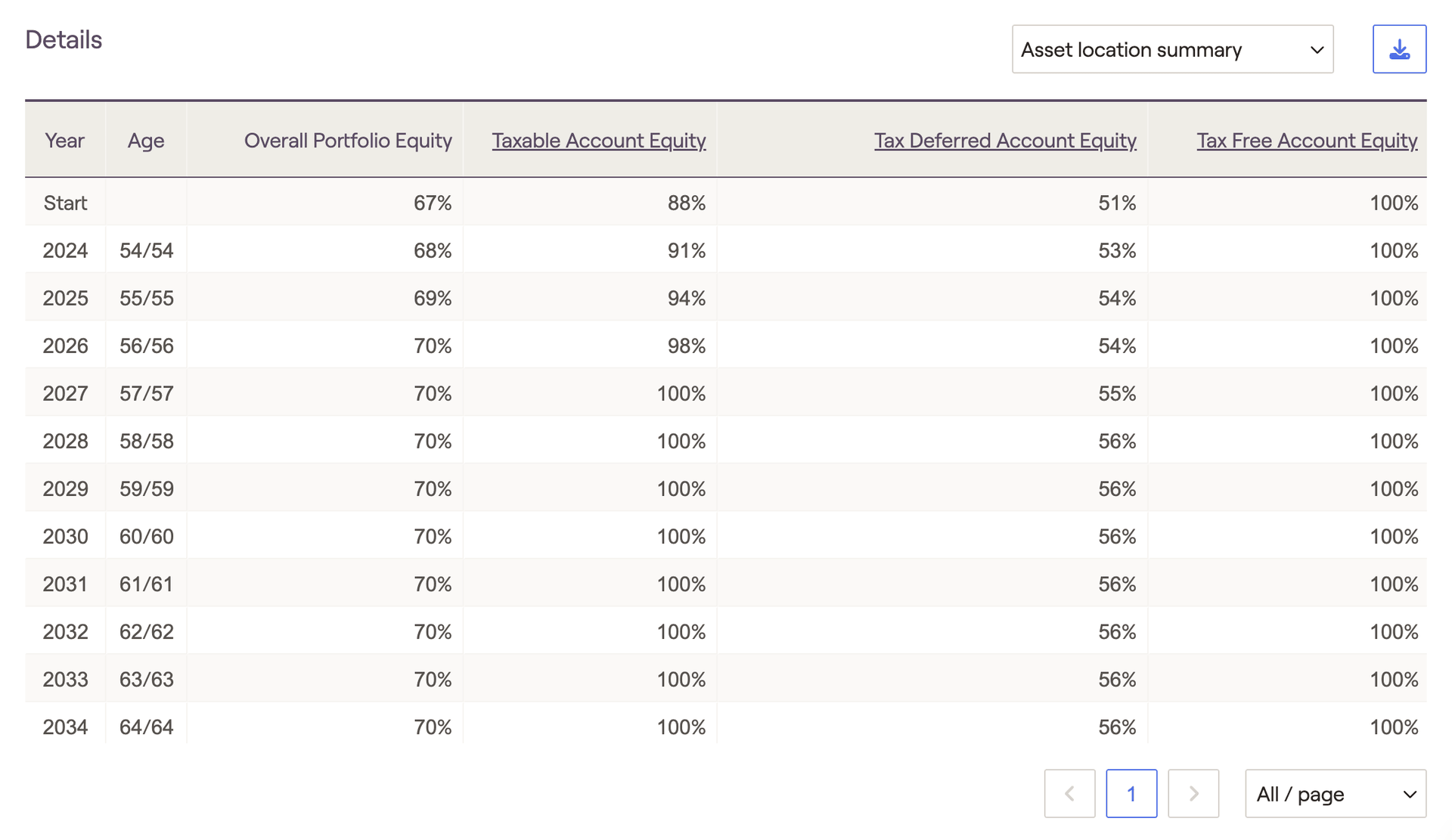
Click into the underlined column headers to see which accounts are excluded from the asset location strategy: