The Summary tab is one of five sub-tabs available within the Tax Strategies module. This can be found within the Tax > Tax Strategies tab of each client plan:

The Summary tab of the Tax Strategies module serves as your home base, highlighting the most important differences between your proposed and reference strategies.
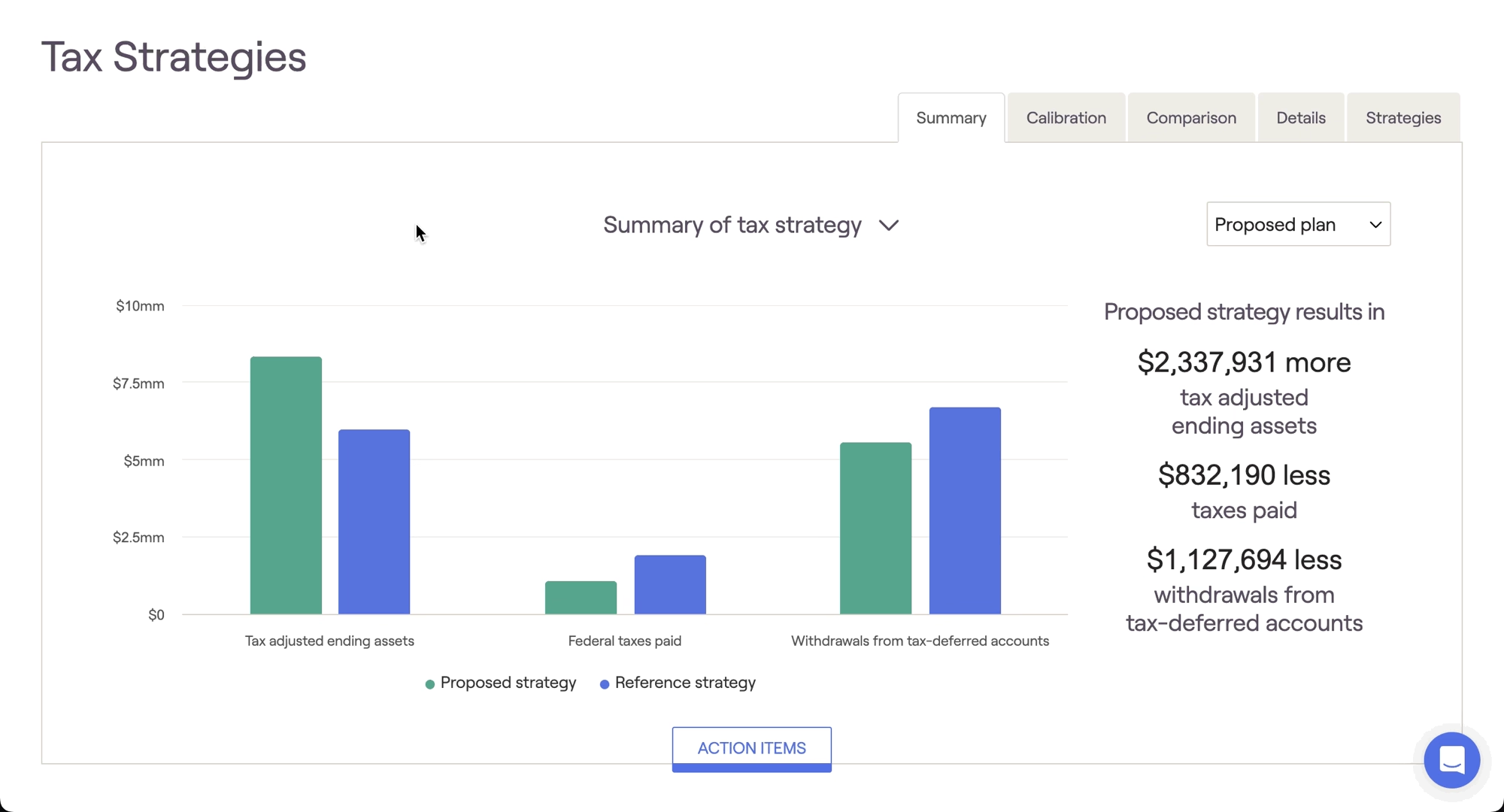
Summary of tax strategy
The 'Summary of tax strategy' chart simply and clearly displays the value of your proposal in terms of tax adjusted ending assets, federal taxes paid, and tax-deferred withdrawals. Hover your mouse over the chart to see specific dollar values for each strategy:
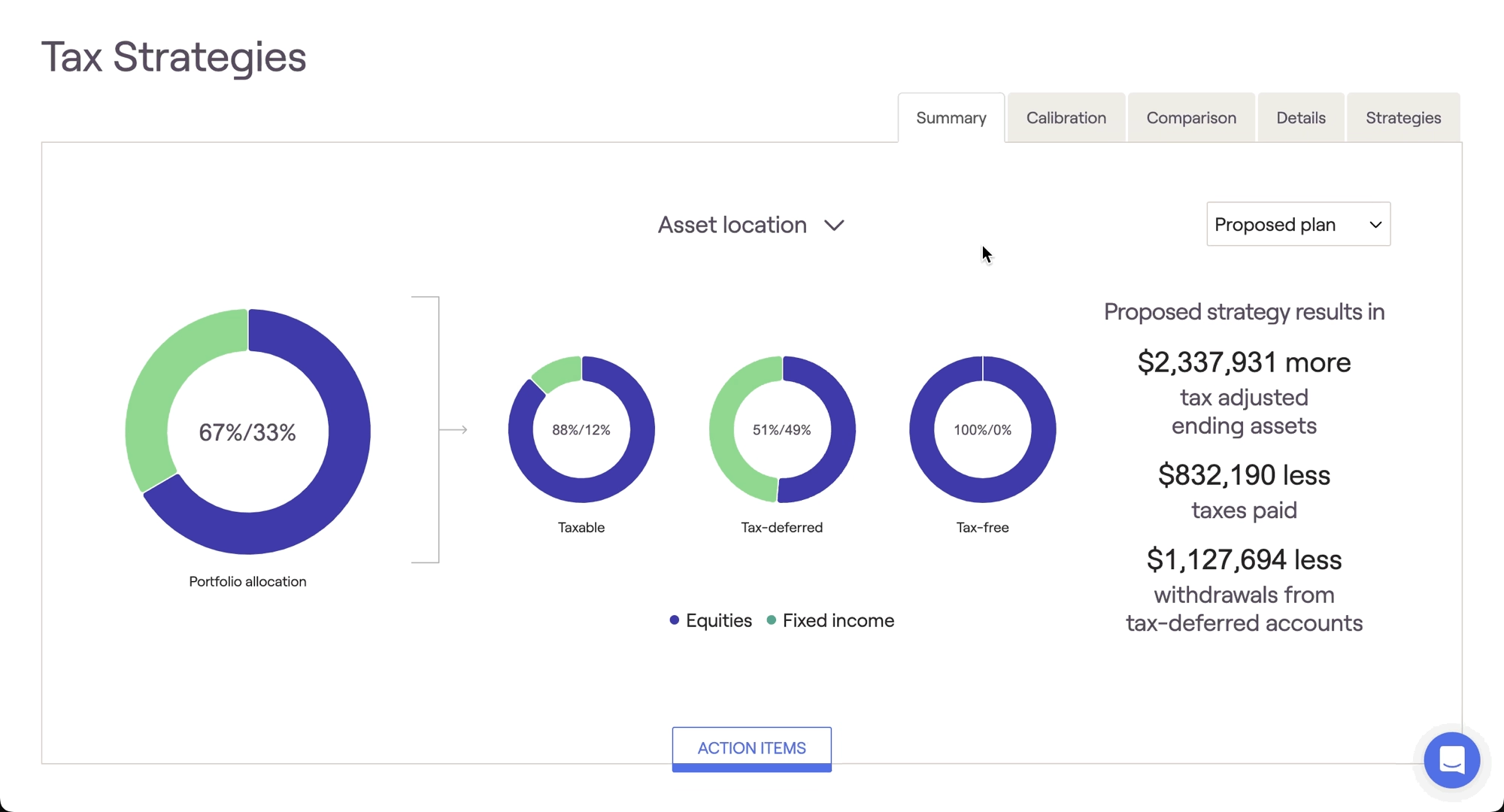
Asset location
A secondary 'Asset location' chart can also be leveraged by clicking the downward-facing arrow to the right of the chart name. This chart correlates with the Asset location strategy, displaying how a client's equities are allocated between the three tax buckets. When viewing either chart, you can use the dropdown menu in the upper right to toggle between your current and proposed plans from the Retirement Analysis module: