The Summary tab of RightCapital's Tax Analyzer allows you to display the impact of a client's income on their tax liability. The Tax Analyzer module can be found within the Tax > Tax Analyzer tab of each client plan:
Tax Analyzer Availability
Trial
Basic
Premium
Platinum
The Tax Analyzer is available on both the Premium and Platinum subscription tiers. If you are interested in upgrading your account, please reach out to sales@rightcapital.com.
The original scenario can either be an uploaded tax return (for a historical comparison), or a projected tax return (for a future-looking comparison). You can choose between the two using the first dropdown menu in the upper right:
There are three charts available in the Summary tab, which can be toggled between by clicking the downward-facing arrow next to the name of the chart:
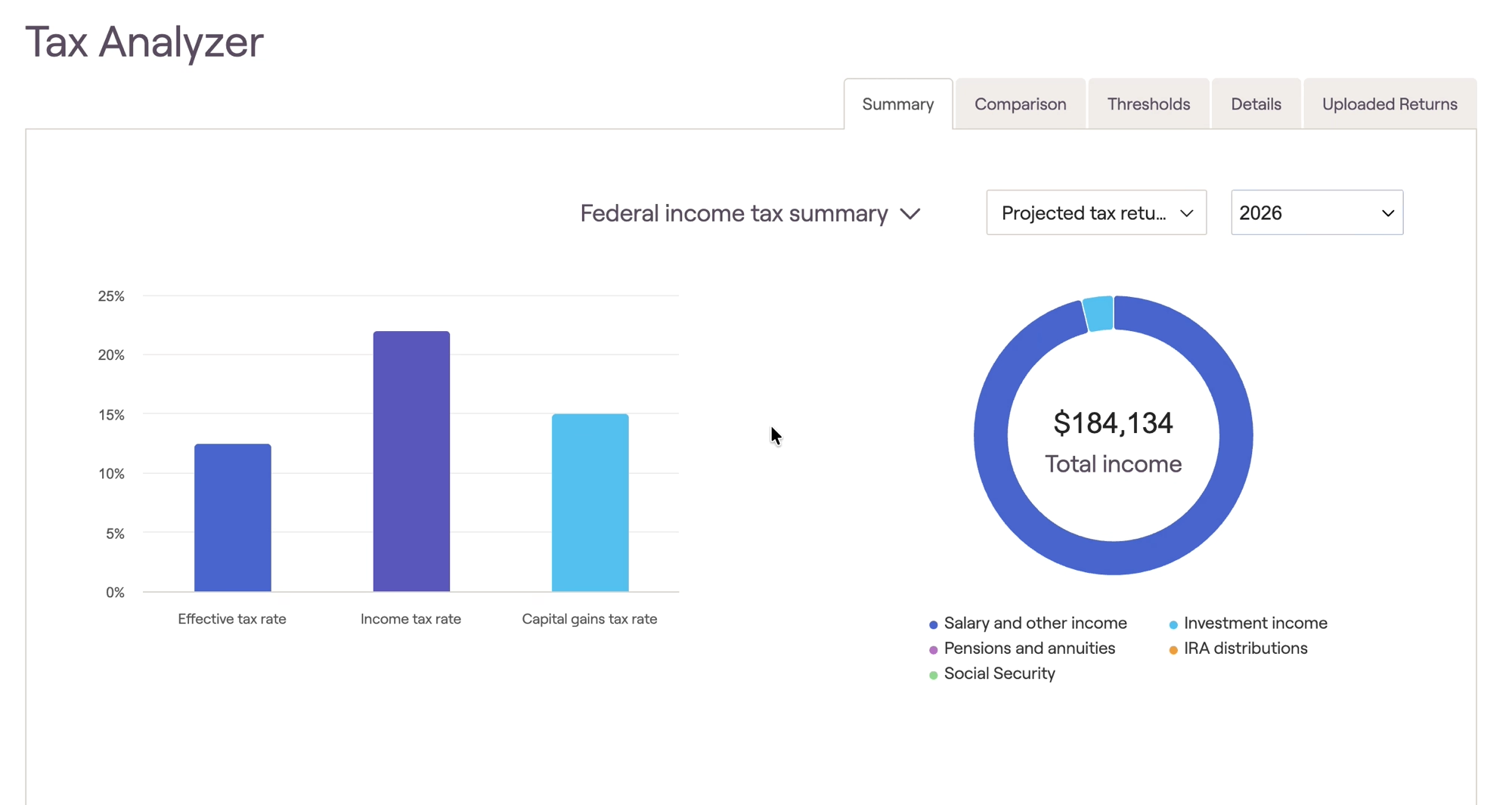
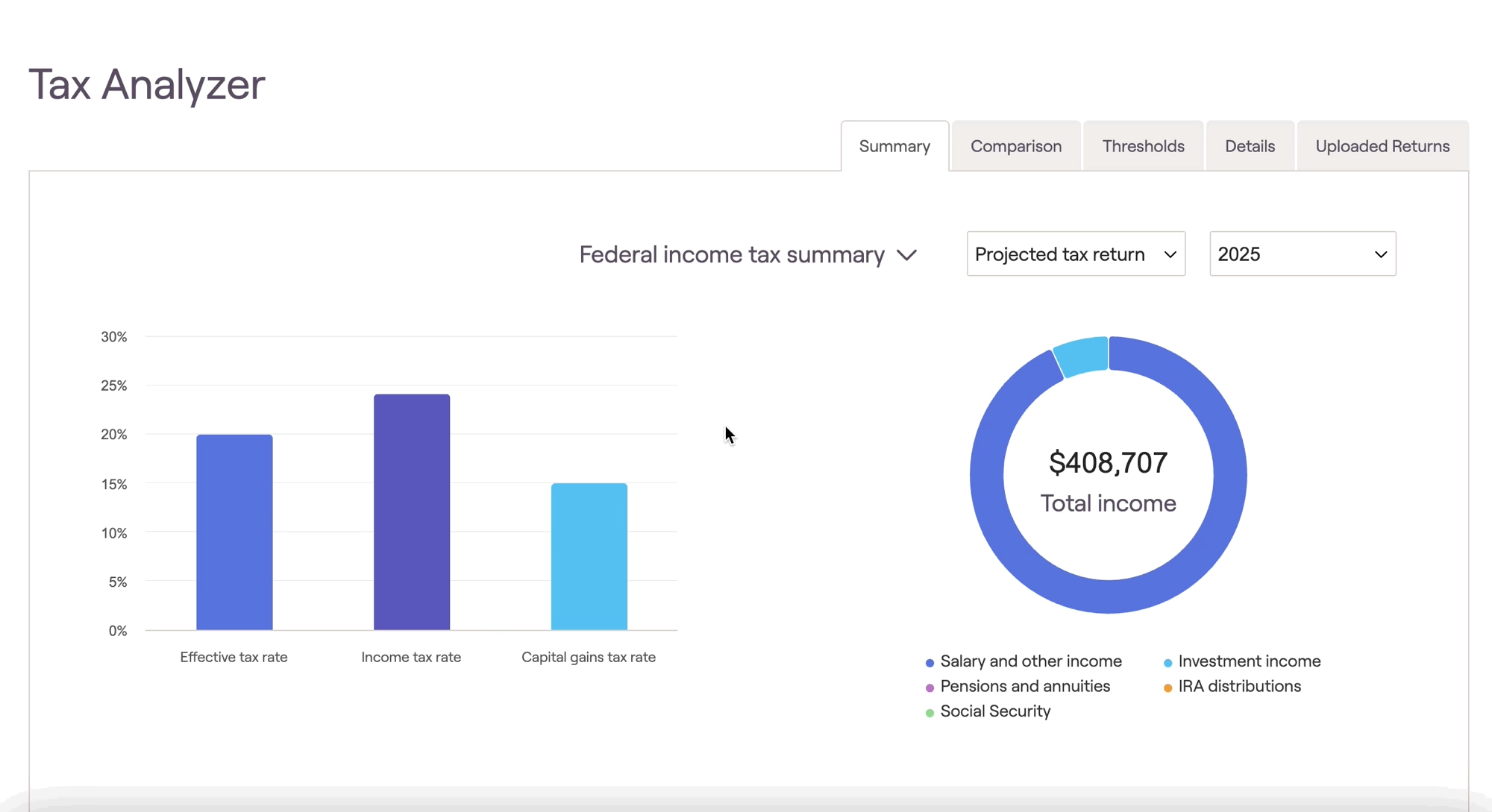
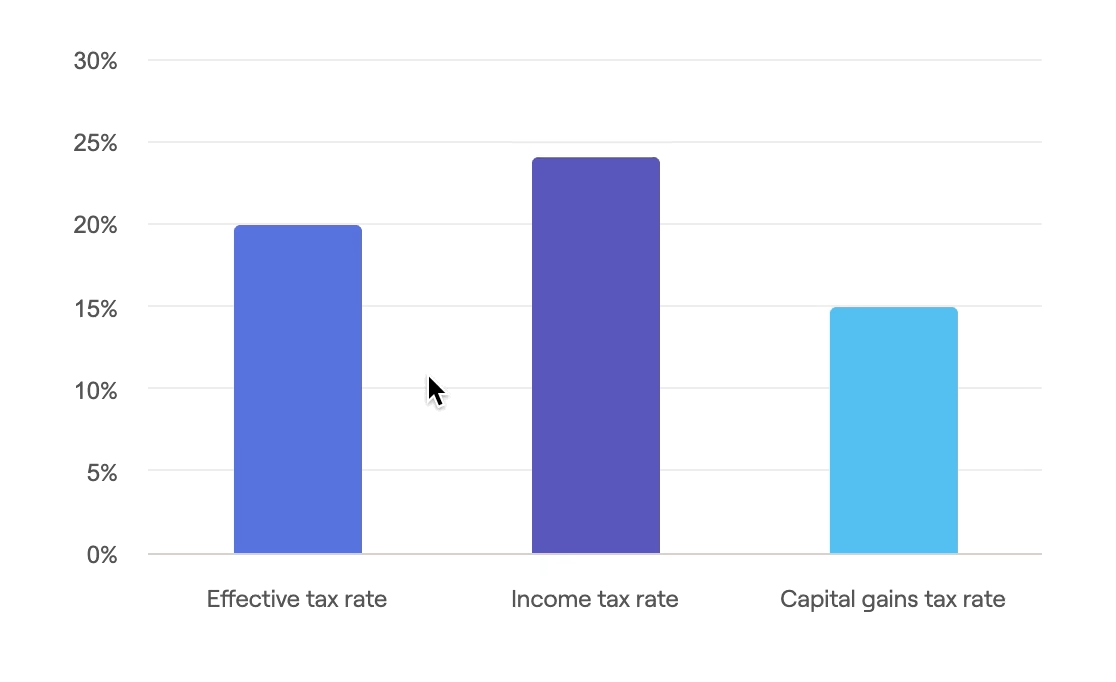
The Federal income tax summary will display two graphs. The graph on the left will display the tax rate the client will have in the selected year as the effective tax rate (tax as % of gross income), the income tax rate, and the capital gains tax rate:
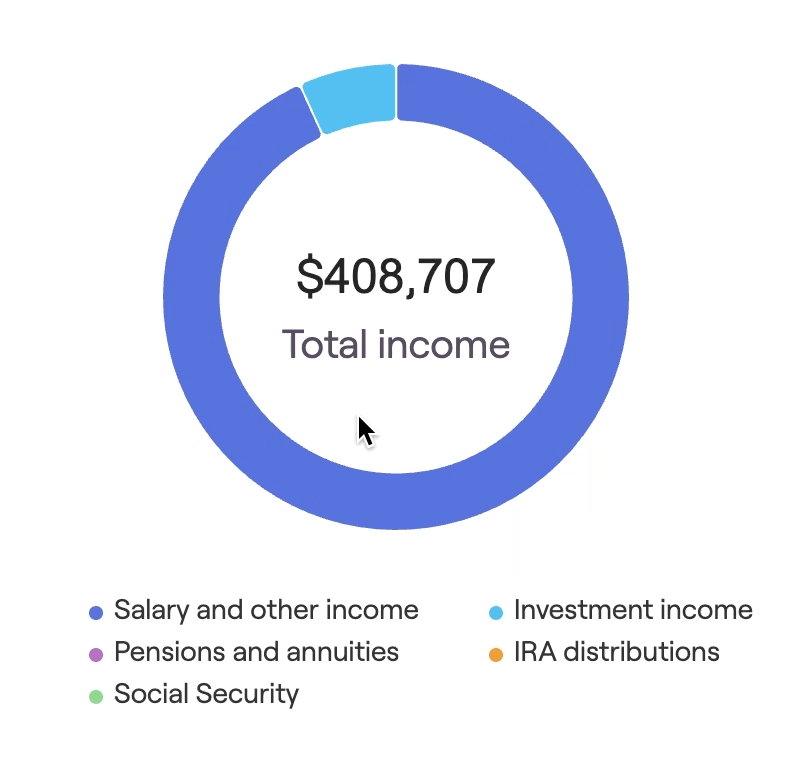
The graph on the right displays what types of income the client has in a given year. You can select which incomes are displayed in the graph by selecting each one individually:
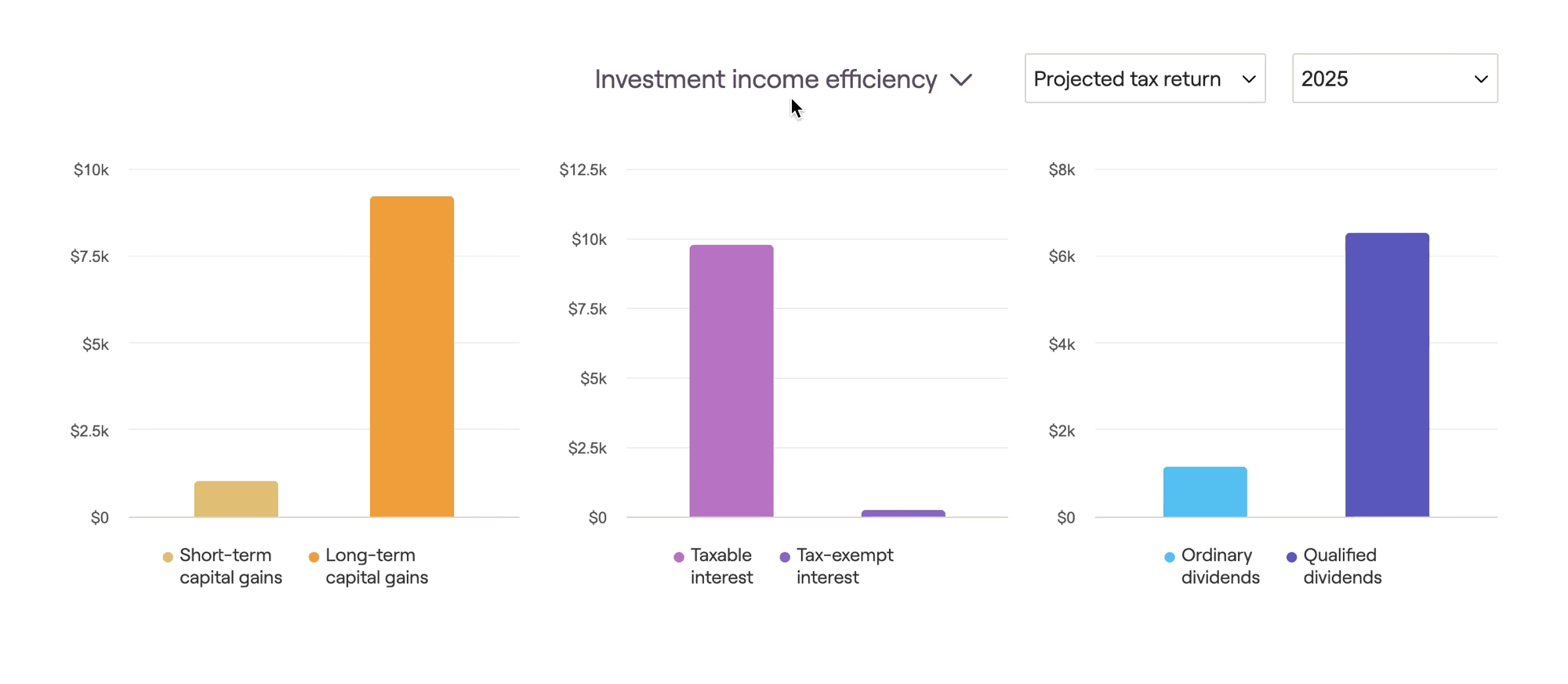
The investment income efficiency section will display Capital gains, Interest, and Dividends in dollar amounts for the selected year. Capital gains will be broken out between Short-term and Long-term gains. Interest as taxable and tax-exempt interest, and dividends as ordinary and qualified dividends.
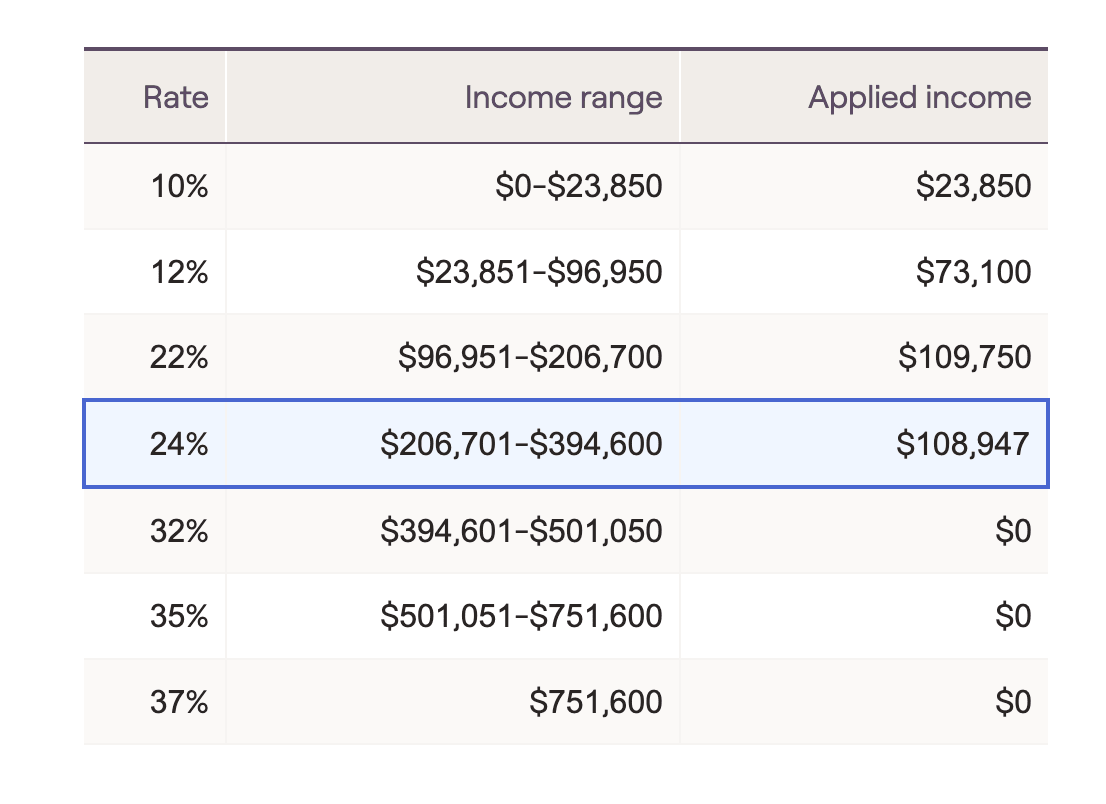
The final section under Summary is the Ordinary Income Bracket page. This will display the tax brackets in dollar amounts on the left hand side, along with how much income the client has in those brackets:
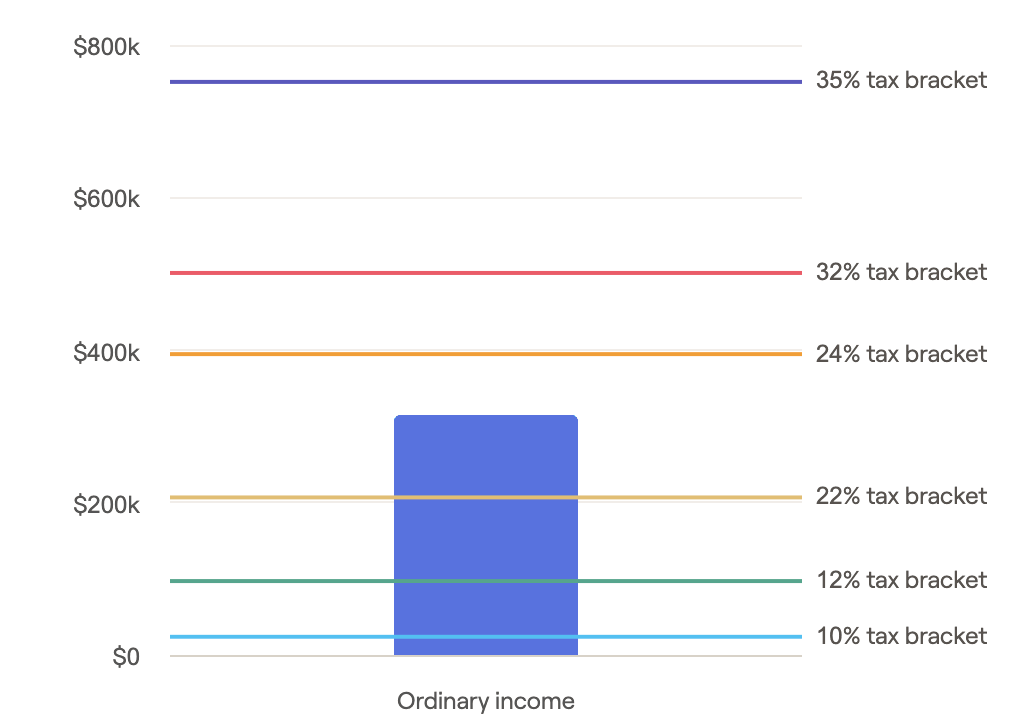
On the right hand side, we will display a visual of where the client's income is in relation to the tax brackets:
Note on Tax Bracket Thresholds
Like other areas in RightCapital, the Tax Analyzer will project tax bracket thresholds out into the future using your Tax Inflation rate.