
The Tax Analyzer is available on both the Premium and Platinum subscription tiers. If you are interested in upgrading your account, please reach out to sales@rightcapital.com.
The original scenario can either be an uploaded tax return (for a historical comparison), or a projected tax return (for a future-looking comparison). You can choose between the two using the first dropdown menu in the upper right:
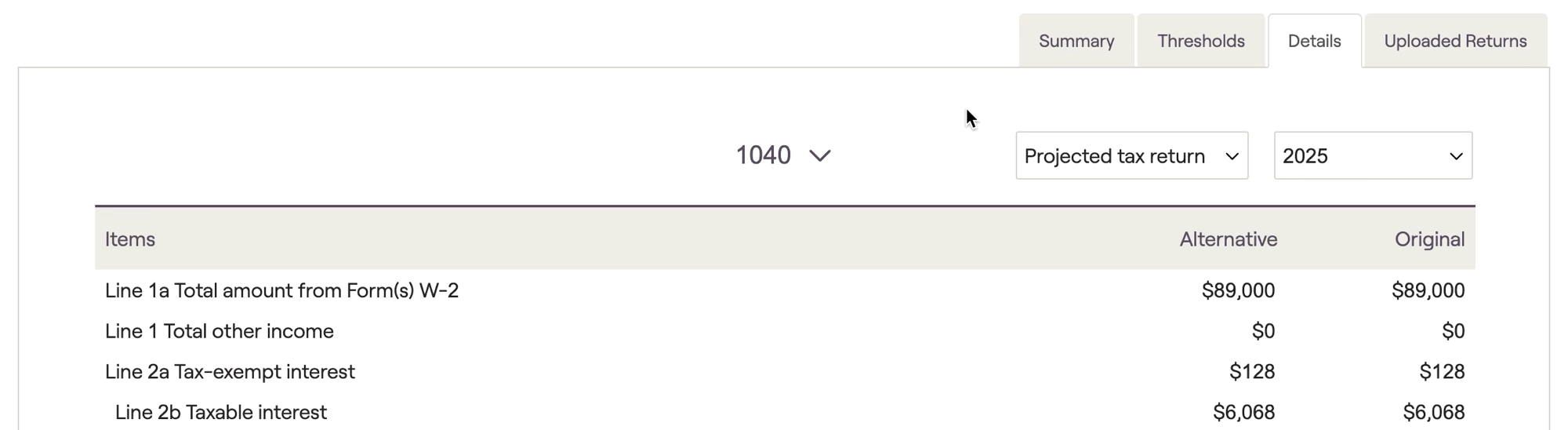
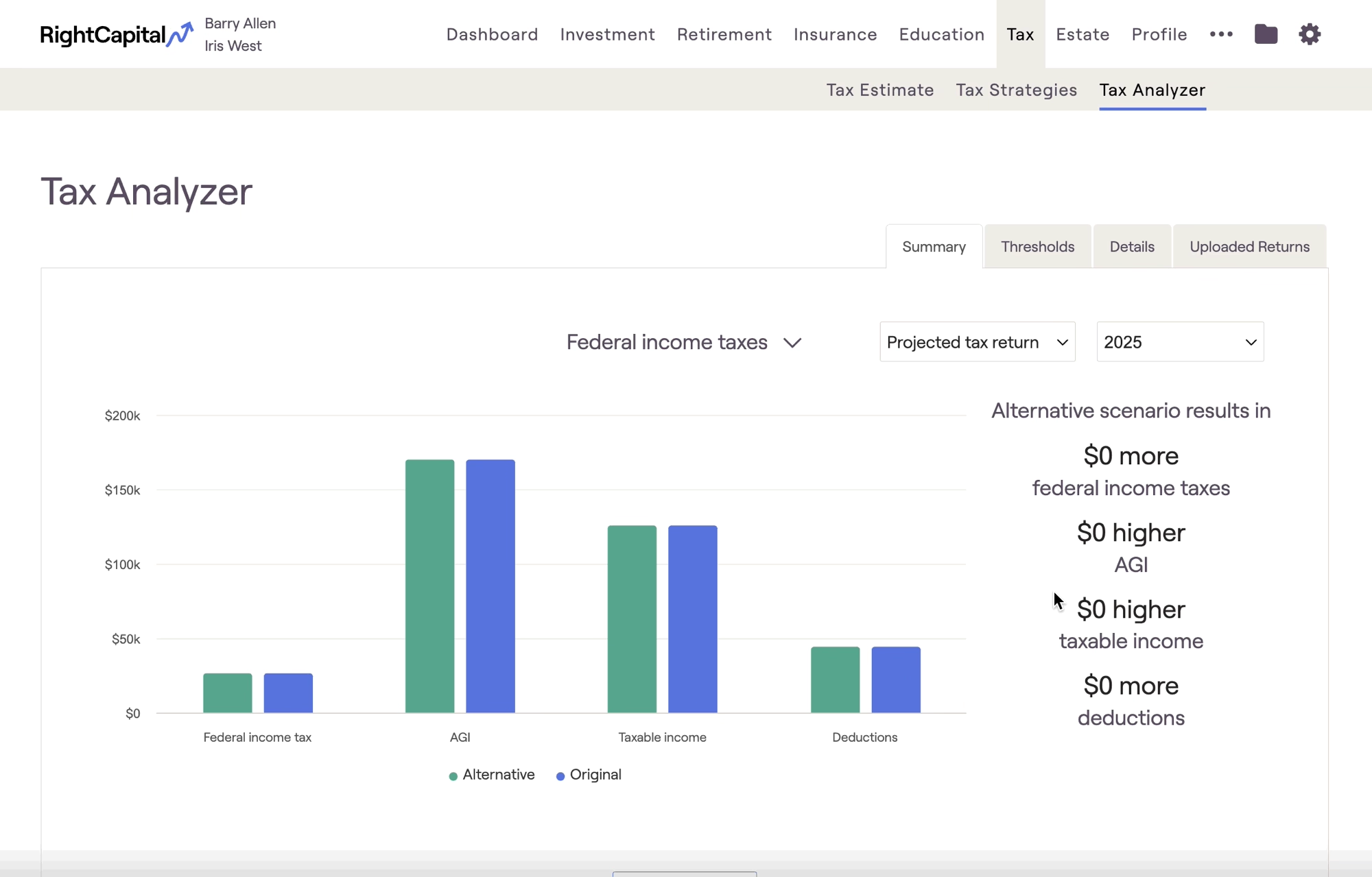
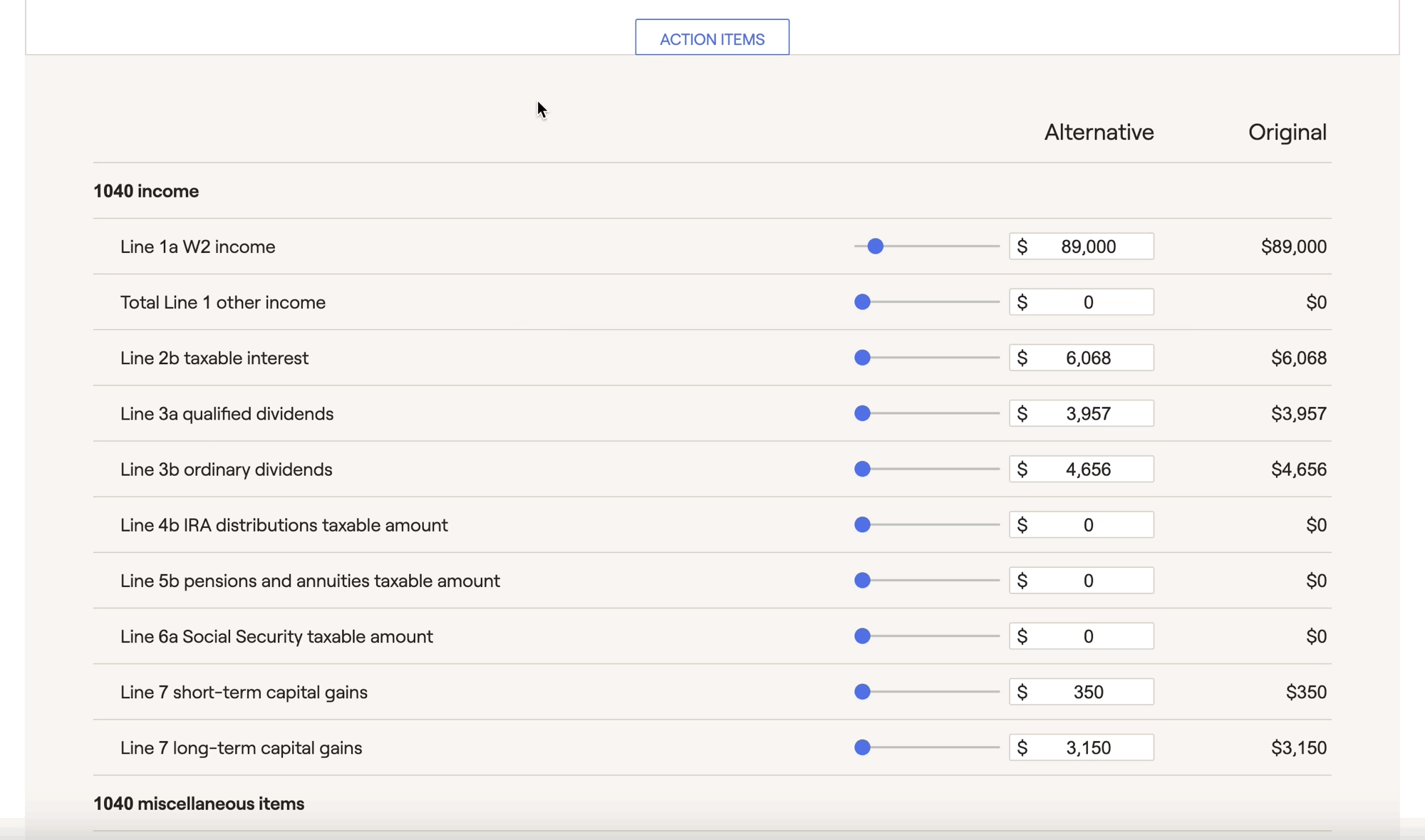
Within the Details tab, values that are different in the alternative scenario compared to the original will be highlighted in blue for quick and easy identification. This can be a valuable way to demonstrate to clients how changes to specific line items can impact their broader tax picture.
By increasing IRA distributions on Line 4b, you can highlight the impact that something like Roth conversions would have on the client's AGI, Taxable income, and Total tax:
When viewing future projected tax returns, you can toggle between the 1040, Schedule 1, and Schedule A using the dropdown arrow at the top of the page. When viewing an uploaded tax return, you will have access to all supported forms that are included in that upload. This can include the 1040, Schedule 1, Schedule 2, Schedule A, Schedule D, Schedule SE, and Form 6251(AMT).
Please visit the link below for additional information on what differentiates the original and alternative scenarios, how to upload tax returns, and more:


