Being able to view a client's effective tax rate on demand can be crucial for effective tax planning conversations. The quickest way to view the effective tax rate is to navigate to the Tax Estimate module, located within the Tax > Tax Estimate tab of each plan:
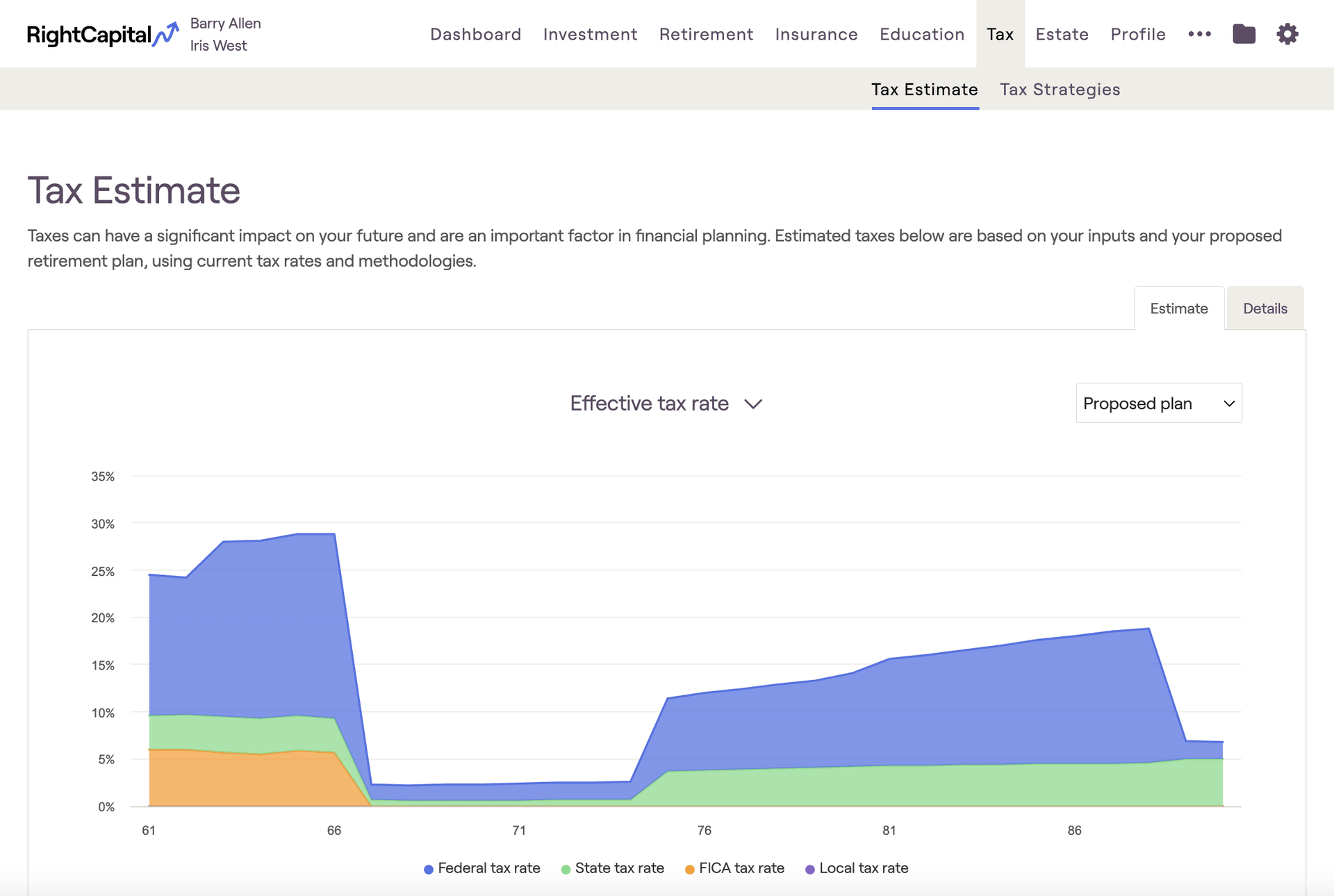
Effective tax rate graph
The Effective tax rate graph illustrates a breakdown of taxes by type, highlighting Federal, State, FICA, and Local taxes separately. Effective tax rate percentages are calculated by dividing the amount paid by the client's adjusted gross income:
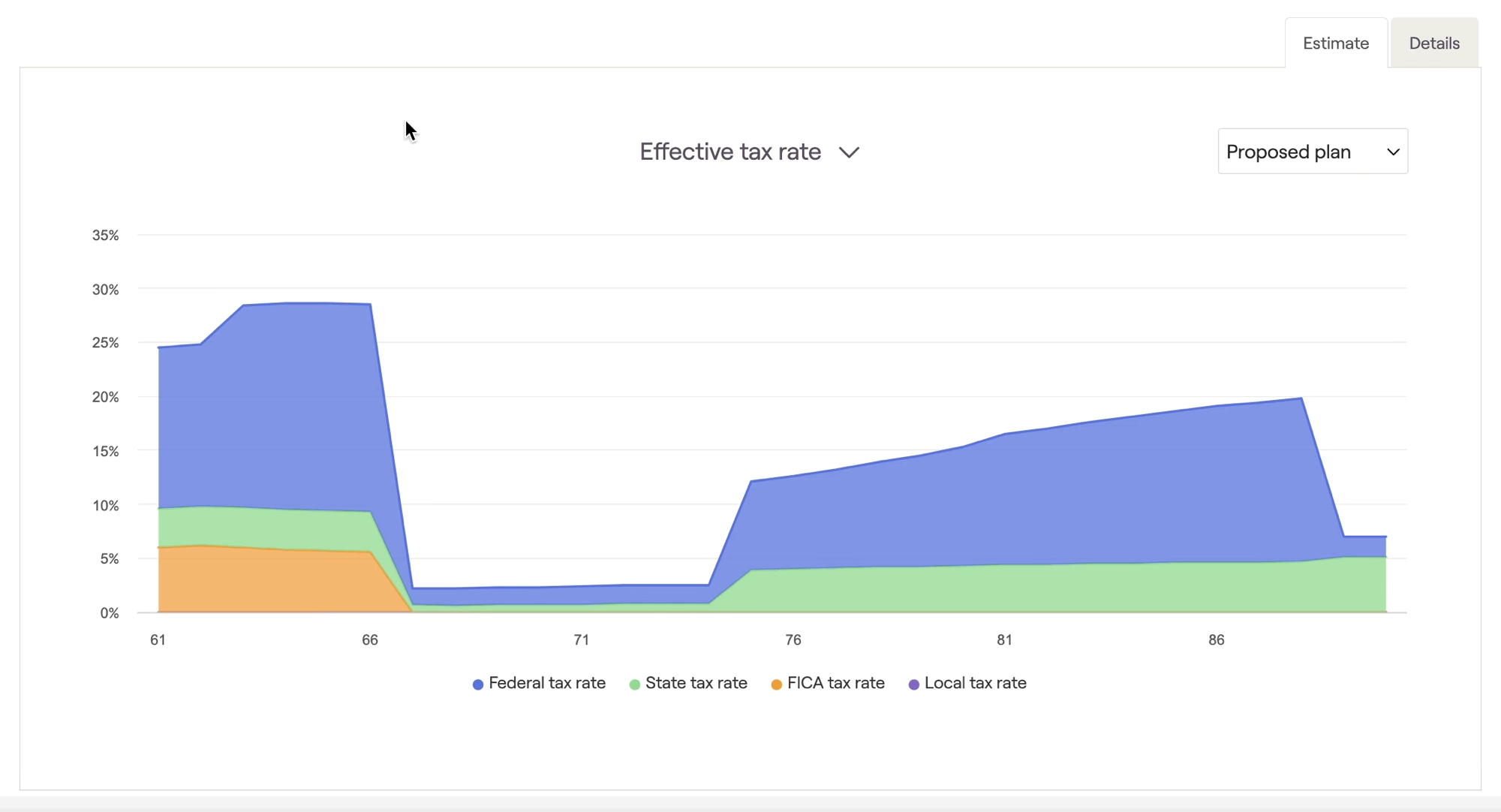
Pro-Tip: Adjusted Gross Income
You can find the client's AGI for a given year on Line 11 of the sample 1040 tax form, within the Tax > Tax Estimate > Details tab.
Snapshot tiles
In addition to the chart above, there are also two Snapshot module tiles that illustrate effective tax rate information. These are the Federal Effective Tax Rate, and Total Effective Tax Rate tiles:
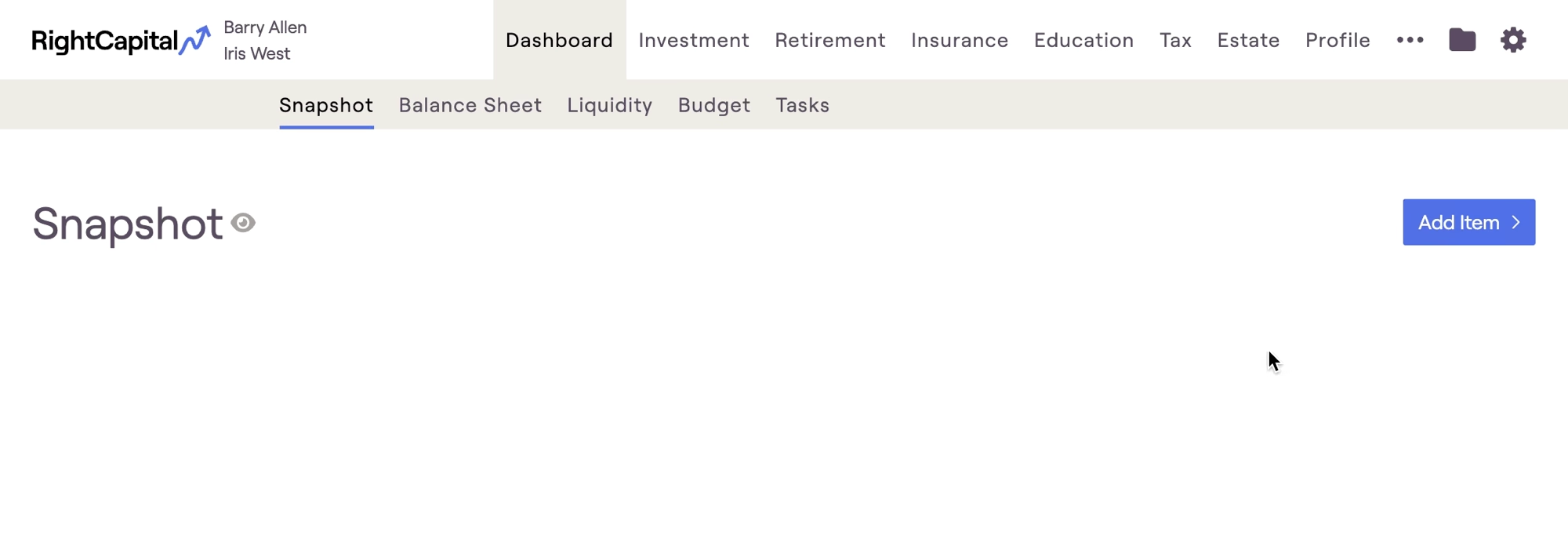
Both of these tiles can be added to the Snapshot report by navigating to the Dashboard > Snapshot tab, clicking Add Item in the upper right, and then hovering over Key Metrics.
The Federal Effective Tax Rate will isolate just the Federal portion of the chart shown above, and the Total Effective Tax Rate is a combination of Federal, State, FICA and Local Taxes. Both metrics are based on the first cash flow year of whichever plan is currently selected in the Tax Estimate tab.


