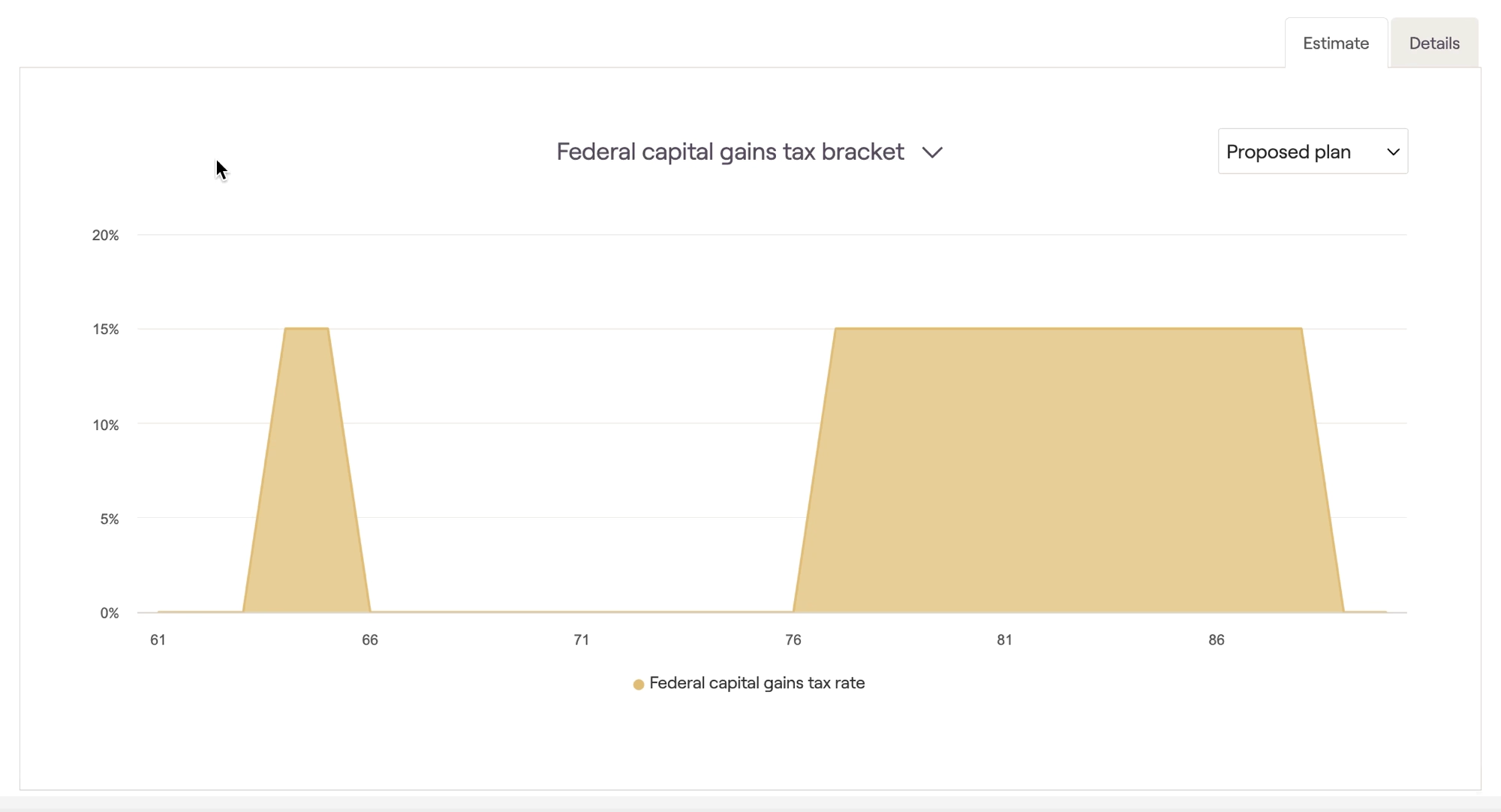
The Estimate tab of RightCapital's Tax Estimate module provides three graphs that illustrate the client's tax rates over their life expectancy. You can find this area by navigating to the Tax > Tax Estimate > Estimate page:
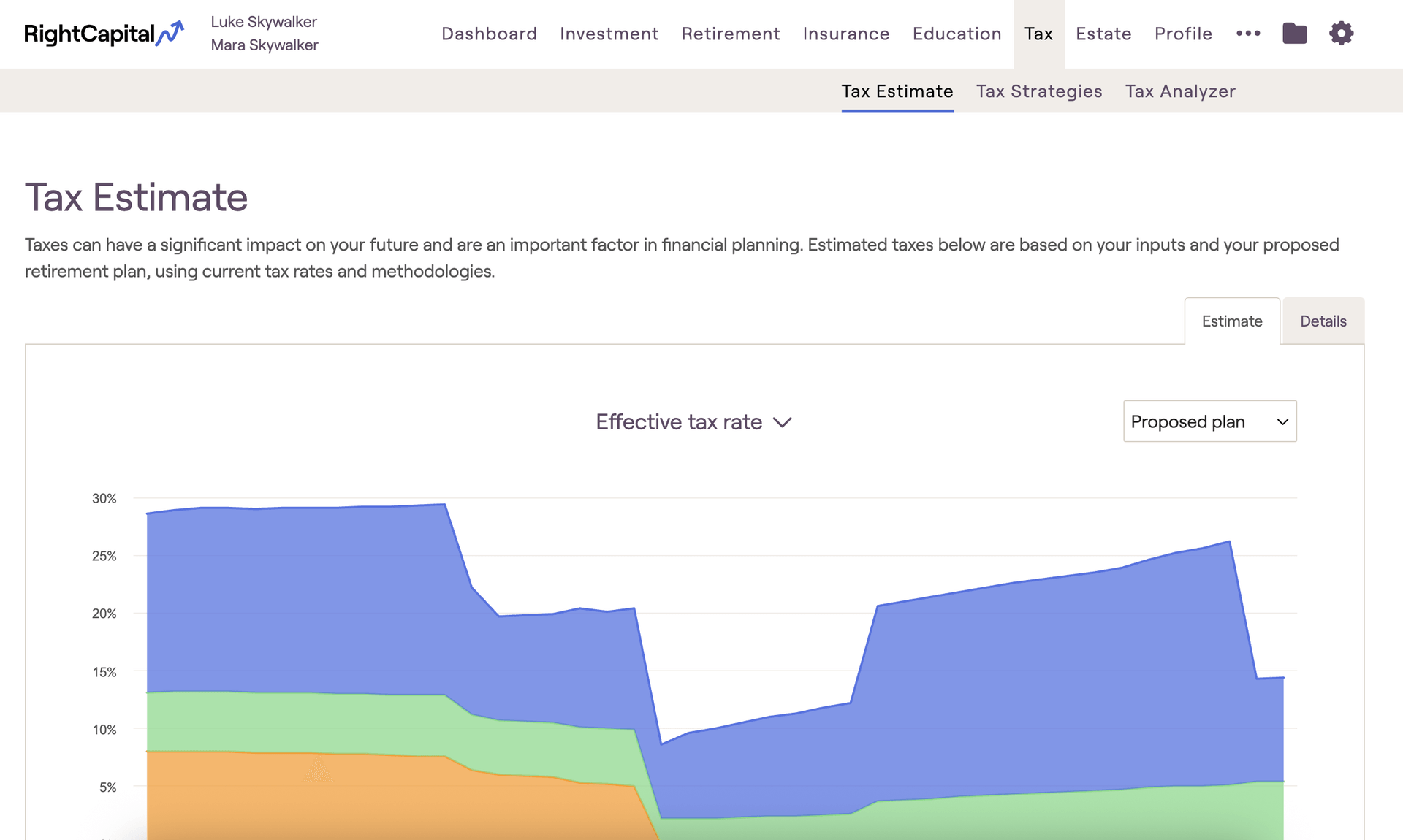
Using the toggle above the chart, you can choose between graphs that illustrate the effective tax rate, ordinary income tax rate, or capital gains tax rate. You can switch between viewing your current and proposed plans using the dropdown menu to the upper right of the graph.
Effective tax rate
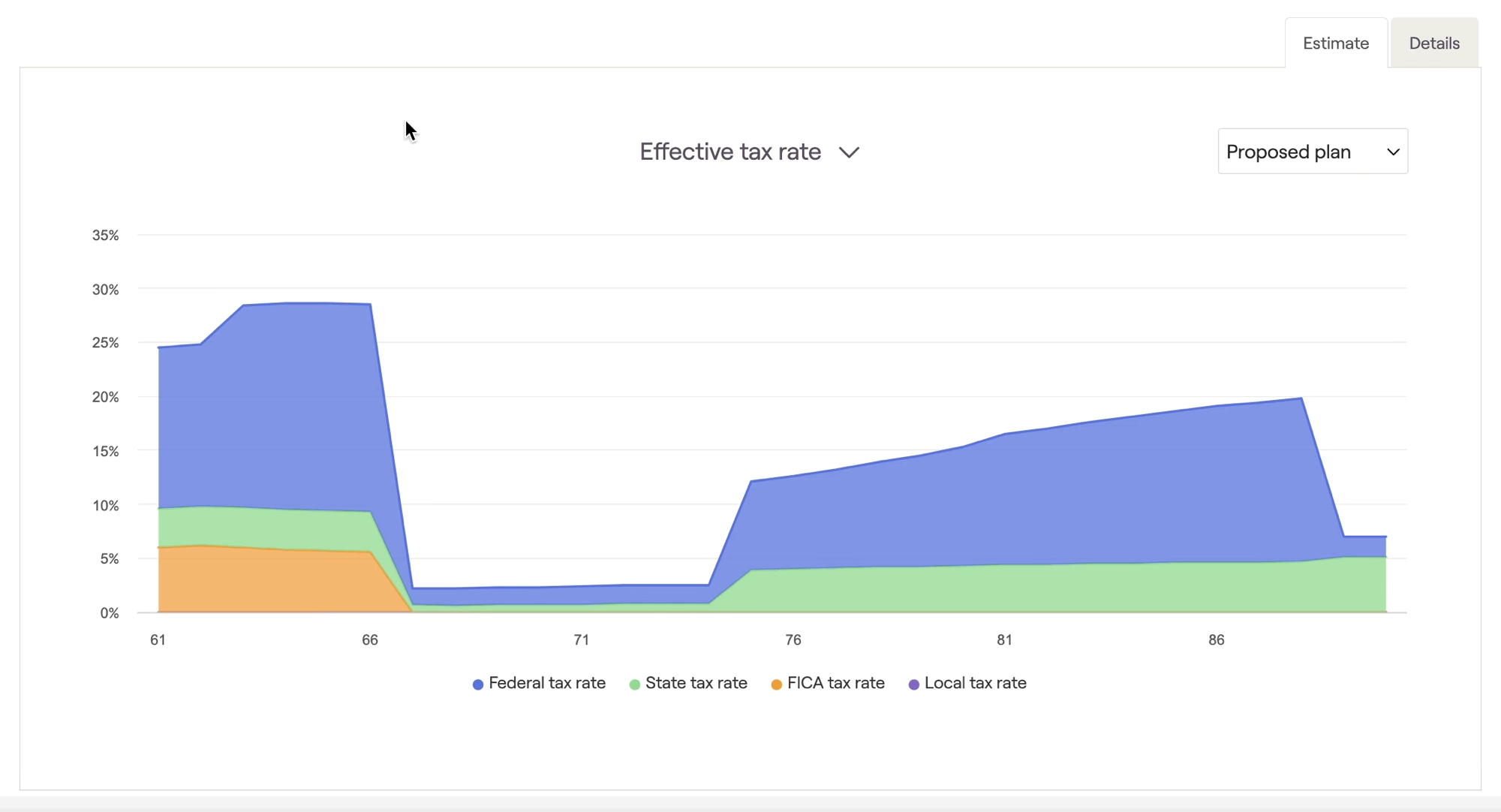
The Effective tax rate graph illustrates a breakdown of taxes by type, highlighting Federal, State, FICA, and Local taxes separately. Effective tax rate percentages are calculated by dividing the amount paid by the client's adjusted gross income:
Pro-Tip: Adjusted Gross Income
You can find the client's AGI for a given year on Line 11 of the sample 1040 tax form, within the Tax > Tax Estimate > Details tab.
Federal income tax bracket
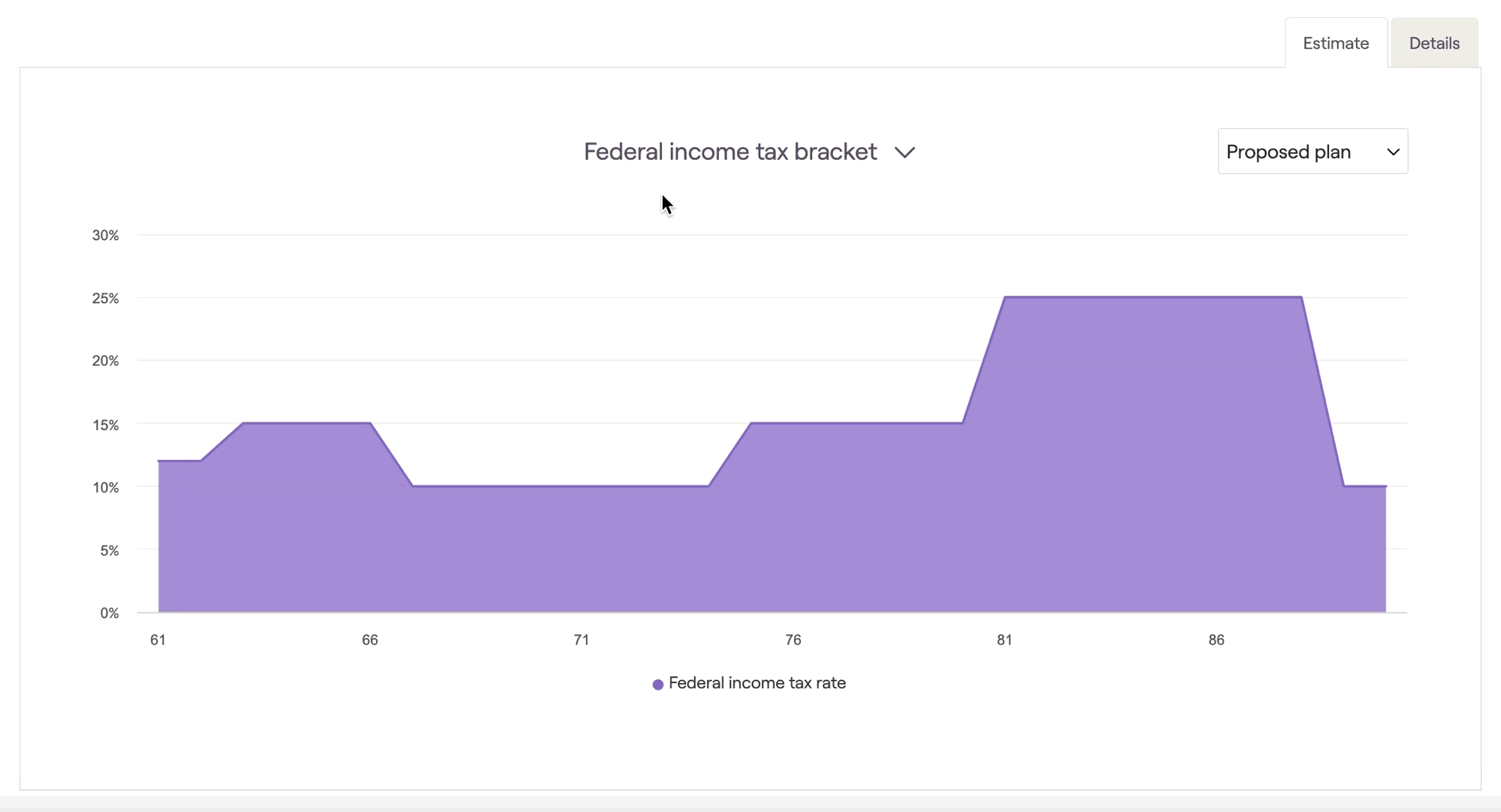
The Federal income tax bracket graph illustrates the client's ordinary income tax bracket (or marginal tax bracket) each year over their life expectancy:
Capital gains tax bracket
The Capital gains tax bracket graph illustrates the client's capital gains tax bracket each year over their life expectancy: