
Summary Overview
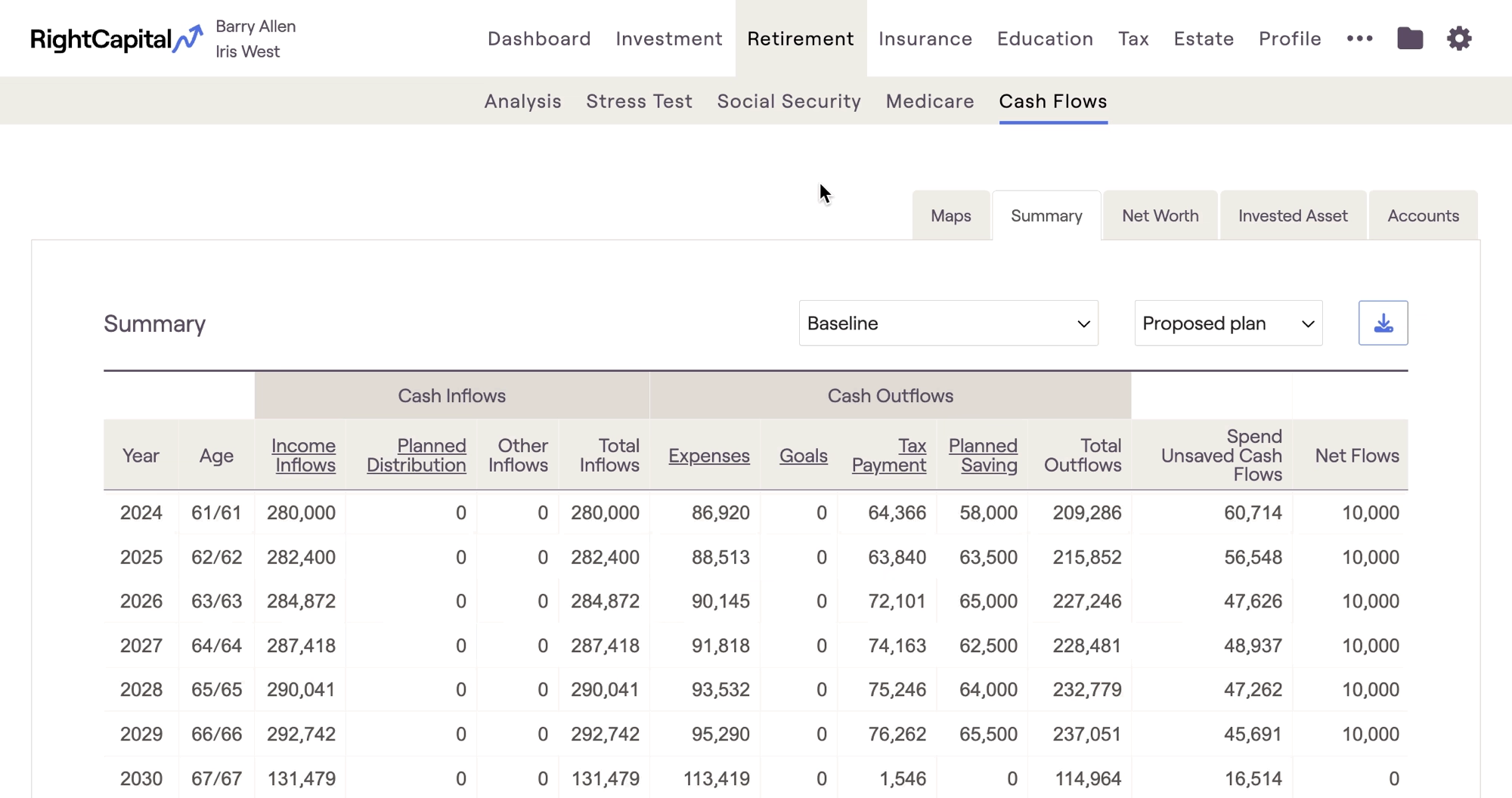
Cash Flow Summary Tab | Definition |
|---|---|
Income Inflows | Total income from salary, pensions, etc. |
Planned Distribution | Includes: Required Minimum Distributions (RMDs) from tax-deferred accounts, Income distributions from qualified accounts, distributions from 529 plans to fund college goals, and distributions from HSA accounts. |
Other Inflows | Additional inflows such as the sale of property/business and insurance proceeds. |
Total Inflows | Equals the sum of Income Flows, Planned Distribution, and Other Inflows. |
Expenses | Total expenses |
Goals | Total financial goals |
Tax Payment | Reflects an estimate of the client's taxes |
Planned Savings | Total savings into qualified (tax-deferred or tax-free) accounts for the client (& spouse). Does not include savings specified into taxable accounts under the Modified Cash Flow or Goal Based calculation methods. |
Total Outflows | Equals the sum of Expenses, Financial Goals, Tax Payment, and Planned Savings. |
Spend Unsaved Cash (Modified Cash Flow Only) | Reflects the amount that is automatically spent under the Modified Cash Flow calculation. |
Net Flows | When using Cash Flow Based planning method, this value equals total inflows less total outflows. When using Modified Cash Flow Based planning method, this value equals total inflows less total outflows & spend unsaved cash flows. Any positive values are assumed saved into the taxable assets. |
To learn more about the Planning Method setting and its impact on the Cash Flows, click the link below:
Income Inflows
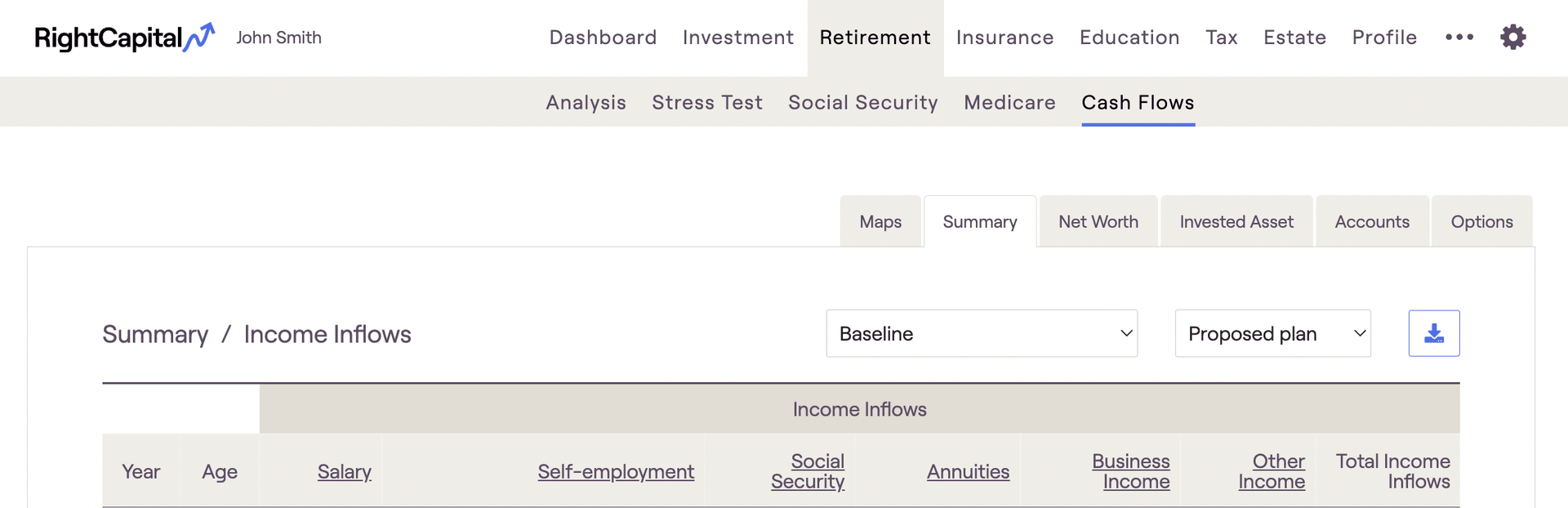
Income Inflows | Definition |
|---|---|
Salary | Reflects all amounts entered in Salary cards. |
Self-employment | Reflects all amounts entered in Self-employment cards. |
Social Security | Reflects all Social Security benefits based on the Social Security strategy, plus any amounts entered in an 'Other Income' card with Tax status of Social Security. |
Pension | Reflects all amounts entered in Pension cards. |
Annuity | Reflects all amounts entered in Annuity cards on the Income screen, plus income derived from annuity accounts set up in the Net Worth screen or in the Income Strategy section of the Retirement Analysis action items, whether through annuitization or lifetime income riders. |
Investment Income | Reflects investment income (interest + dividends) from taxable accounts during retirement. This column will only appear if the appropriate methodology setting is checked off which distributes income from taxable accounts in retirement rather than reinvesting it. |
Business Income | Reflects all amounts entered as business distributions in a Business card. |
Trust Income | Reflects income from investment accounts owned by a Trust. |
Other Income | Reflects all amounts entered in Other, Child Support, Alimony, Royalties, or Inheritance income cards, as well as income from a Note Receivable, entered on the Profile > Net Worth screen under 'Other' account. |
Total Income Inflows | Equals the sum of all of the prior values on this screen. |
Planned Distribution
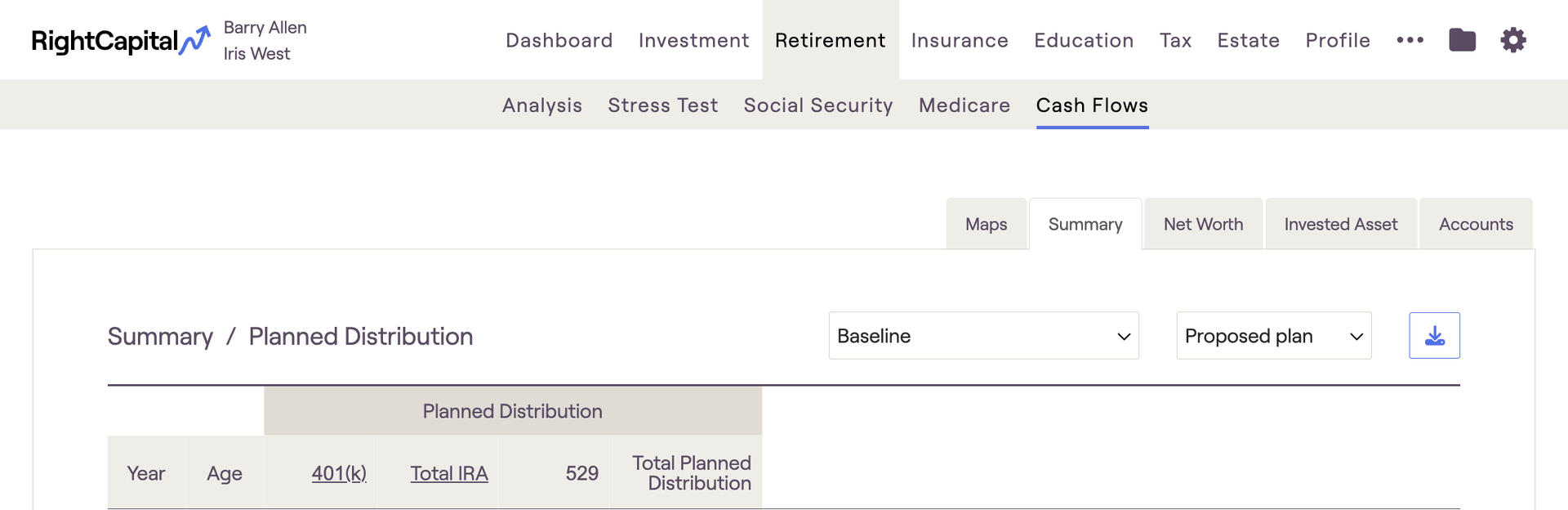
The 'Planned' Distribution' column is where you will find distributions from a client's investments. This includes:
Required Minimum Distributions, once a client reaches RMD age
Manual distributions, entered using Income Distribution cards within the current or proposed plans
Automatic distributions from HSAs, 529s, etc. at designated times within the plan
Other Inflows
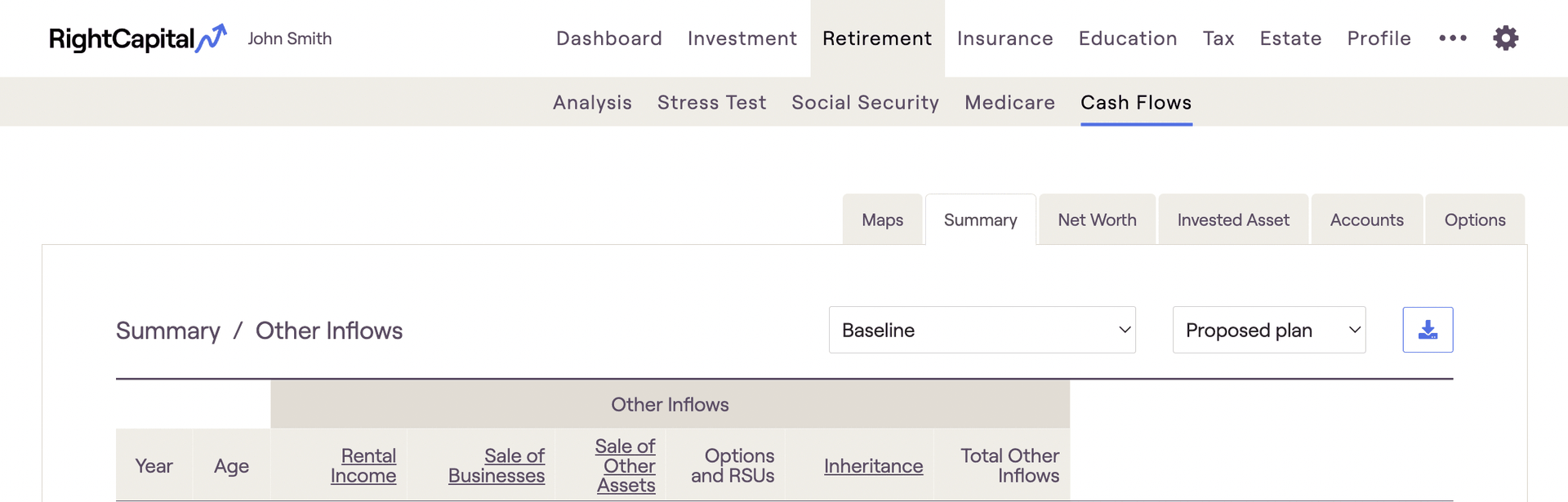
Other Inflows | Definition |
|---|---|
Rental Income | Reflects rental income set up in an Investment Property card on the Net Worth screen. |
Sale of Real Estate | Reflects the sale of properties, as specified in the cards for Investment Properties or Vacation Homes, or the sale of the primary home through setting up a Relocation Goal. |
Sale of Businesses | Reflects the sale of businesses as specified in an Other Account card with a type of business. |
Sale of Other Assets | Reflects the sale of assets as specified in an Other Account card with a type of Lifestyle. |
Options and RSU | Income from Options, RSUs, or Restricted Stock, from the Options tab. |
Inheritance | Reflects any inheritance income from the Profile / Inheritance screen. |
Insurance Death Benefit | Reflects payout from life insurance upon the passing of the client/spouse. |
Life Insurance Distribution | Reflects loans from whole/universal life policies, or the full surrender of such policies. |
LTC Insurance Benefit | Reflects payout from long term care insurance to offset LTC expenses set up in the Goals screen. |
Total Other Inflows | Equals the sum of all of the prior values on this screen. |
Expenses
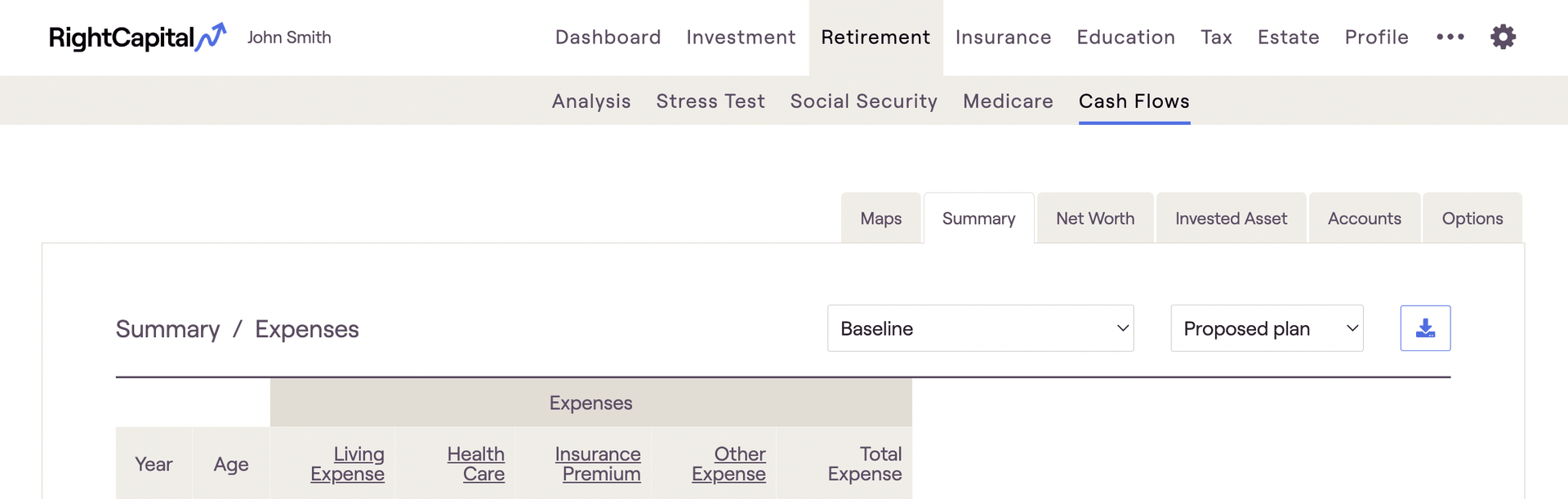
Expenses | Definition |
|---|---|
Living Expense | Reflects values set up in the 'Pre-retirement Living Expense' card on the Expenses screen prior to retirement, and values set up in the 'Retirement Expense' card on the Goals screen after retirement. |
Housing | Reflects expenses associated with the Primary Home, including any adjustable-rate mortgage, interest-only mortgage, conventional mortgage, property tax, and insurance. |
Debt | Reflects credit card payments and payments for all types of debt other than conventional mortgage debt, adjustable-rate mortgage debt, and interest-only mortgage debt. |
Health Care | Reflects amounts set up as Medical expenses, amounts entered in the Annual Retirement Health Cost and Annual Retirement LTC Cost cards, and amounts entered in an 'Other' expense card with ‘Tax deductible’ status of ‘Self-employed health care premium’ |
Insurance Premium | Reflects amounts set up as premiums for life, disability, property & casualty, and long term care insurance. |
Rental and Vacation Home | Reflects expenses associated with all Investment/Rental Properties and Vacation Homes, including any mortgage, property tax, insurance, and maintenance. |
Other Expense | Reflects additional expenses such as business/property purchases, money used to exercise options, and most items entered in a 'Charitable Giving', 'Alimony' or 'Other' expense card. |
Total Expense | Equals the sum of all of the prior values on this screen. |
Goals
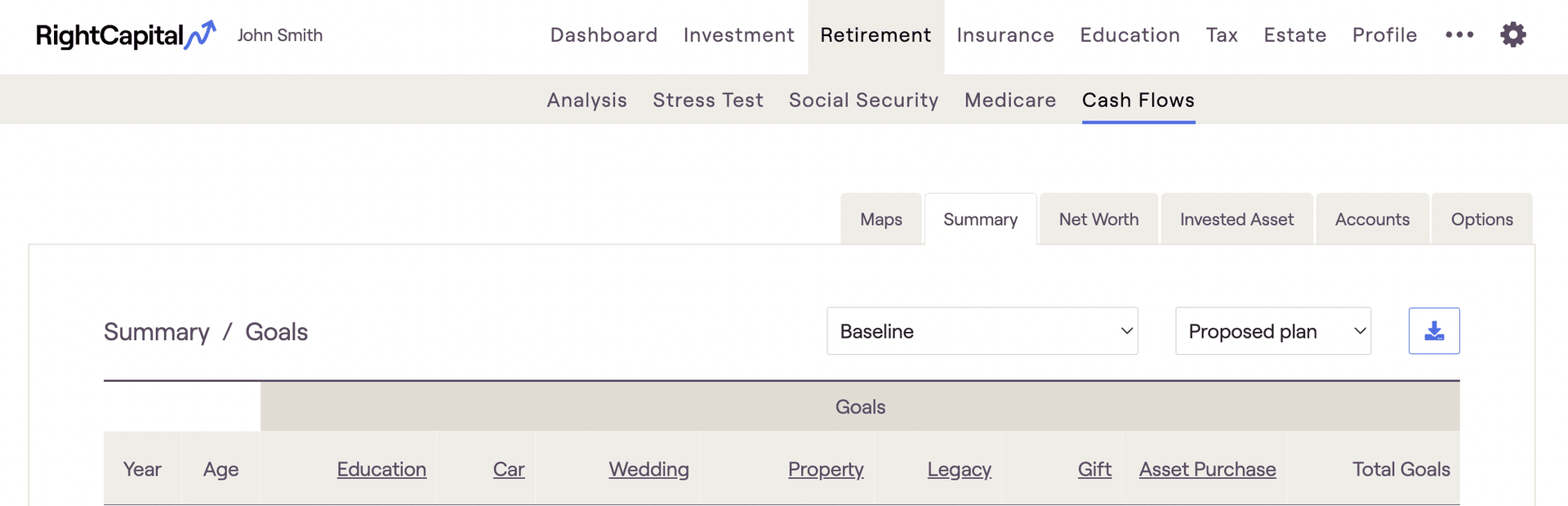
Goals | Definition |
|---|---|
College | Reflects all amounts set up as College Goals. |
Car | Reflects all amounts set up as Car Goals. |
Vacation | Reflects all amounts set up as Vacation Goals. |
Wedding | Reflects all amounts set up as Wedding Goals. |
Legacy | Reflects amounts set up as Legacy Goals in the last year of the plan. |
Other Goals | Reflects all amounts set up as Other Goals. |
Total Goals | Equals the sum of all of the prior values on this screen. |
Tax Payment
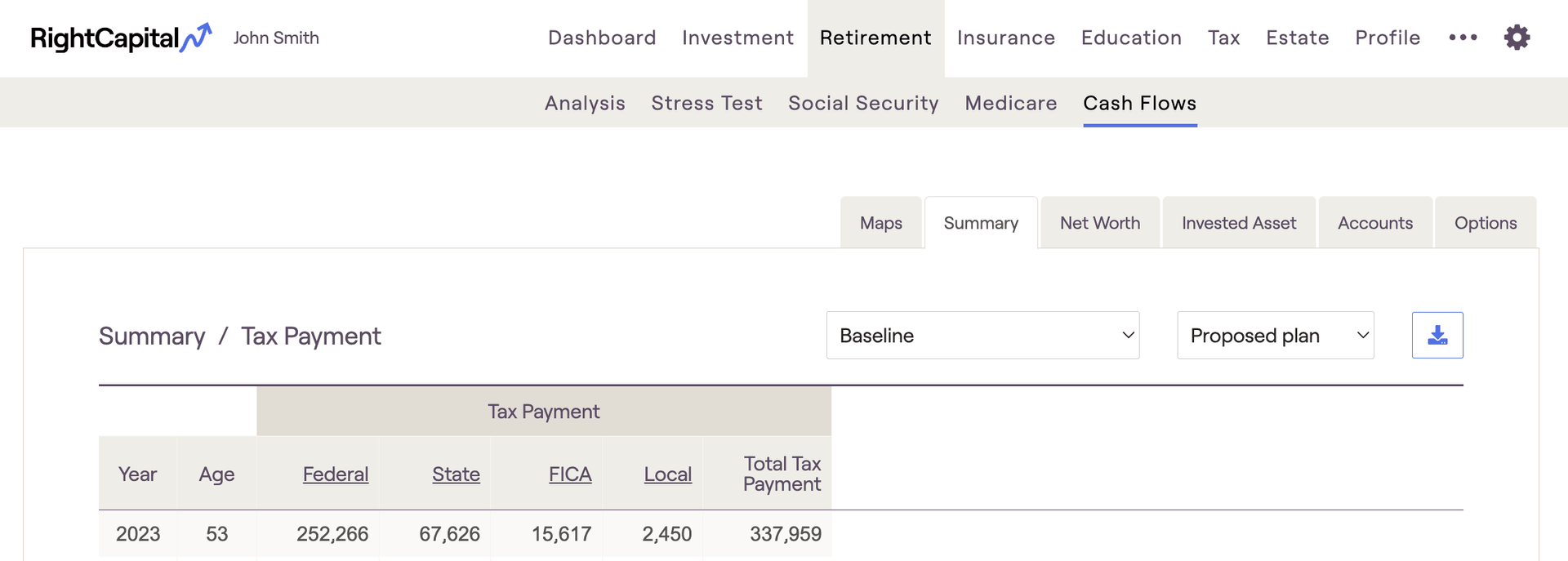
Taxes | Definition |
|---|---|
Federal | Reflects the federal tax projection, as calculated in detail and reflected in the Tax > Tax Estimate > Details screen. |
State | Reflects the state tax projection based on the Resident State set in the Client card on the Family screen. |
FICA | Reflects the FICA tax projection. |
Local | Reflects Local taxes, calculated using the Local tax percentage set in the Tax and Fees card on the Expense screen. |
Total | Equals the sum of all of the prior values on this screen. |
Planned Saving
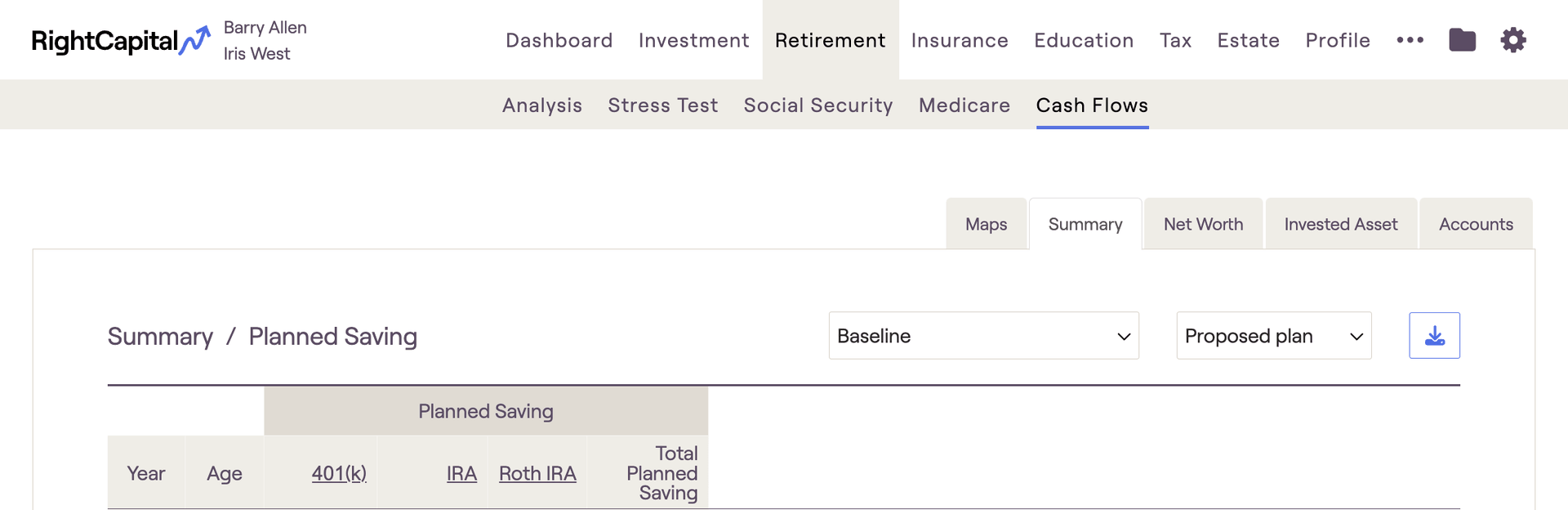
The 'Planned Saving' column is where you will find contributions that clients are making to their various investment accounts. This includes 401(k), IRAs, 529s, HSAs, and more.
Employer matches / contributions will not be reflected in this column, only employee contributions. To find employer matches within the cash flows, navigate to the Invested Asset tab.
- Taxable Savings will only appear in the planned savings column if you've checked the 'Include taxable saving in Planned Saving column' in Gear Icon > Settings > Methodology. Otherwise, both taxable and bank savings will be reflected in the Net Flows column to the far right.


