
Maps - Cash Flows

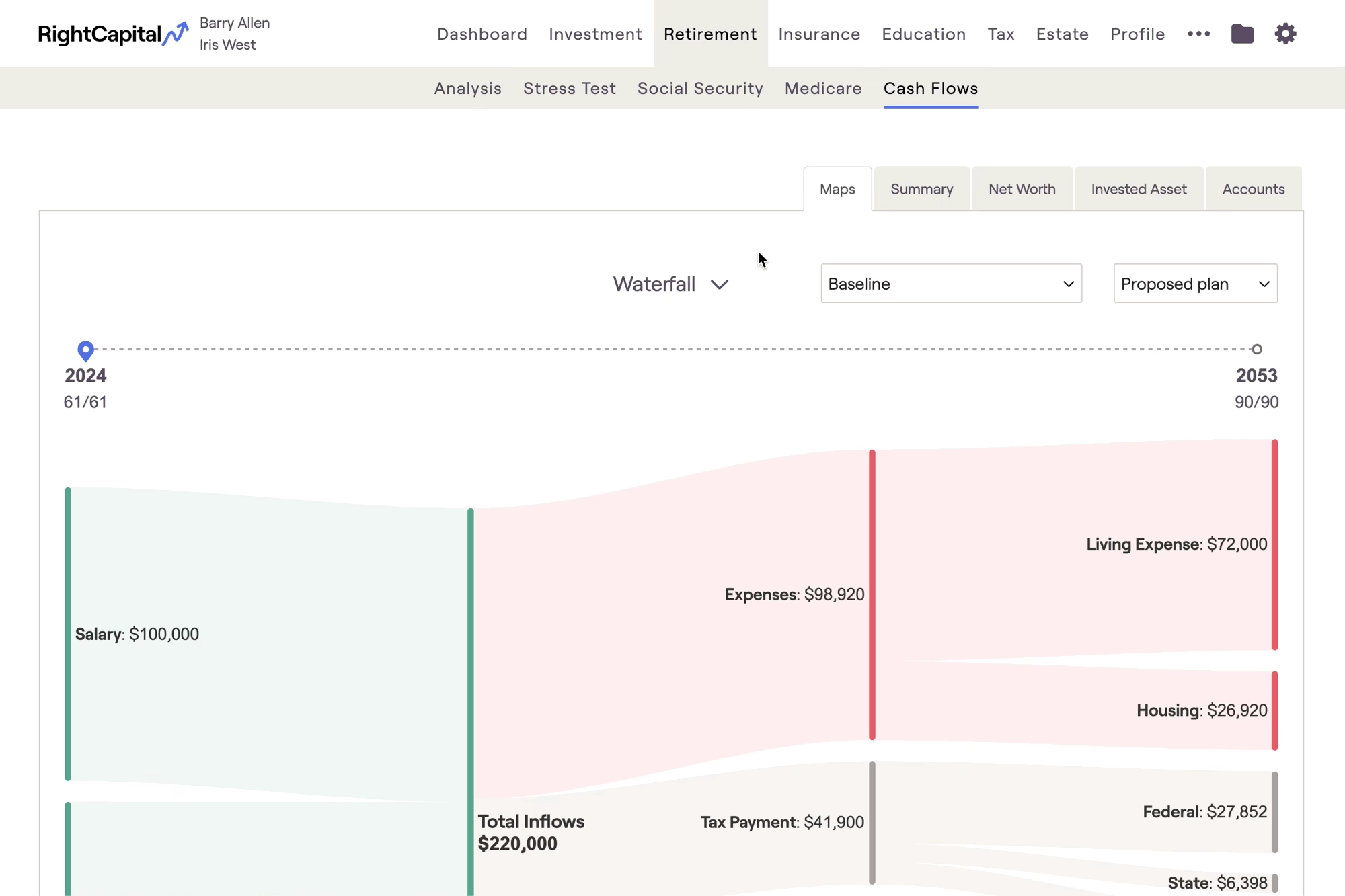
The Maps tab of the Cash Flows provides simple, intuitive visuals to help clients better understand their cash inflows and cash outflows each year. To access the Cash Flows, navigate to Retirement > Cash Flows section of a client plan:
Within the Maps area, you will find a Waterfall chart and a Breakdown chart, each zeroing in on a client's income, expenses, goals, and savings in a specific year of the projections.

Explore Inflow and Outflow Details in the Waterfall Chart

Click on the inflow and outflow sections of the Waterfall chart to see a breakdown of the underlying values.

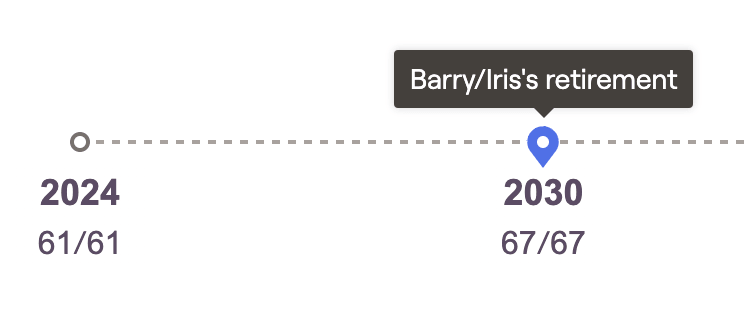
Above the chart you will find a timeline; drag the pin icon along the timeline to select a specific year of the Cash Flows. A tooltip will appear to help you easily identify the year that each client retires:

Waterfall
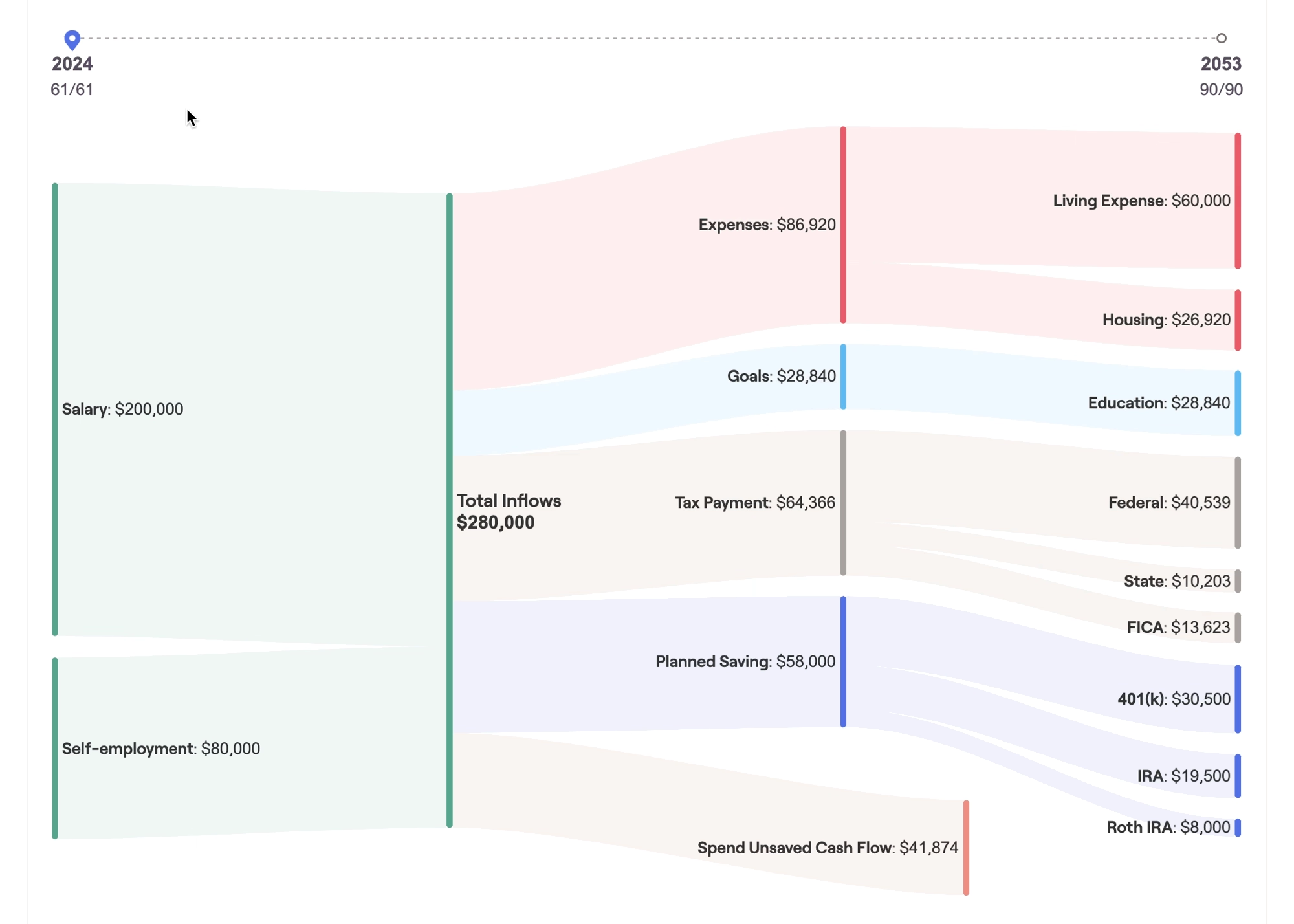
The first cash flow map is the Waterfall. This is a Sankey-style flow chart displaying the total inflows and outflows for each year. Each inflow and outflow is proportional in size to the dollar value of that item, to help clients visualize the magnitude of each item's impact. You can identify any cash flow deficits or cash flow excess at the bottom of the chart:

As you scroll through the timeline, you can start to paint a picture for clients, detailing how their income, savings, goals, and expenses might change over the course of their financial lives. This can be a powerful visual backdrop for your planning conversations, and an invaluable tool for client meetings and presentations.

Pro-Tip: Use Maps as a Visual Aid!

The values displayed here are identical to those found in the Summary tab. For clients who may have difficulty reading and understanding a more traditional cash flow table, Maps can be a useful visual aid in demonstrating where their money is coming from, and where it is going each year.


Breakdown
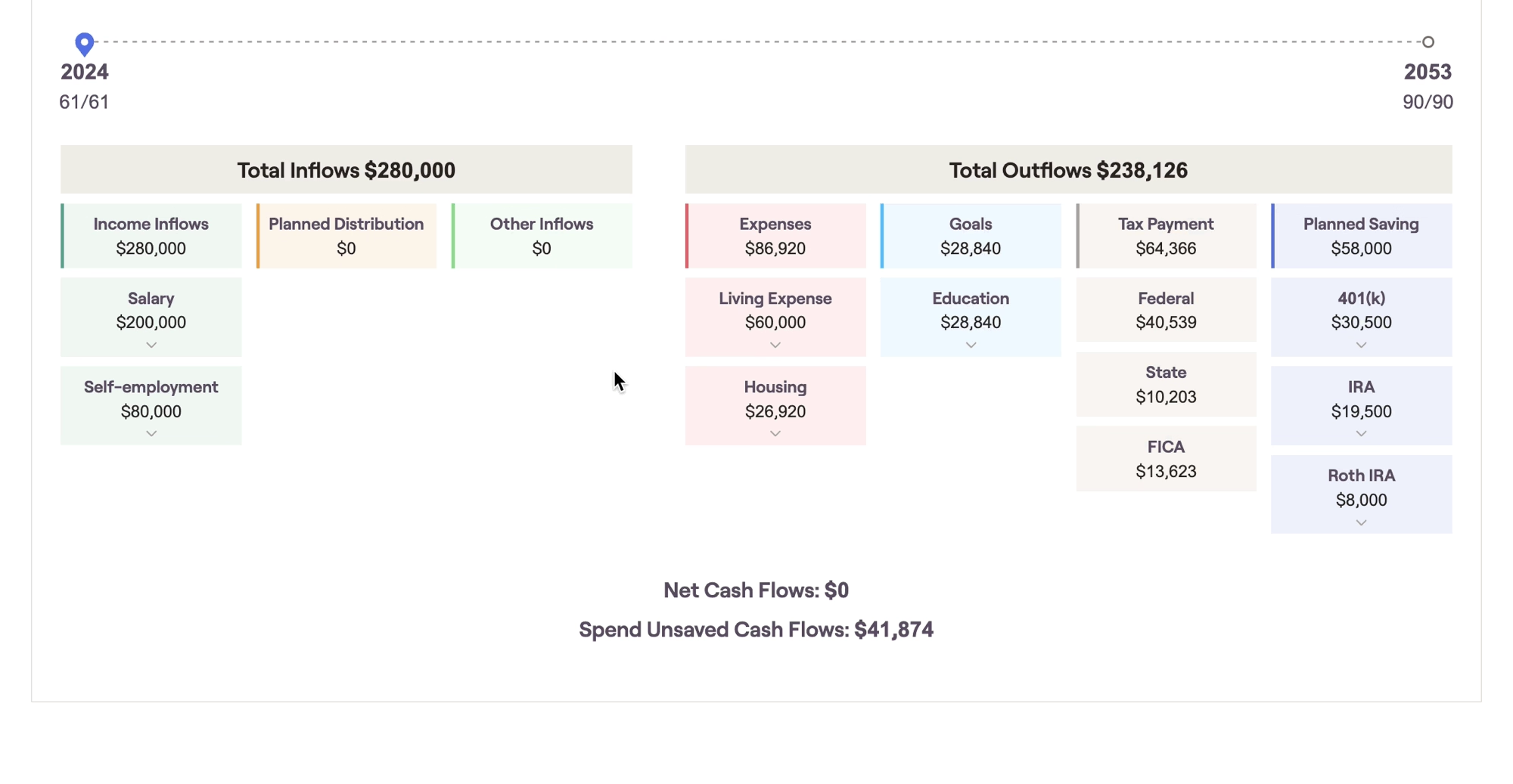
The second cash flow map is the Breakdown. You can switch from the Waterfall to the Breakdown by clicking the toggle arrow next to the name of each chart. This chart provides the same values and information from the Waterfall, using a chart layout that is more in line with the other visuals in RightCapital:

This chart combines visual simplicity with dynamic granularity, allowing you to click into individual tiles to "zoom in" for more detailed cash flow information. Just like the waterfall, this chart focuses in on one cash flow year at a time using the navigational timeline above the chart.

Contact Us

For additional assistance within RightCapital please contact our Support team.

Educational Webinars

RightCapital is committed to enabling your success. Each week, we cover essential planning modules and product updates.

RightCapital in Action

Check out our YouTube channel where we highlight Advisor Success Stories and share more Tips & Tricks!