Overview
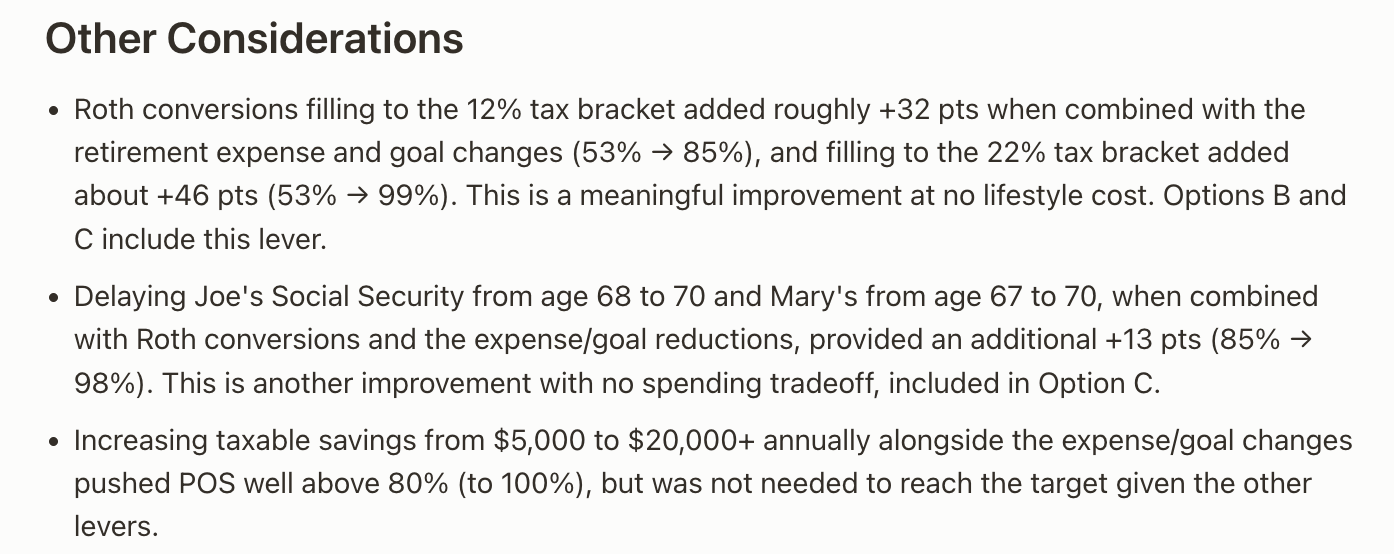
The Plan Builder acts as your planning co-pilot. Set a target success rate, choose the levers to adjust, and Iris generates three options, each with specific changes, key considerations, and the resulting probability of success.
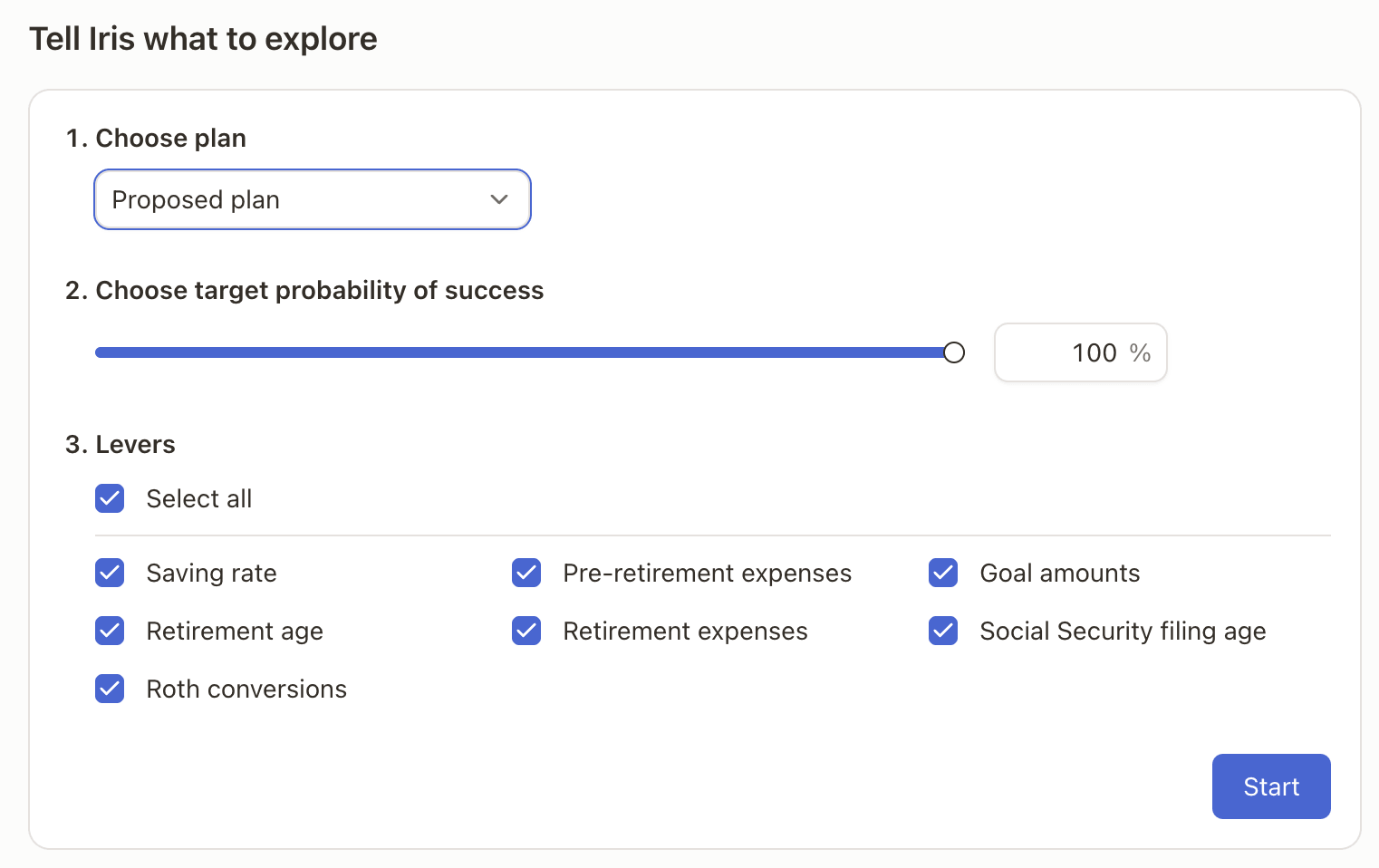
To start, select "Plan Builder" from the main chat page. Confirm which plan you want to analyze, the target probability, and which levers should be adjusted to reach that probability. Once these have been selected, press 'Start'.
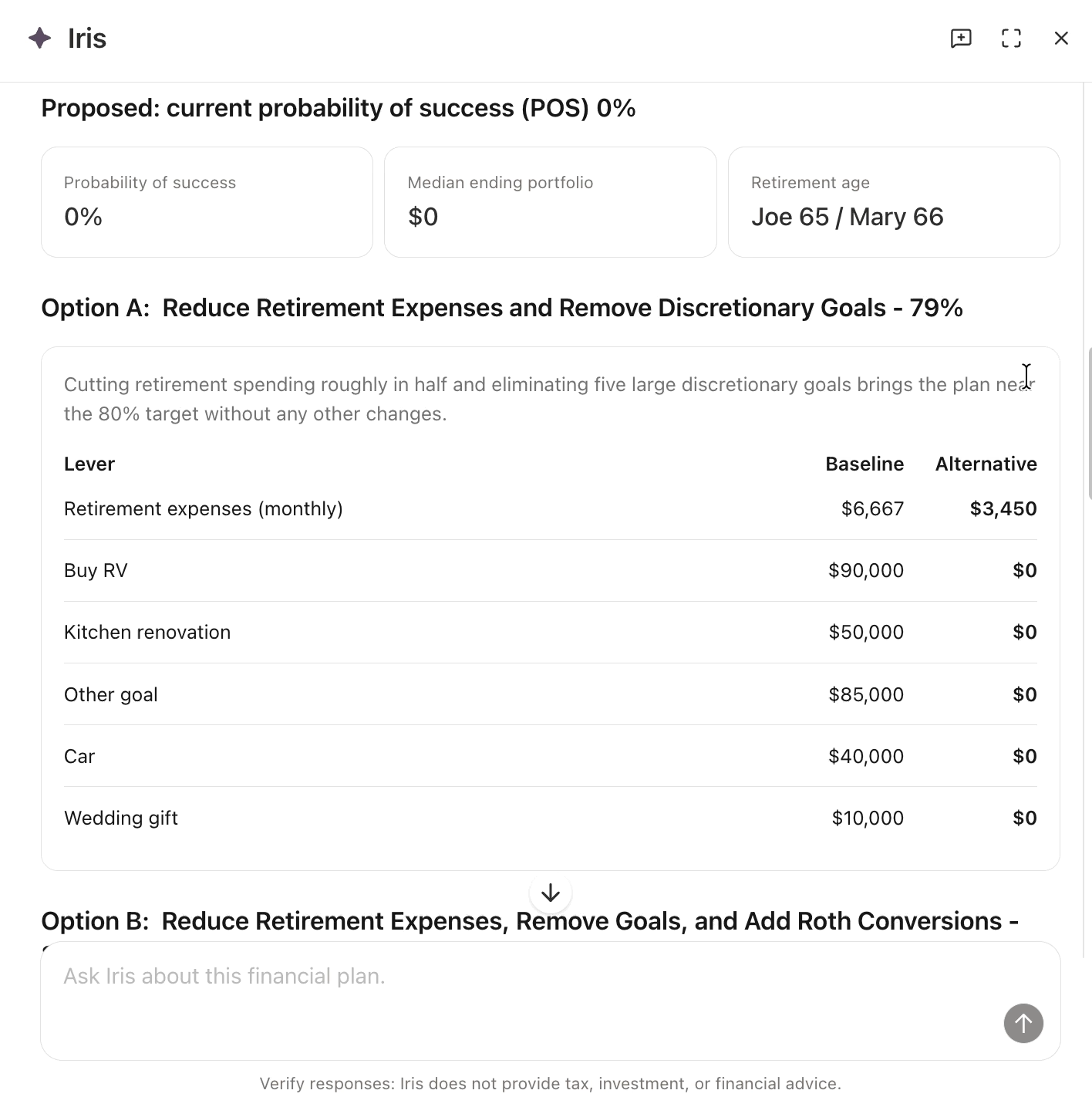
Once the analysis is complete, you will be provided with 3 main options to increase/decrease the plan probability of success. These typically contain 2 changes made to the plan that get the plan probability more in line with the requested probability.
Other considerations will be listed at the bottom, but will generally have a lesser impact on the overall plan probability.