File Uploads
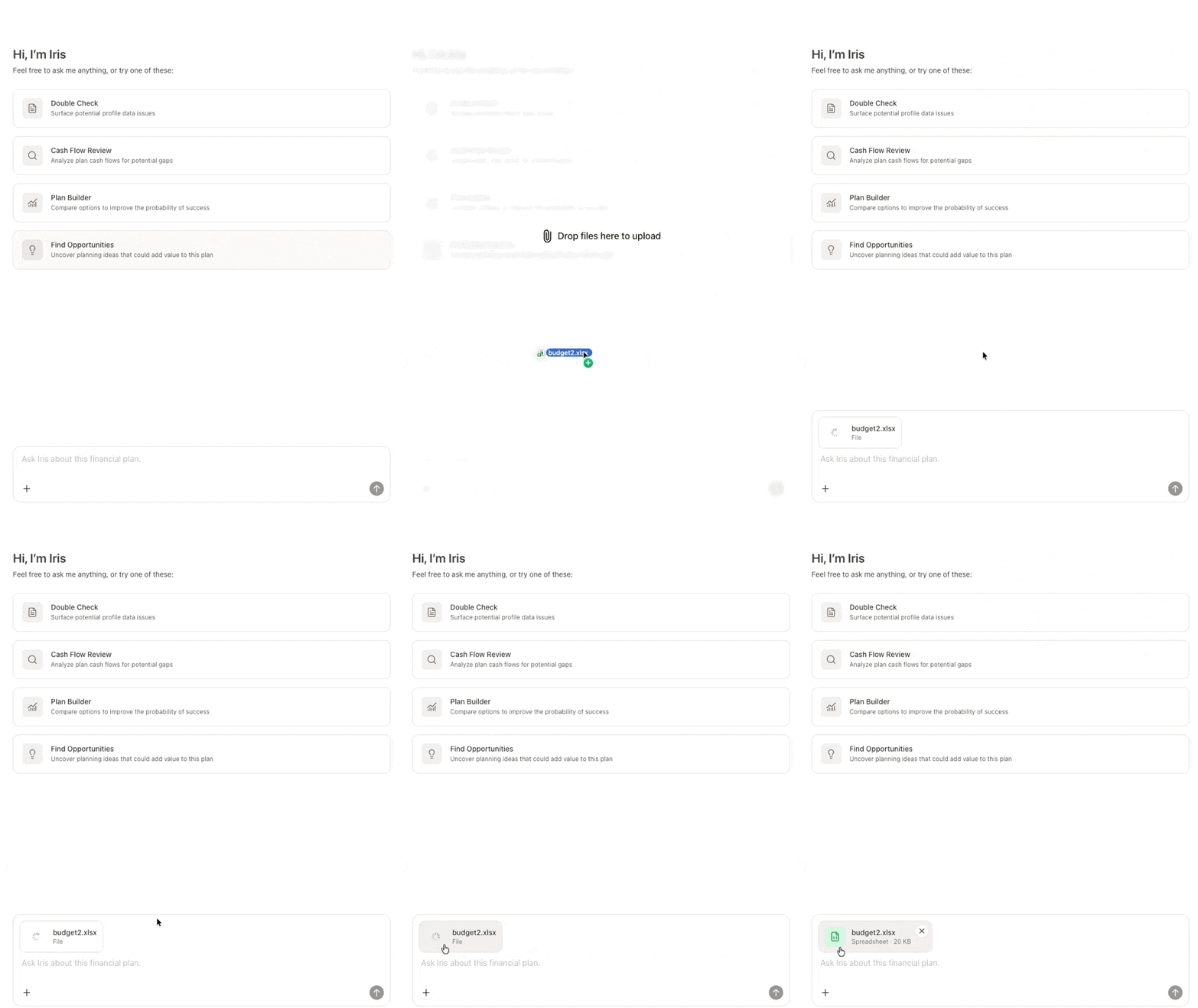
Iris can also analyze files to provide further assistance with the financial plan. Files can be uploaded in three different ways:
1
Click the '+' sign in the bottom left corner of the chat box test entry box, and select Upload file. Then choose the local file from your computer.

2
Drag a file into the Iris chat window from your computer.
3
Paste a copied image from your clipboard into the Iris chat.

4
Ask Iris to retrieve a document that has already been uploaded to the vault.
File Restrictions
Iris can handle up to 10 files at once and a total upload size of up to 20 MB. Only .pdf, .docx, .txt, .md, .xlsx, .csv, and common image formats are supported.
Iris can also access files in the Vault if requested, but cannot upload files to the Vault.


