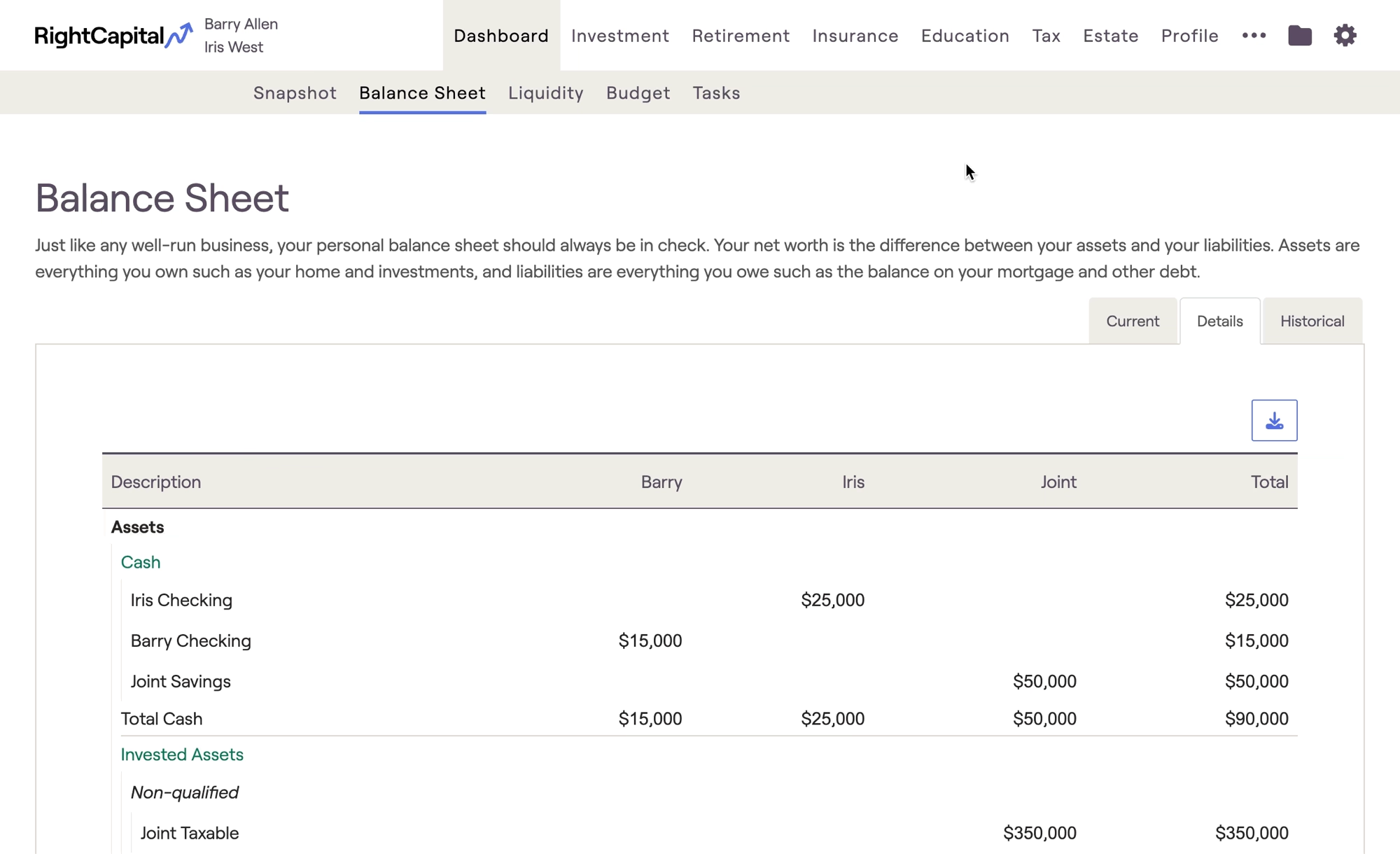
Accounts are organized by asset category, and dollar values are separated by owner:
Category | Description |
|---|---|
Cash | Reflects all Bank accounts entered within the Net Worth section of the Profile. |
Invested Assets | Reflects all Investment accounts entered within the Net Worth section of the Profile. |
Other Assets | Reflects all Properties, Stock Plans, and Other Assets entered within the Net Worth section of the Profile. |
Liabilities | Reflects all Credit Cards and Loans entered within the Net Worth section of the Profile. |
If there are any trust-owned assets within the plan, an additional "Trust" column will populate:

Revocable trusts will be included under "Invested Assets", while Irrevocable trusts will be included under "Other Assets".
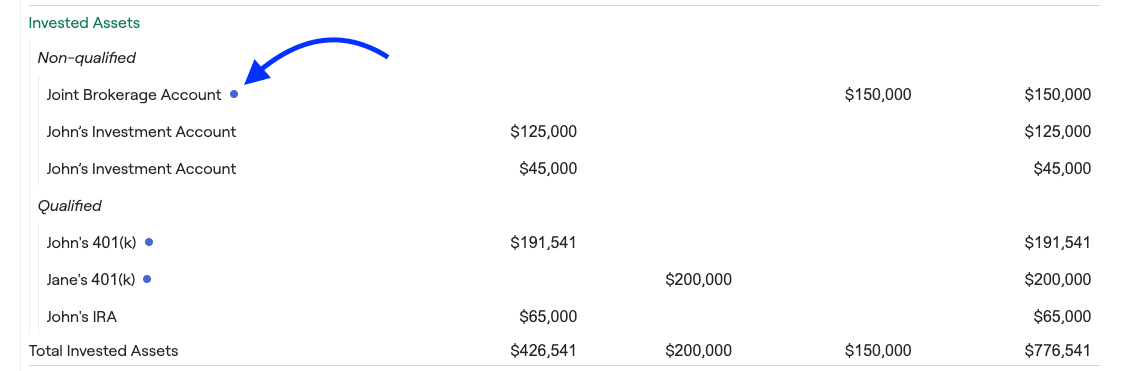
- The "Invested Asset" section of the detailed balance sheet will separate qualified and non-qualified assets. Taxable accounts, deferred comp plans, NQ pension plans, NQ annuities, ESPPs, and revocable trusts will reflect as non-qualified invested assets. All other accounts will be classified as qualified.
- Any accounts with a small blue visual indicator are "managed" accounts. Accounts can be marked as "managed" under the Profile > Net Worth > Investments. This is purely for visual/tracking purposes and does not affect the system's calculations. To enable/disable this setting, you can head to the Account Preferences menu under the Advisor Portal.
Clicking the blue Download button in the upper right of this page will export the detailed balance sheet as a CSV file. You can then open this file within Excel, Numbers, or any other spreadsheet software to view the information:
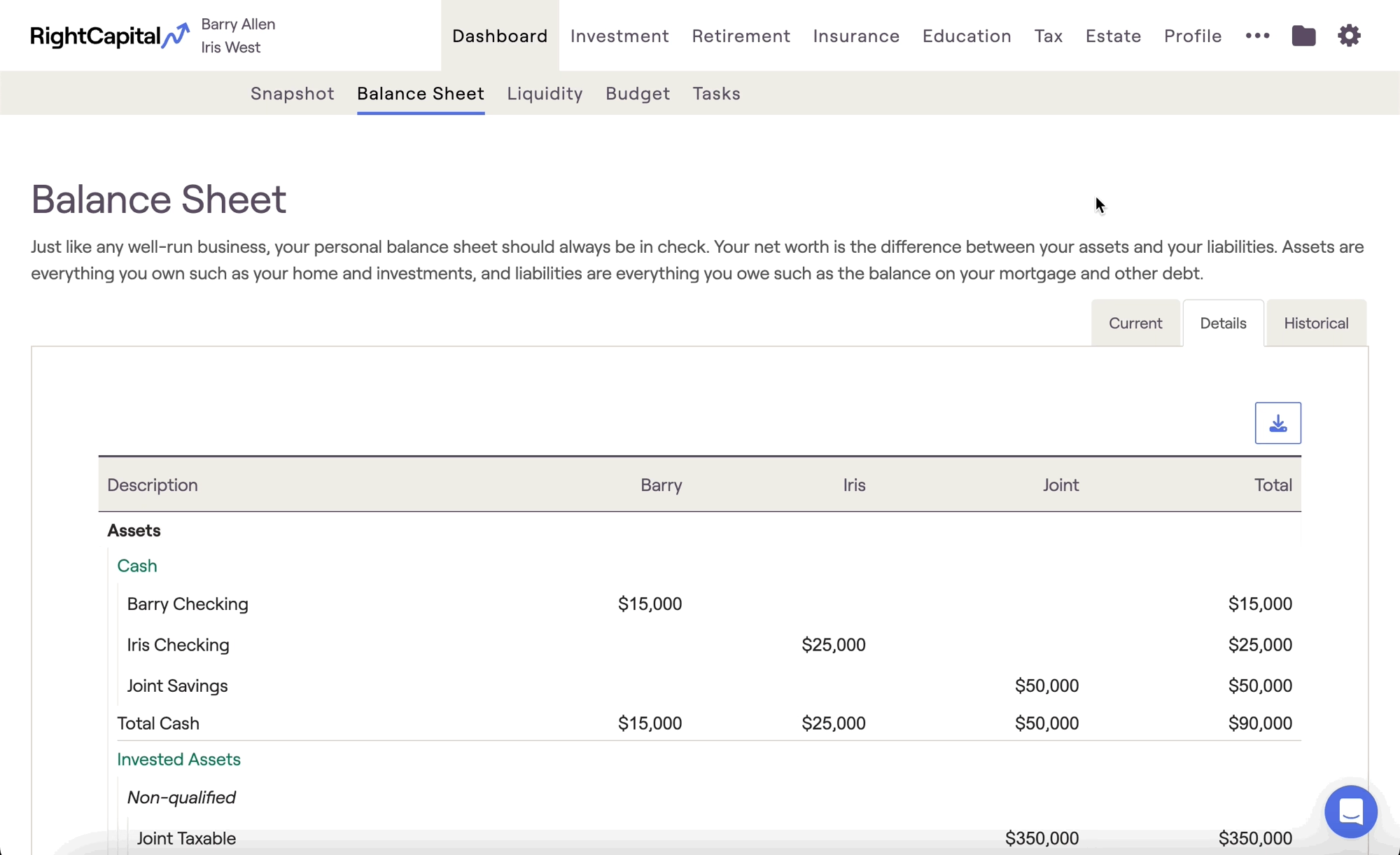
Within each section of the balance sheet, the order that accounts are displayed will mirror the order in the Net Worth section. To rearrange the order, navigate to Profile > Net Worth, choose an asset category, and drag & drop the accounts into your desired order!


