The Current tab of the Balance Sheet highlights a client's current assets, liabilities, and overall net worth via a simple, easily digestible bar chart. This area can be accessed within the Dashboard > Balance Sheet section of each client plan:
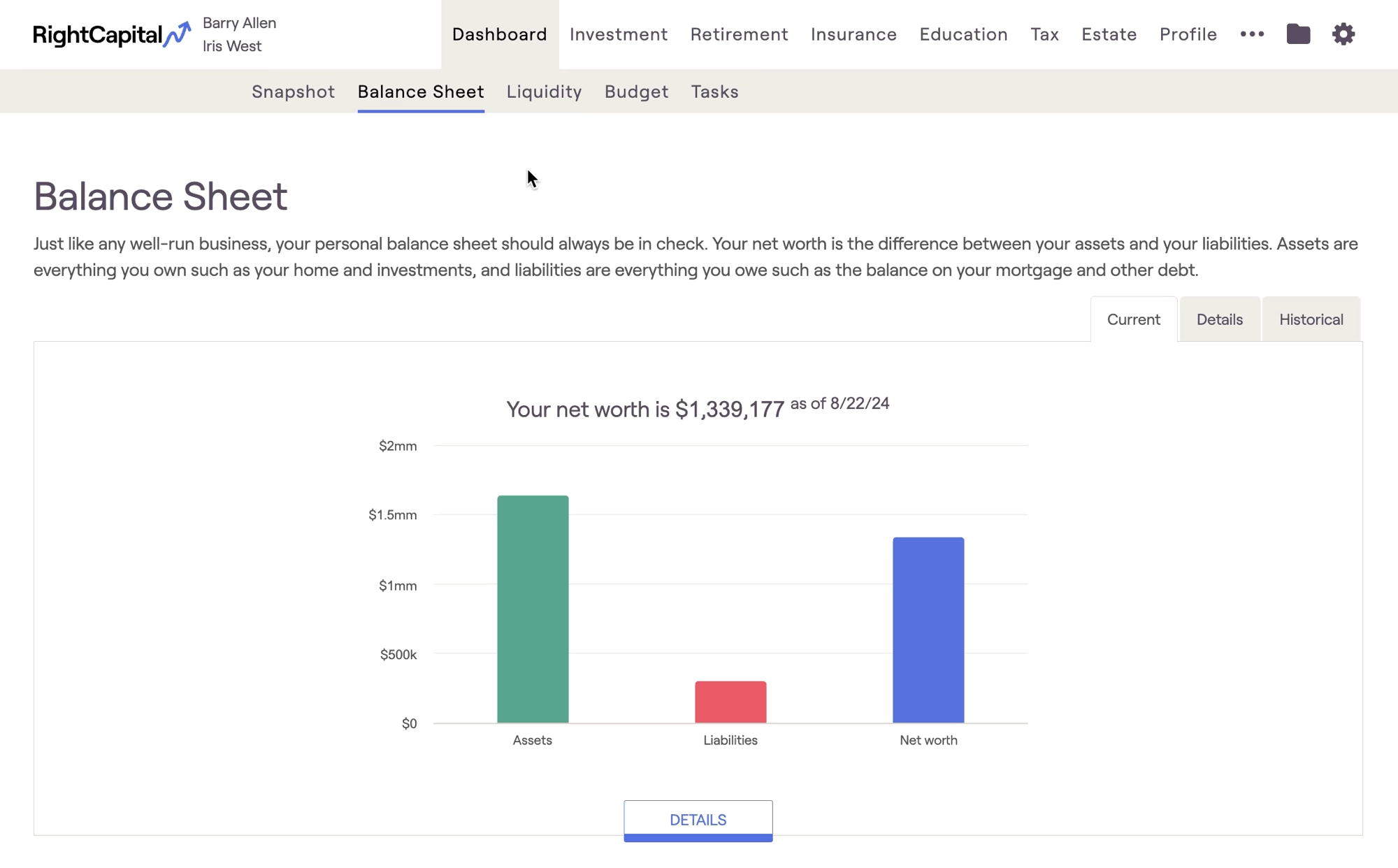
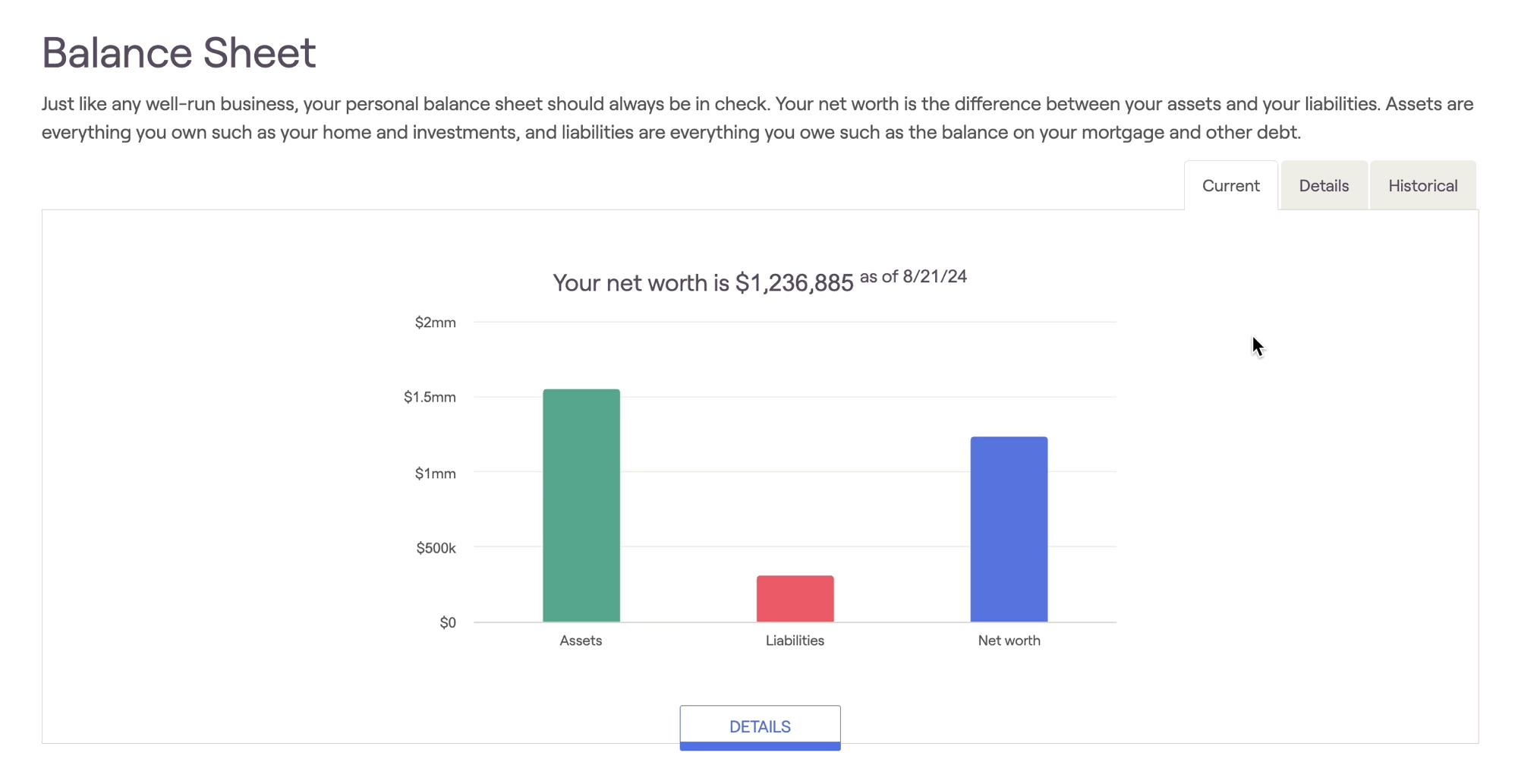
Hover your mouse over the chart to view specific dollar values. As a client's assets and liabilities change, this chart will be updated automatically. The date in which the information was last updated will appear at the top of the chart:
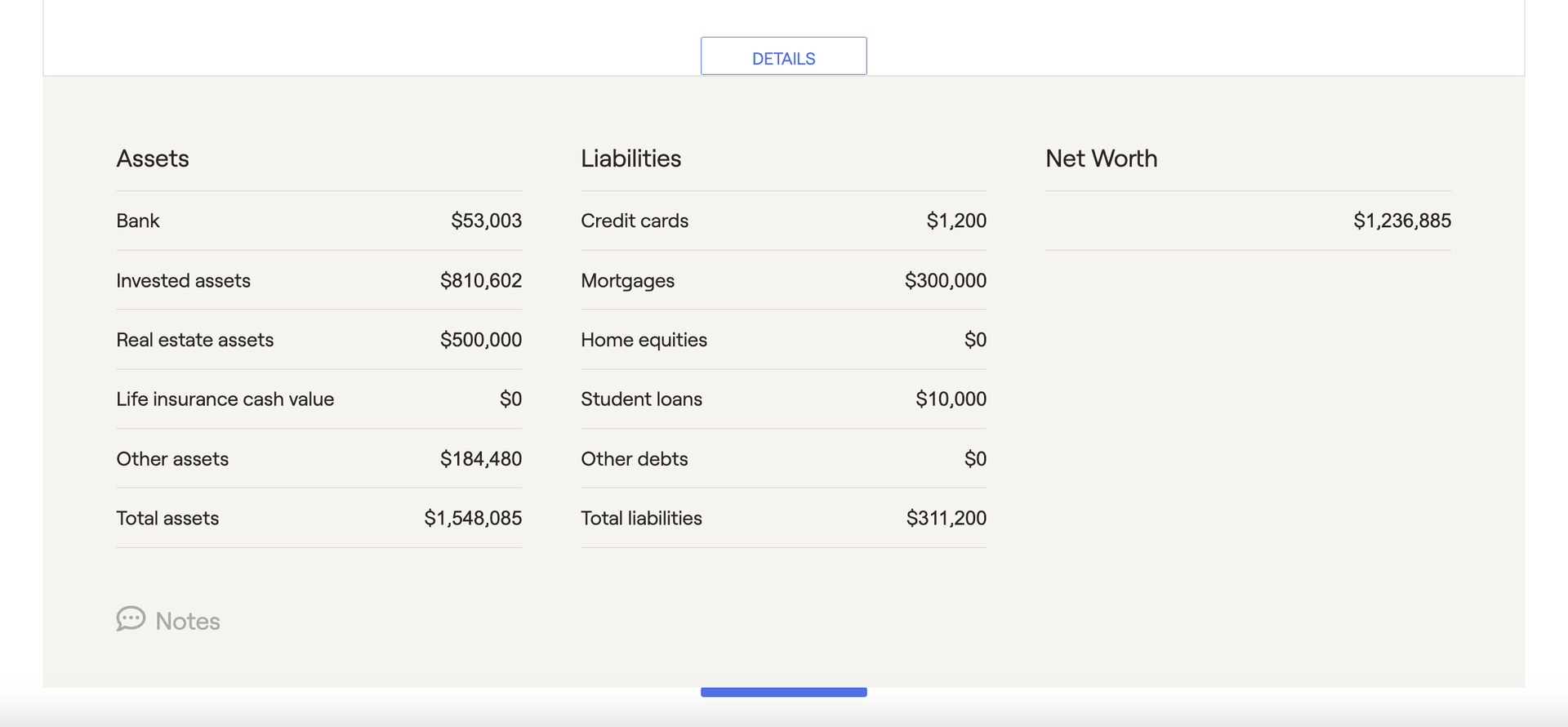
Clicking the Details button at the bottom of the page will cause additional information to appear beneath the bar chart. Here you will find a breakdown of asset and liability types and current dollar values, which together represent the data in the bar graph: