For clients with 403(b)s, you can enter ongoing contributions and employer matches within the Savings section of the Profile (or the Savings step of the initial data entry process). A 403(b) savings card can be added by clicking Add Saving in the upper right, hovering your mouse over 401(k)/403(b)/457(b), and choosing the 403(b) option:
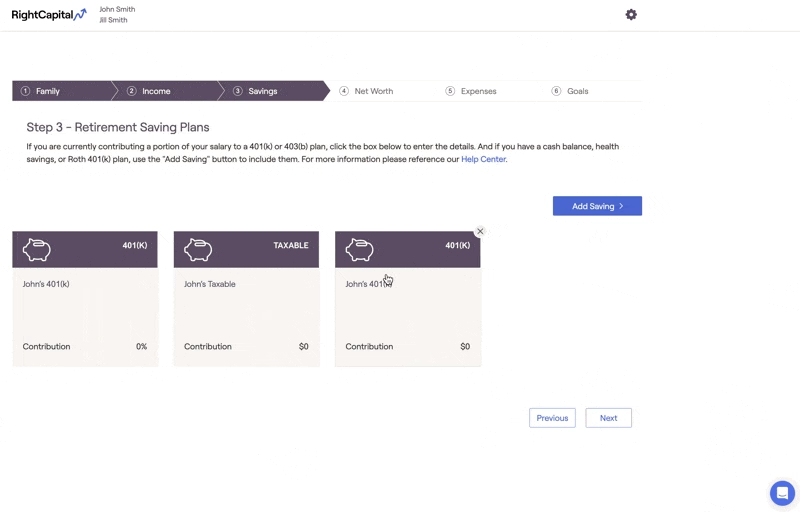
403(b) Savings Data Entry
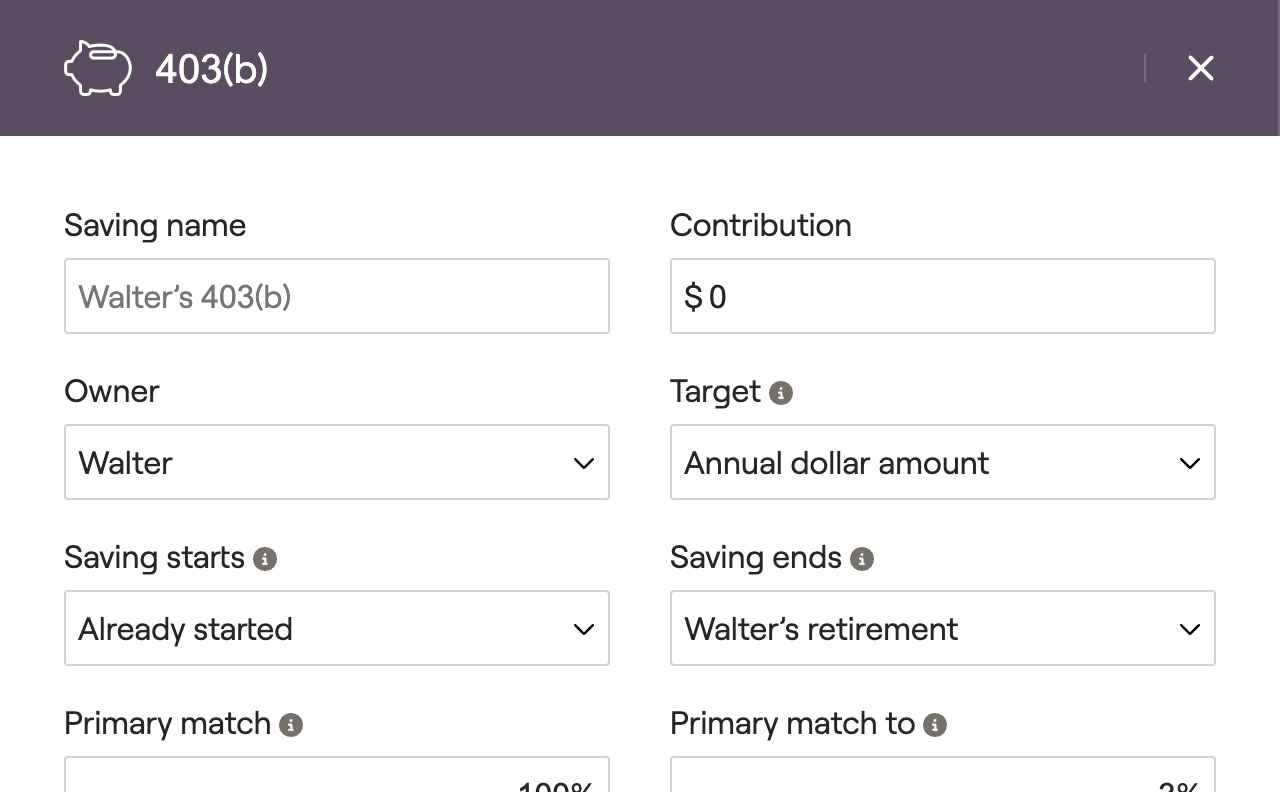
Click on this card to open a data entry drawer on the right side of your screen, allowing you to input the contribution information:
1
The Saving name will default to [Client's] 403(b), but you can enter a custom name if you'd like. In joint plans, you will also want to choose either the client or the co-client as the Owner.
2
Enter the client's annual Contribution to their 403(b). Depending on the option you choose in the Target field, this can be an annual dollar amount, a % of the client's income, or the maximum contribution amount.
3
Specify the duration of the contributions using the Saving starts and Saving ends fields. By default, these will be set to 'Already started' and '[Client's] retirement' respectively.
4
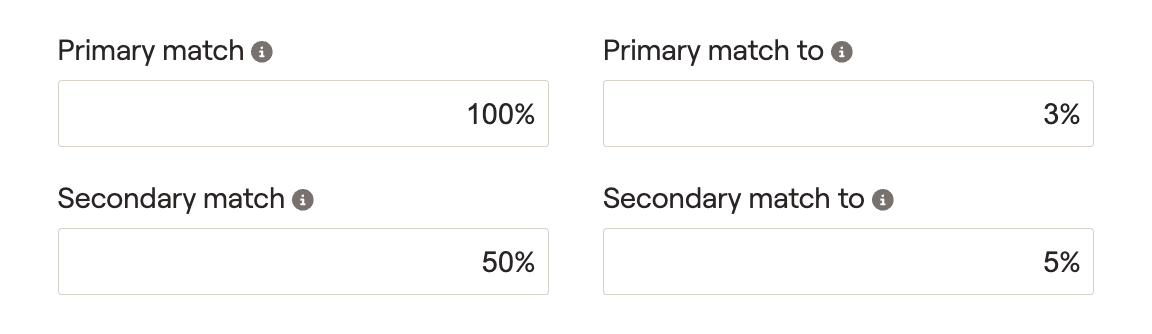
Enter the details of the employer match, starting with the Primary match (full or partial) and the Primary match to (% of client's contribution). If necessary, you can also specify the Secondary match and Secondary match to percentages.
A common example might look like a full match of 100% up to 3% of the client's contribution, and a partial match of 50% up to 5% of the client's contribution:
5
For non-elective employer matches, you can skip the primary and secondary matches and instead enter a Flat percent match or a Flat dollar match. These will occur regardless of employee contributions.
6
If some or all of the employer match is designated as a Roth contribution (as per Secure Act 2.0), indicate this percentage in the % of match to Roth field.
What does "Self-employed" do?
Checking the Self-employed box will cause this card to calculate employee/employer contributions based on the client's Self-employment income, rather than Salary income.
Additional Information
Contribution Limits and Taxation
Total employee contributions will be capped at the IRS maximum value ($23,500 for 2025, plus $7,500 catch-up at 50, $11,250 from 60-63). This limit is shared between 401(k), Roth 401(k), 403(b), and Roth 403(b) contributions.
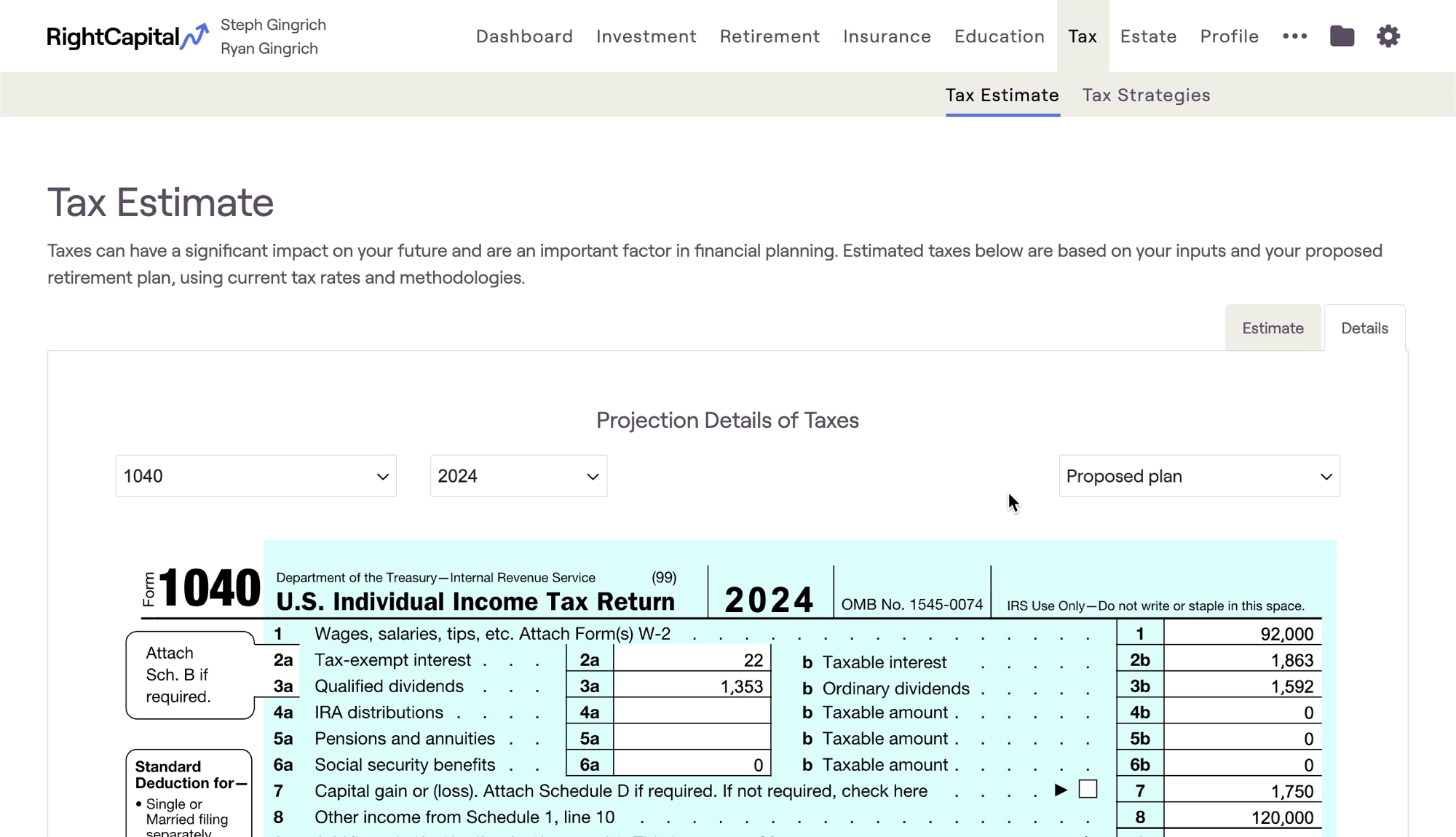
For salaried clients, traditional 403(b) contributions will be deducted from the client's wages on Line 1 of the 1040. With the 'Self-employed' box checked, contributions will be treated as Adjustments to Income (Line 16 of the Schedule 1, Line 10 of the 1040).
Sample tax forms can be viewed in the Tax > Tax Estimate > Details tab:
Cash Flows Location
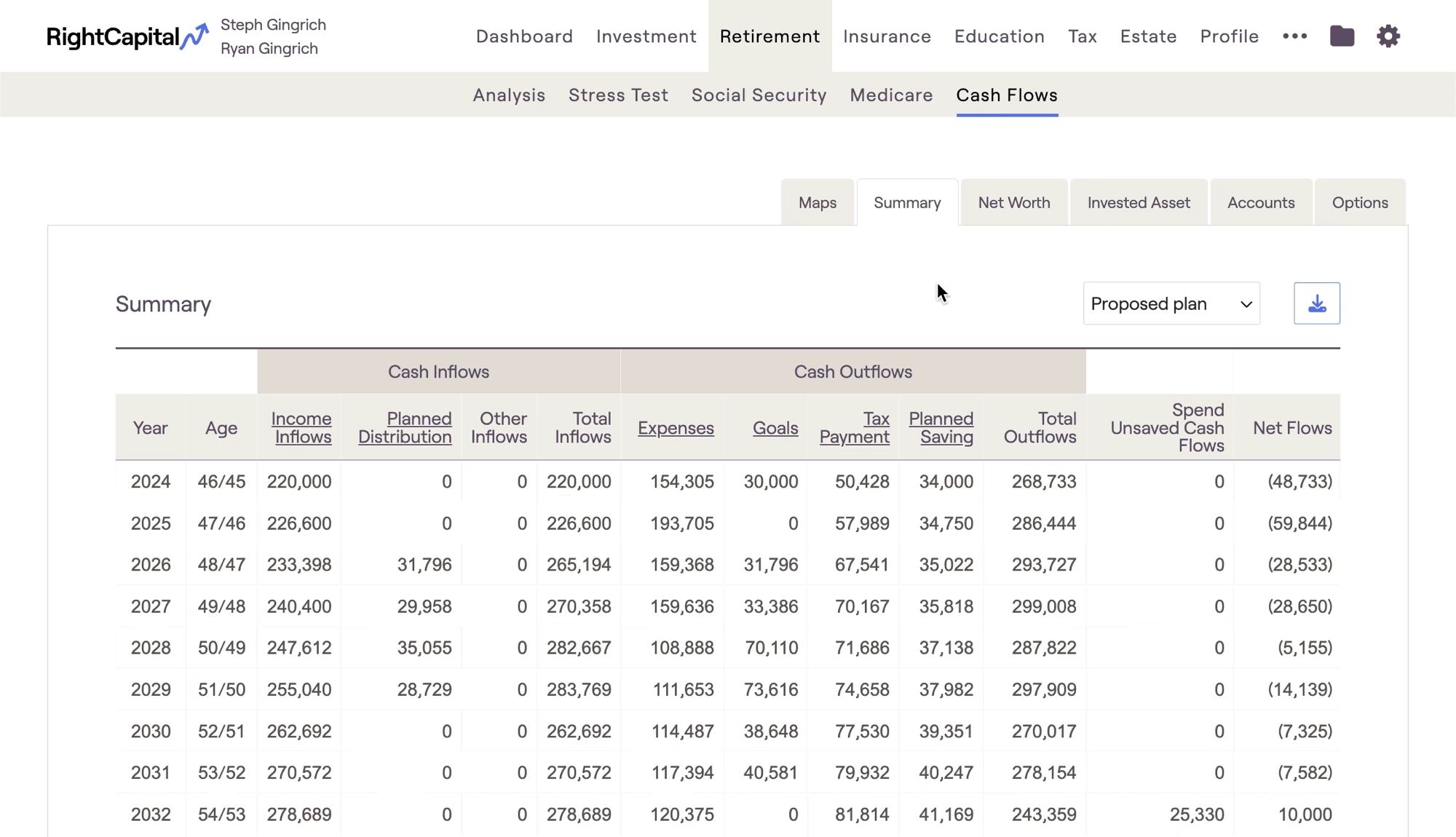
Client contributions can be tracked in two locations within the Retirement > Cash Flows:
- The Summary tab > Planned Savings column
- The Invested Asset tab > Planned Savings column
Employer matches can be found in the Invested Asset tab > Employer Match & Other column: