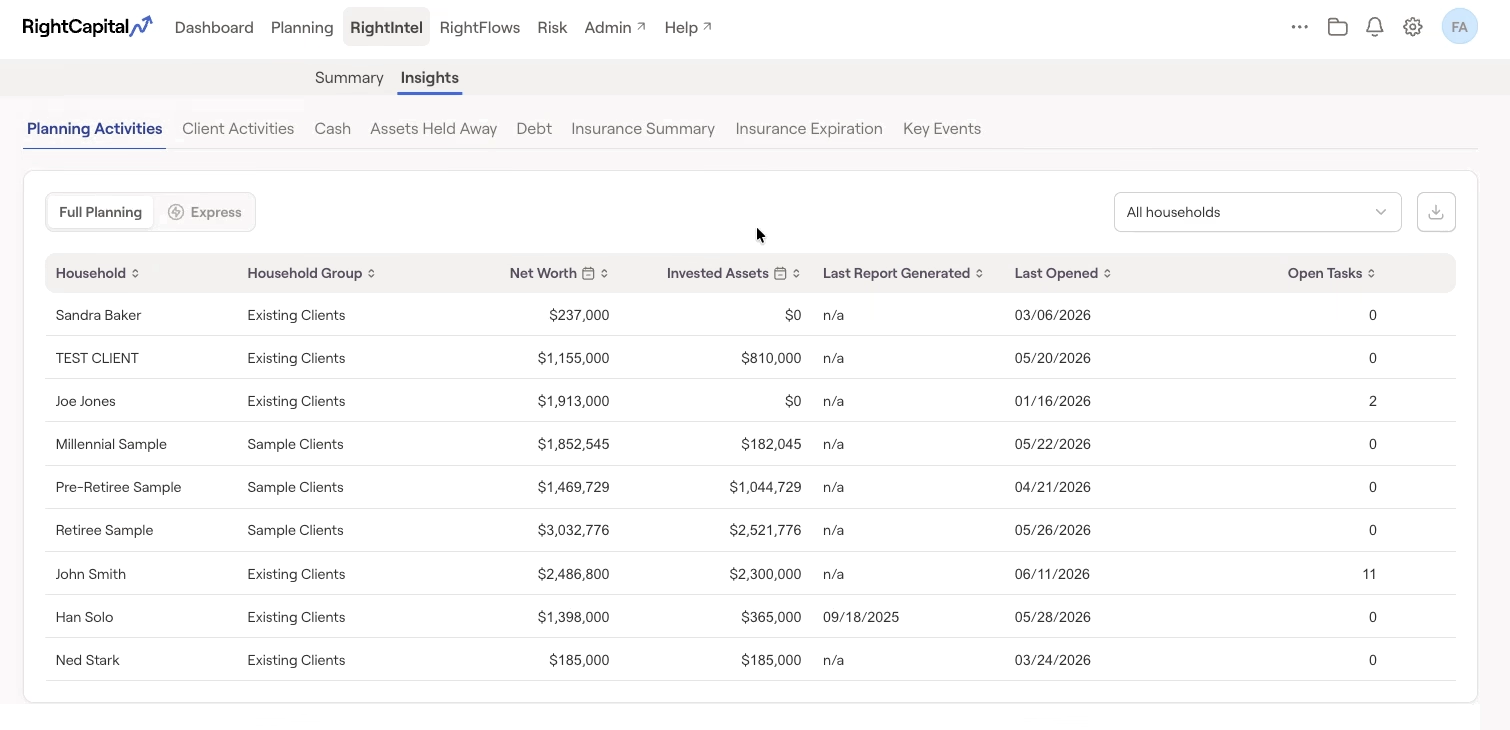
All Insights tabs can be exported as .CSV files by selecting the download icon on the top right of each tab:

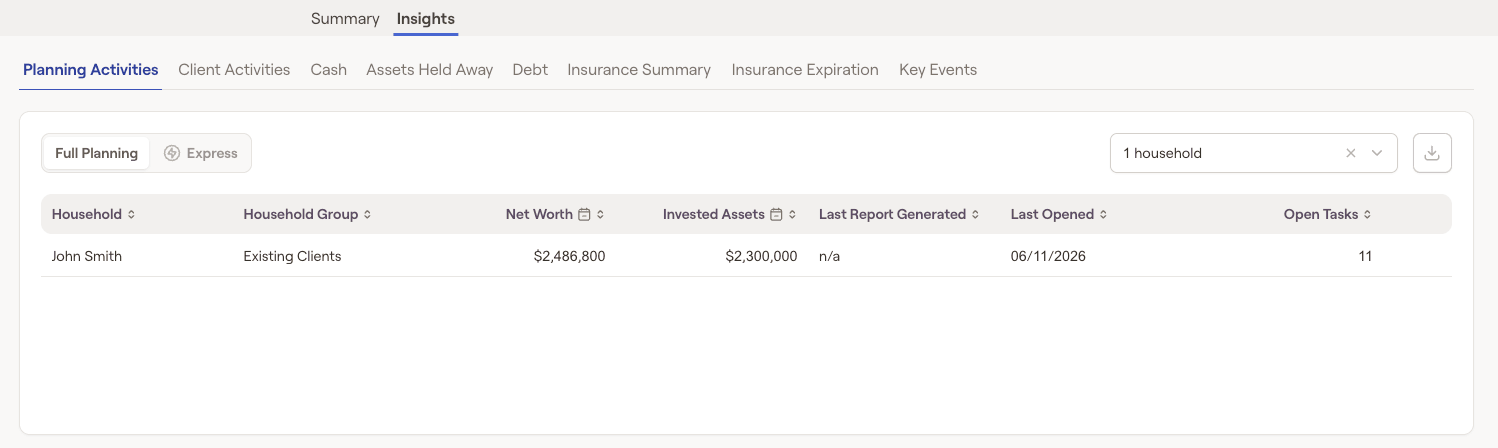
Switch between full planning household info and express household info by selecting either option in the top left of the insight page.
Planning Activities
The planning activities page enables advisors to view key statistics for all of their households in one place. This includes items such as the household group, net worth, invested assets, number of outstanding tasks, date a report was last generated, and the client's last login:
Client Activities
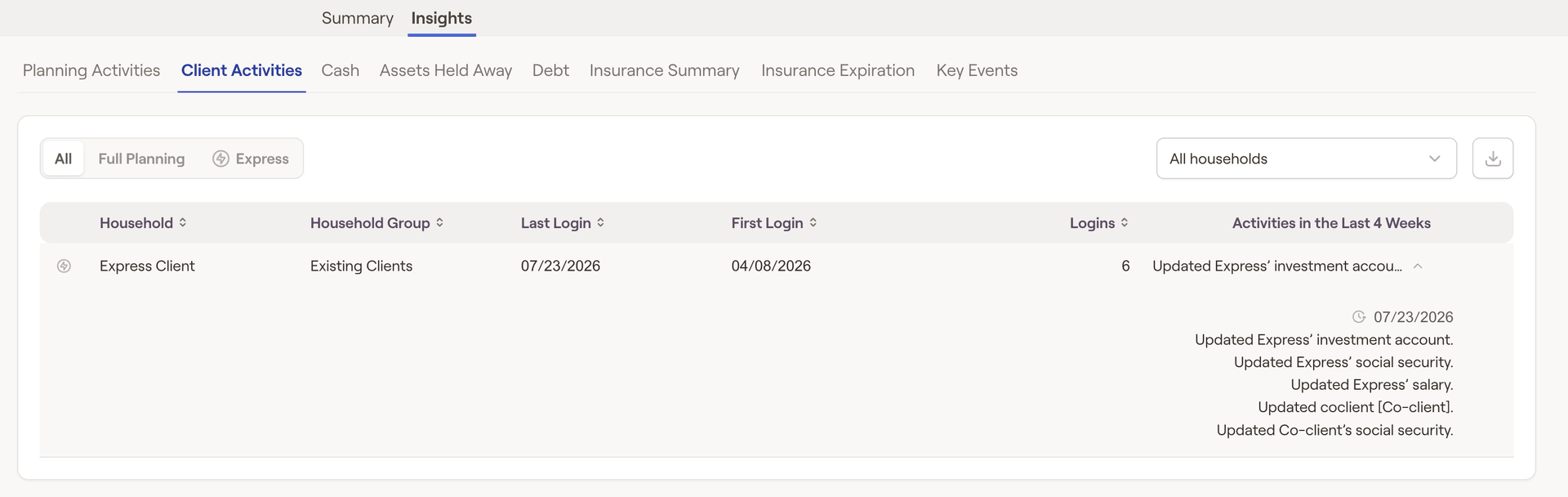
The Activities section will display your invited client's login activity, such as when they first logged in, when they last logged in, and how many total times they've logged into their portal. It will also display specific activities they've performed within the last four weeks, such as updates to Profile cards, and changes they've made to particular accounts.
Cash
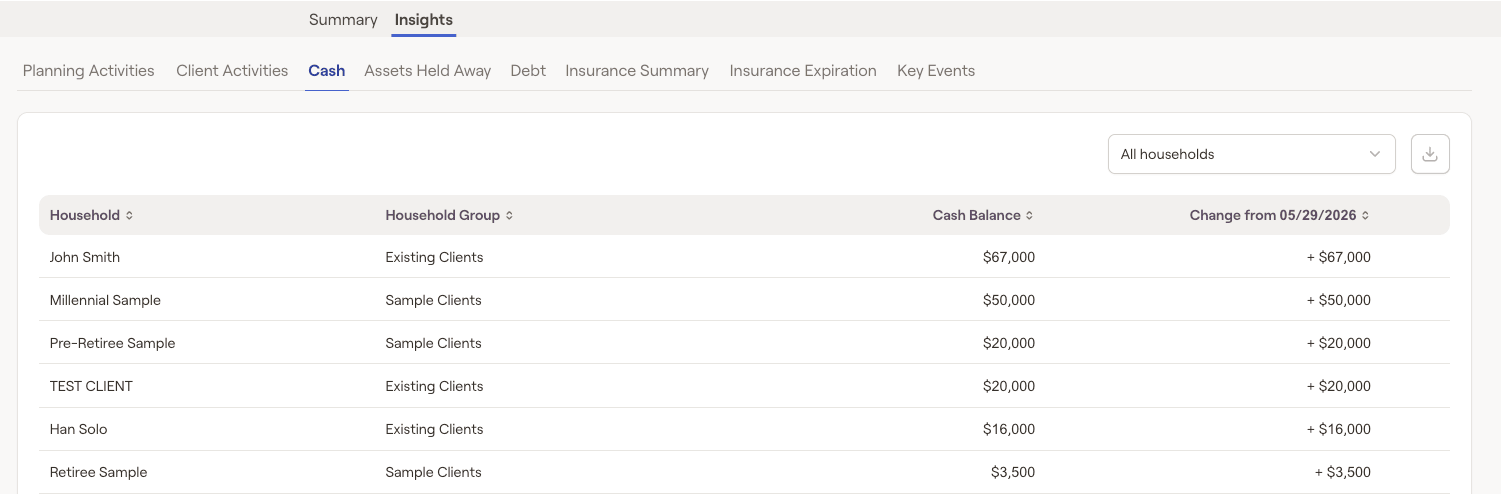
The cash tab allows you to easily identify clients who have cash on hand to reinvest with you, or clients who would benefit from bolstering their cash savings. The cash tab will display the amount of money each client holds in cash and daily changes to those balances:
Assets Held Away
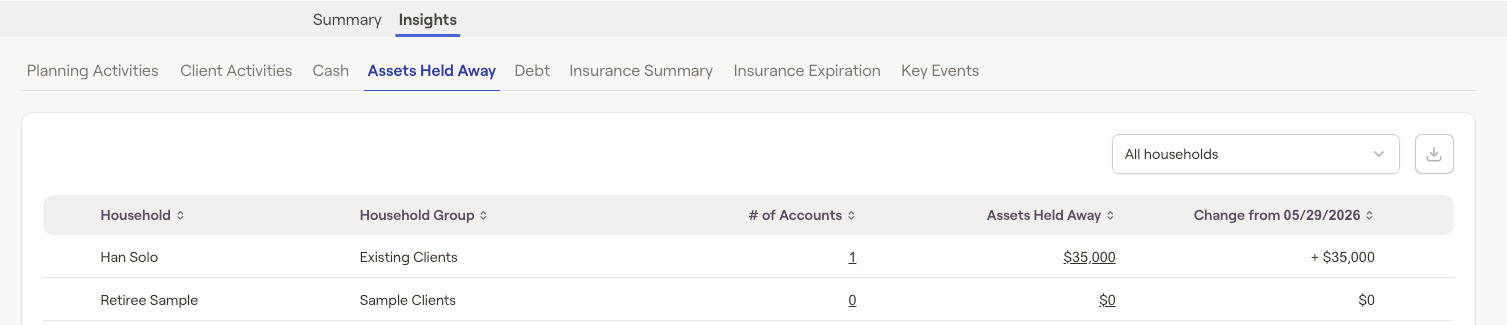
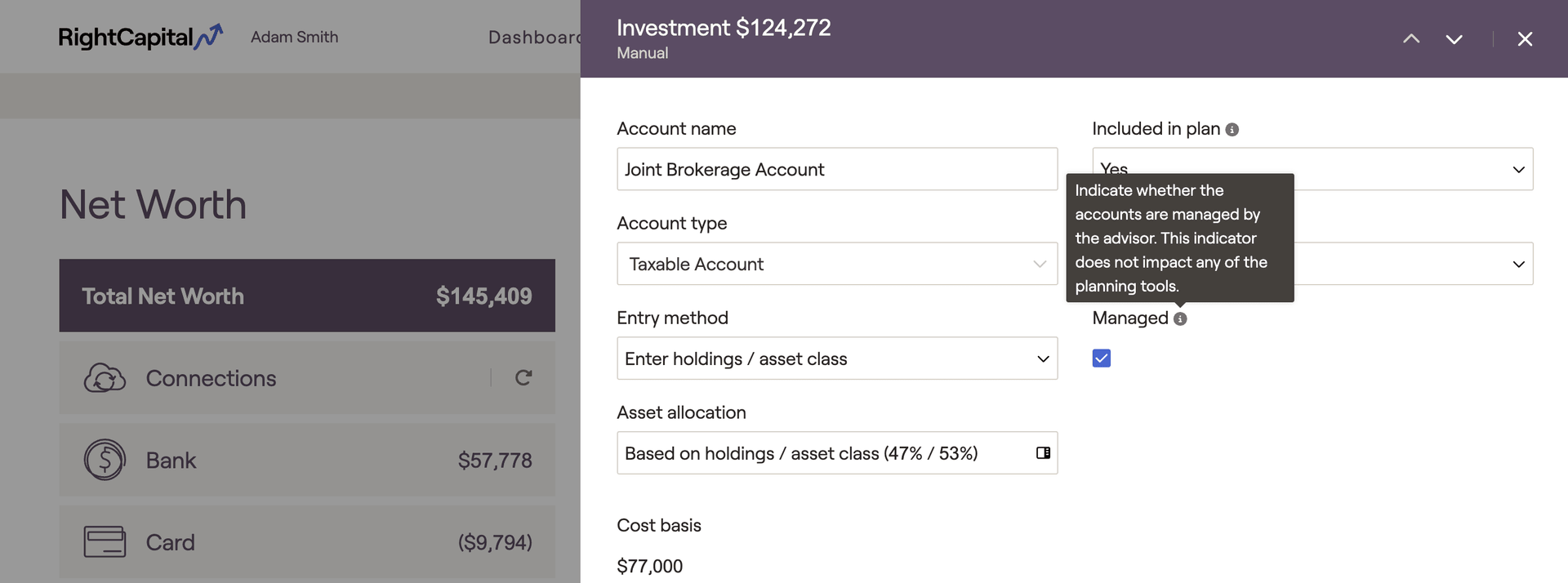
The Assets Held Away tab allows you to quickly see accounts your clients have invested elsewhere, providing you an opportunity to convert these assets to your management. The assets held away tab will display the total amount of investments the household holds outside of your management as well as their account type and balances:
Debt
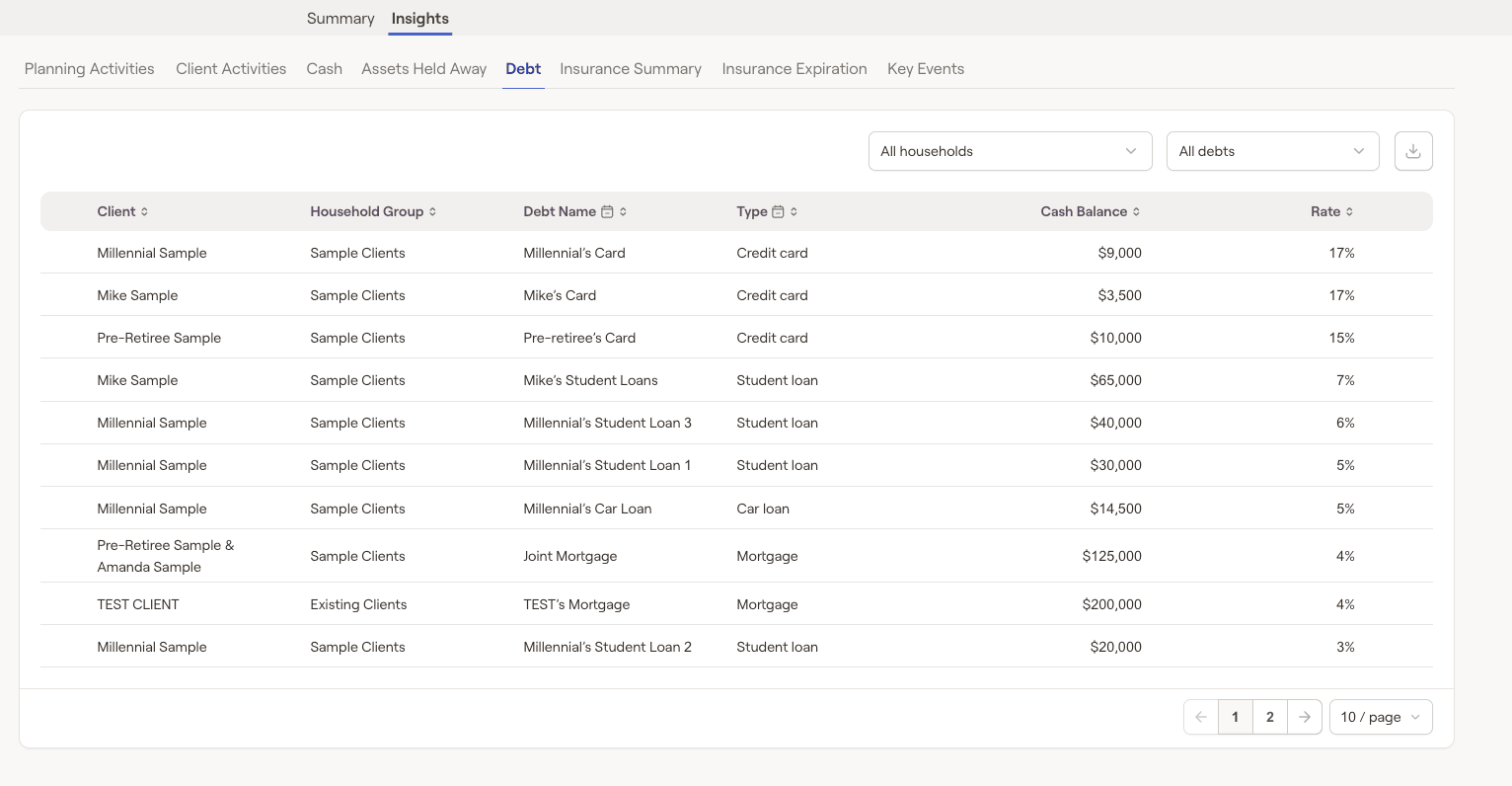
The debt tab houses all household loan data, allowing you to quickly identify which clients could benefit from consolidation or a refinance. The debt tab will display all household loans, their balances, as well as their interest rates:
Insurance Summary
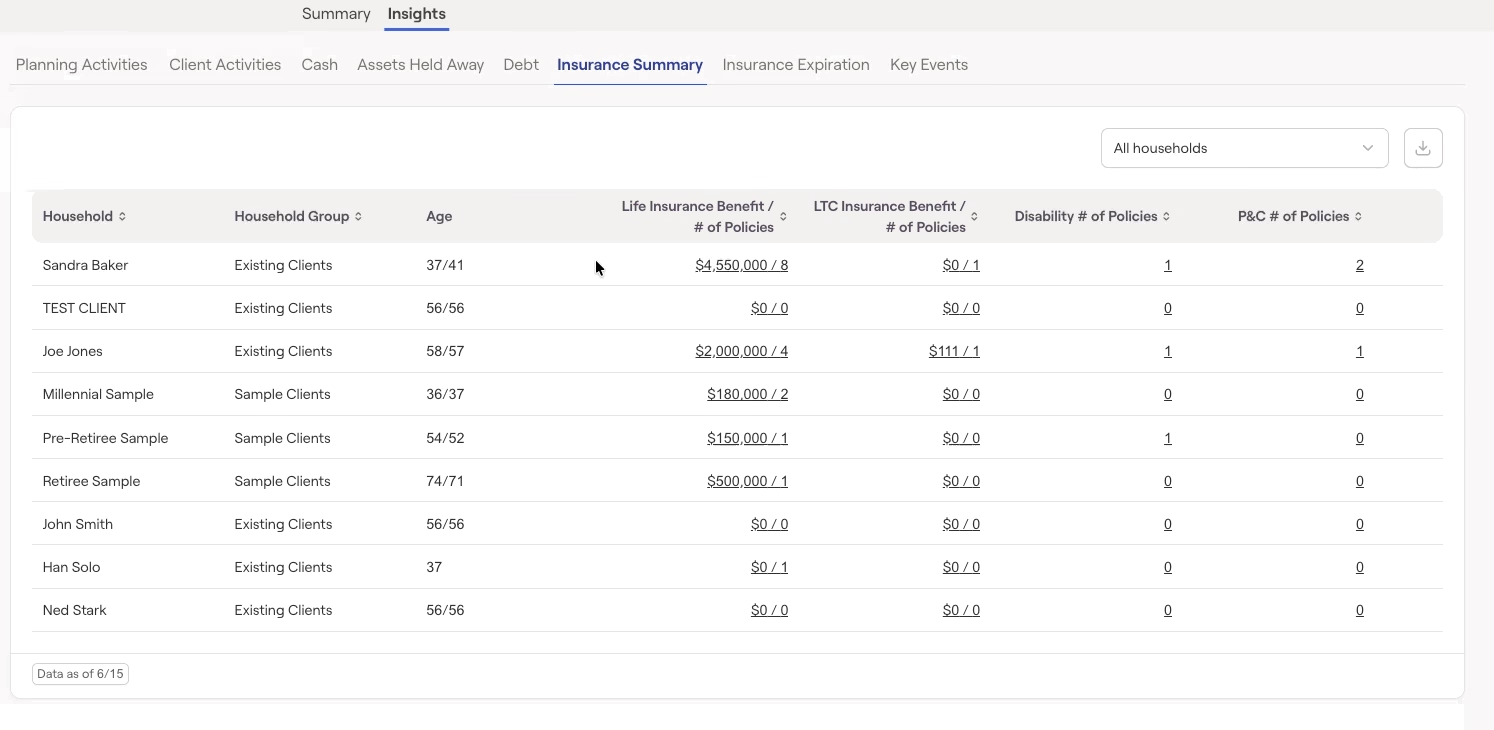
The insurance summary tab will display active term and disability insurance policies across clients, including the expiration date, allowing you to step in to avoid a lapse in coverage. Other data shown includes Client Age, Life Insurance death benefit amount and number of policies, LTC insurance benefit amount and number of policies, Disability insurance number of policies, and Property & Casualty Insurance number of policies.
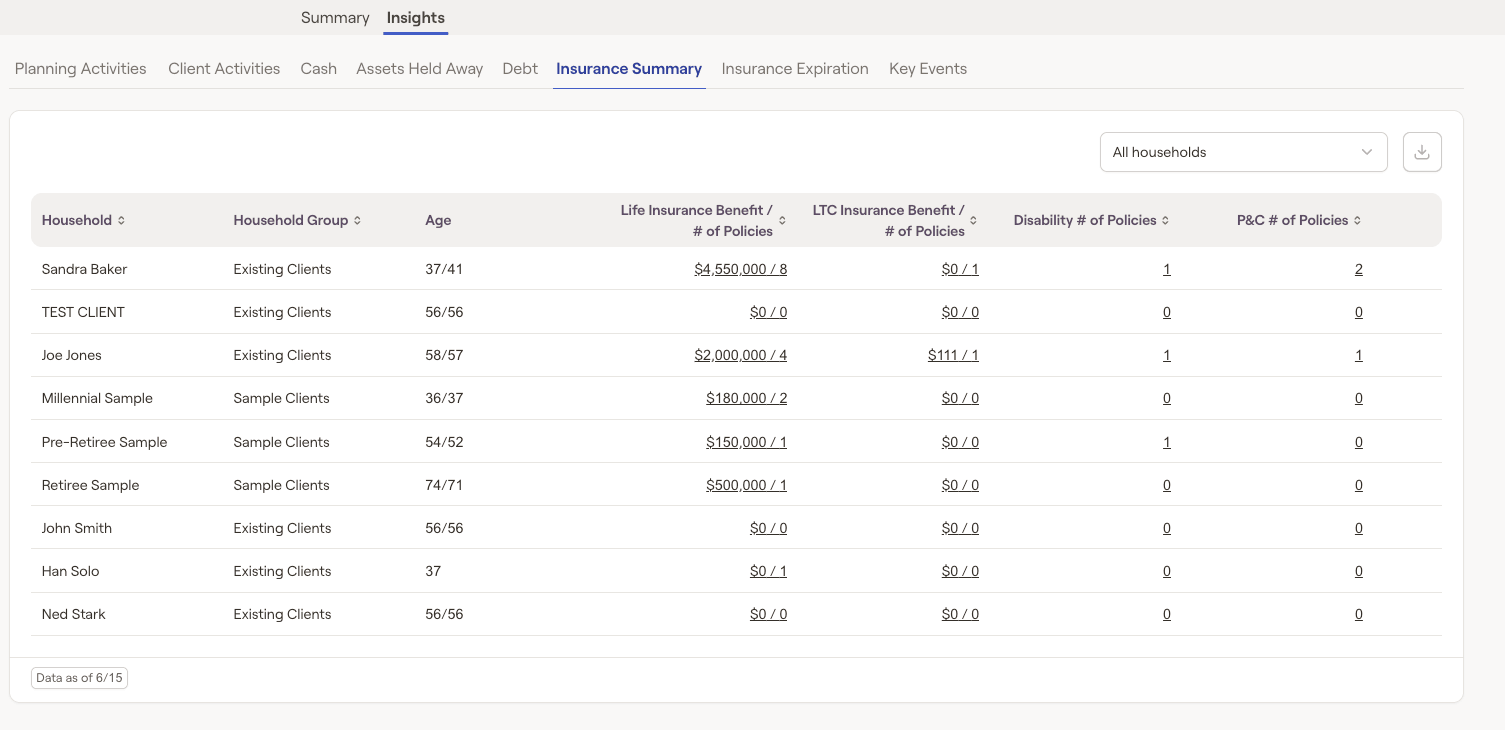
Advisors will be able to click on each type of policy to see additional details such as Policy owner, Policy type, Insured, and Premium information:
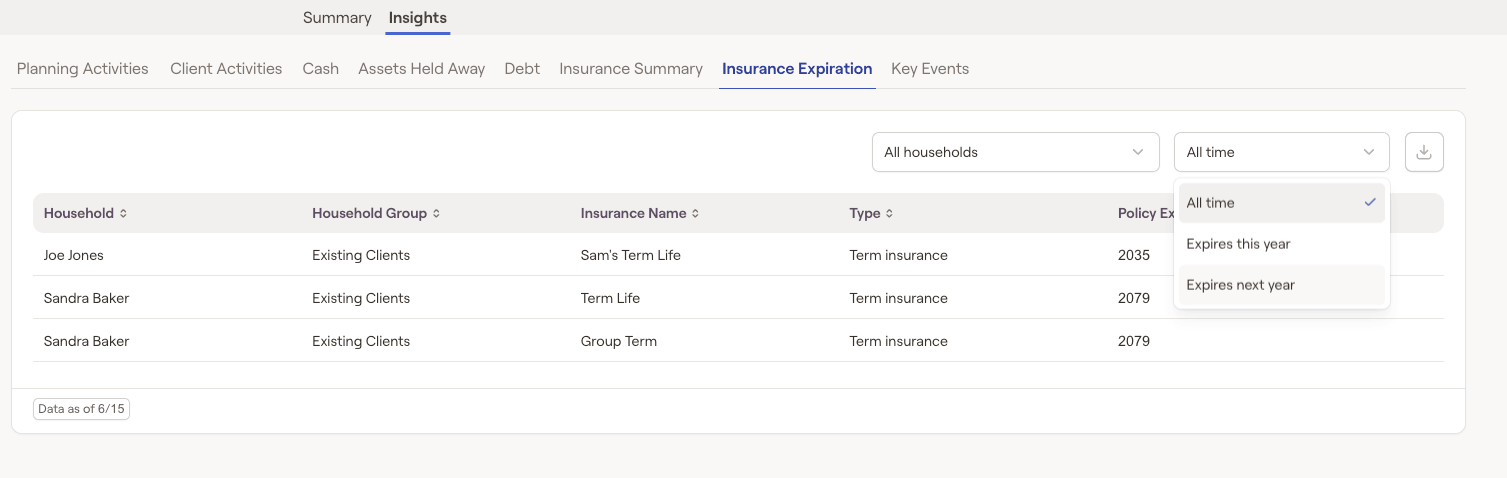
Insurance Expiration
The insurance expiration tab will highlight any term insurance policy expiration years. This tab will specifically let you sort policies that expire this year or next year using the dropdown menu in the top right:
Key Events
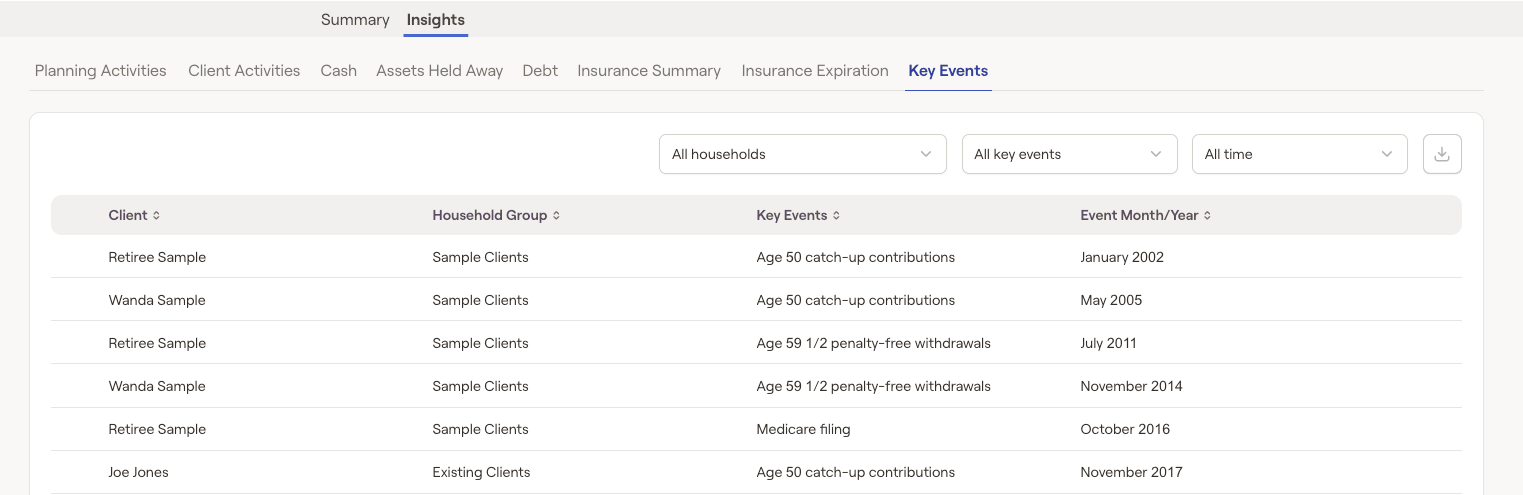
The key events tab will display key client events such as retirement age, Social Security filing age, Medicare filing age, RMD age, when they have reached age 59 1/2 (penalty-free withdrawals) or age 50 (contribution catch-up provision) as well as the month/calendar year in which they occur, allowing you to identify milestones and tailor your conversations accordingly: