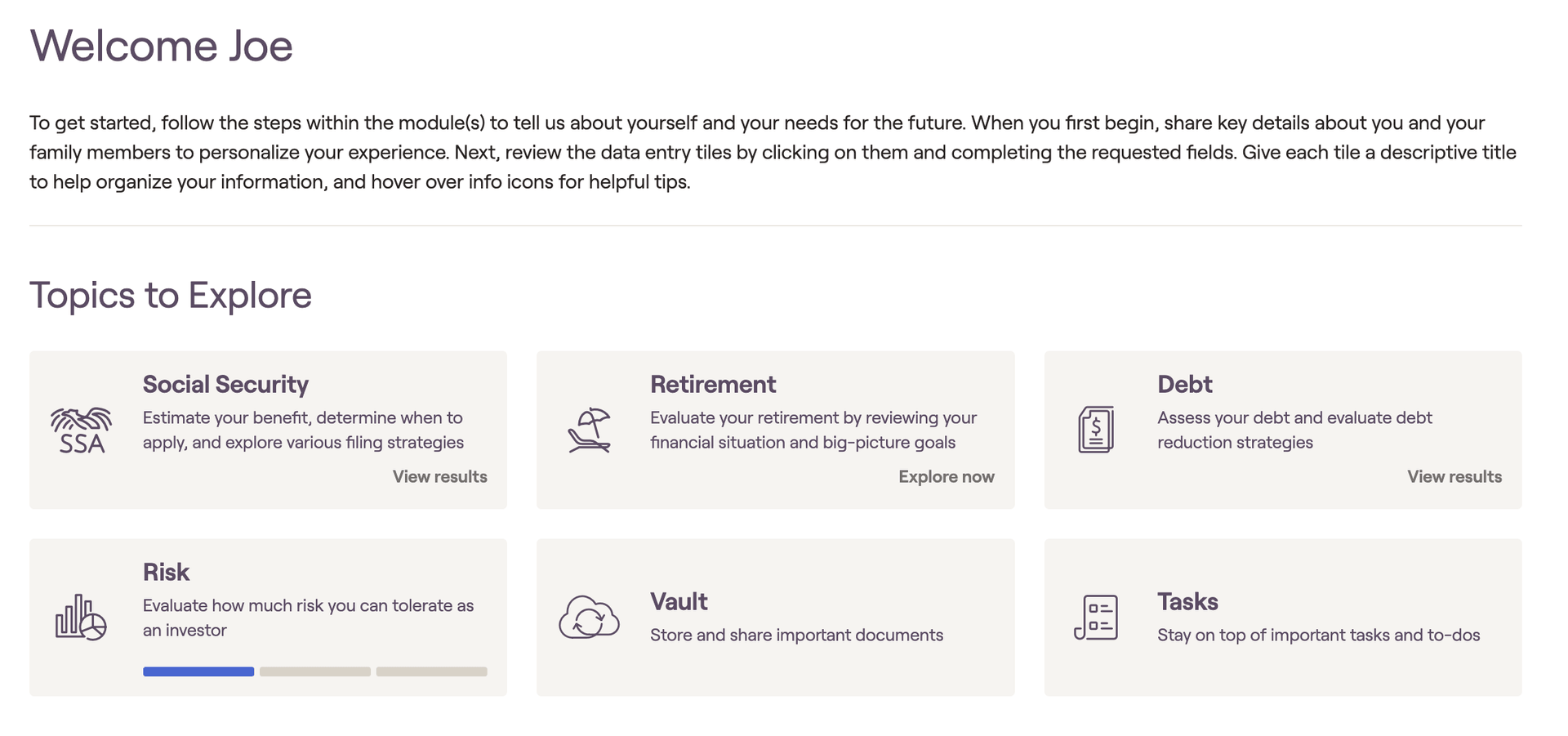
When a client is invited as an Express client, they’ll see a landing page upon login. This page includes:
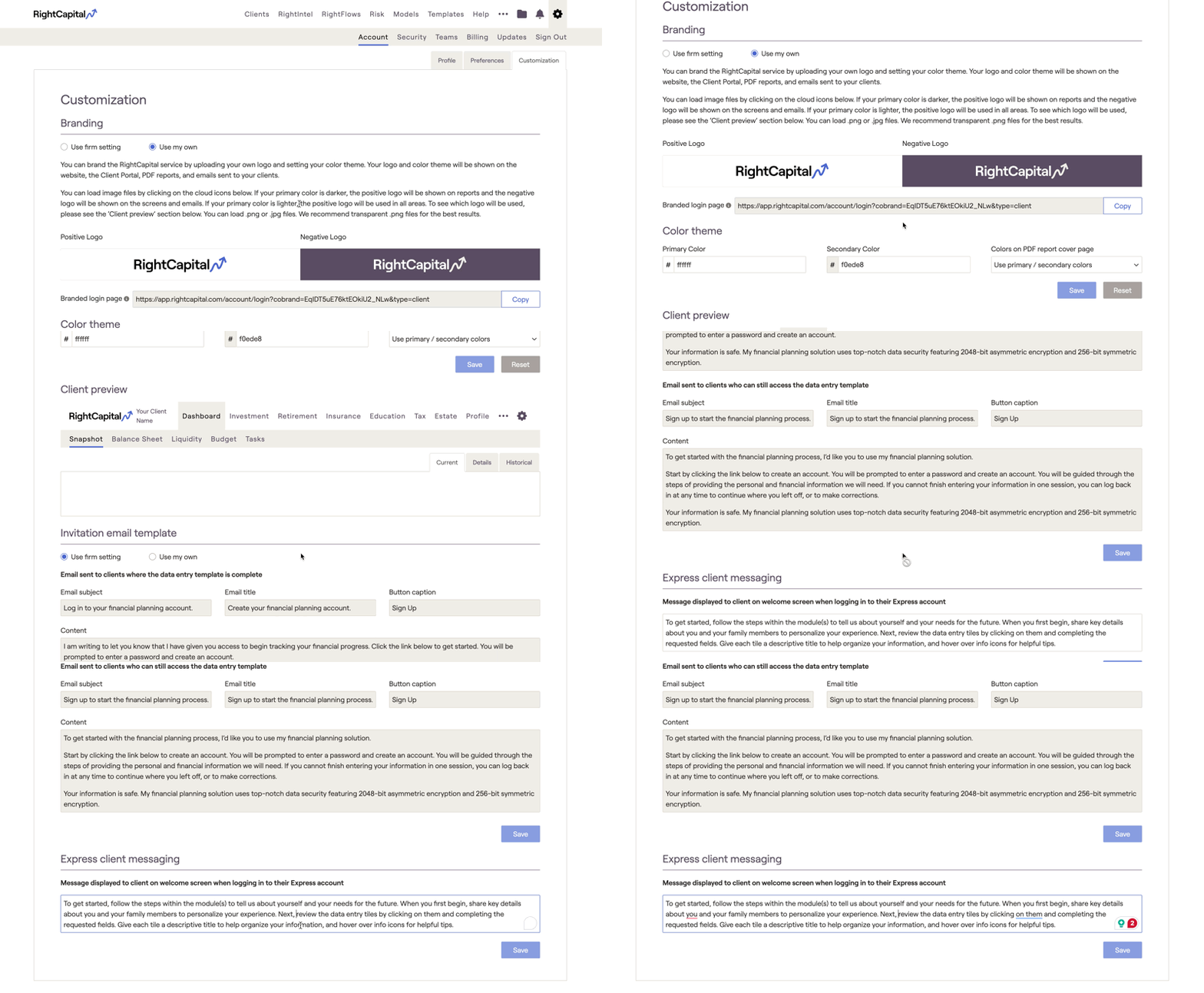
- A default welcome message, which you can customize in the Gear Icon > Account > Customization > Express Client Messaging.
- All Express modules that the client has access to.
- A progress bar for each module, indicating how far along the client is in completing that module.
Module Status Indicators
- Explore Now – The client has not yet entered any information in the module.
- Progress Bar – Highlights the current step the client is on within the module.
- View Results – Indicates the client has completed all data entry and can now view the results within the module.
Updating Express Client Messaging
Navigate to the Gear Icon > Account > Customization > Express Client Messaging to make any edits to the default message.