1
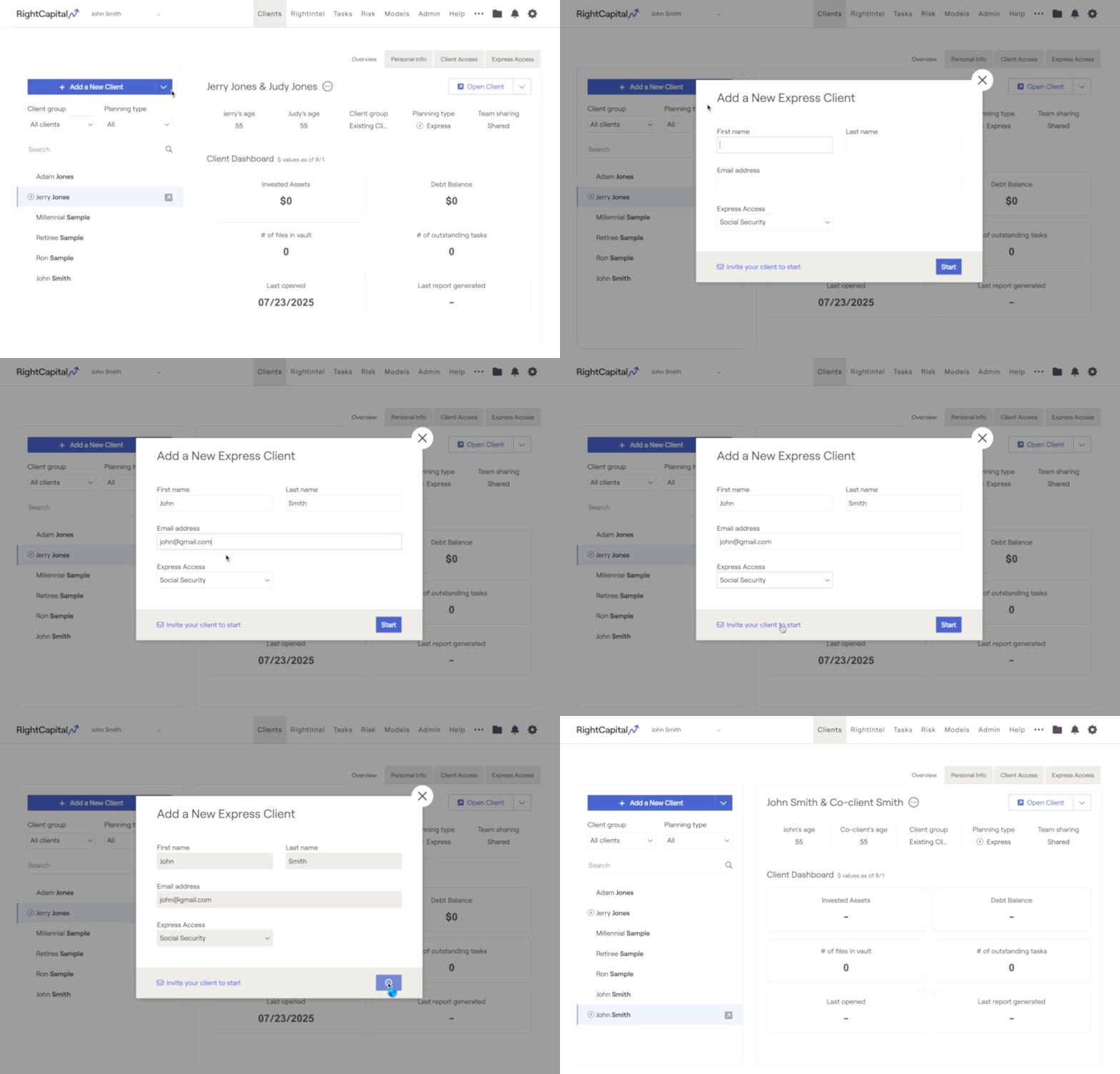
To add a RightExpress client, navigate to the Advisor Portal > '+ Add a New Client' section, then use the dropdown arrow to select Add a New Express Client.
2
Enter the client’s First Name, Last Name, and Email Address, then select one of the following Express Modules: Social Security, Retirement, Debt, Risk, Tasks, or Vault. Apply a RightExpress Template to include multiple modules in the initial setup.
3
To invite your client to complete data entry or view the selected module, click "Invite your client to start". To begin without inviting the client, click "Start" instead.
Identifying Express vs. Full Planning
An Express client plan is marked with a ⚡️ symbol to the left of the client’s name, or you can confirm the plan type by checking Overview > Planning Type.


