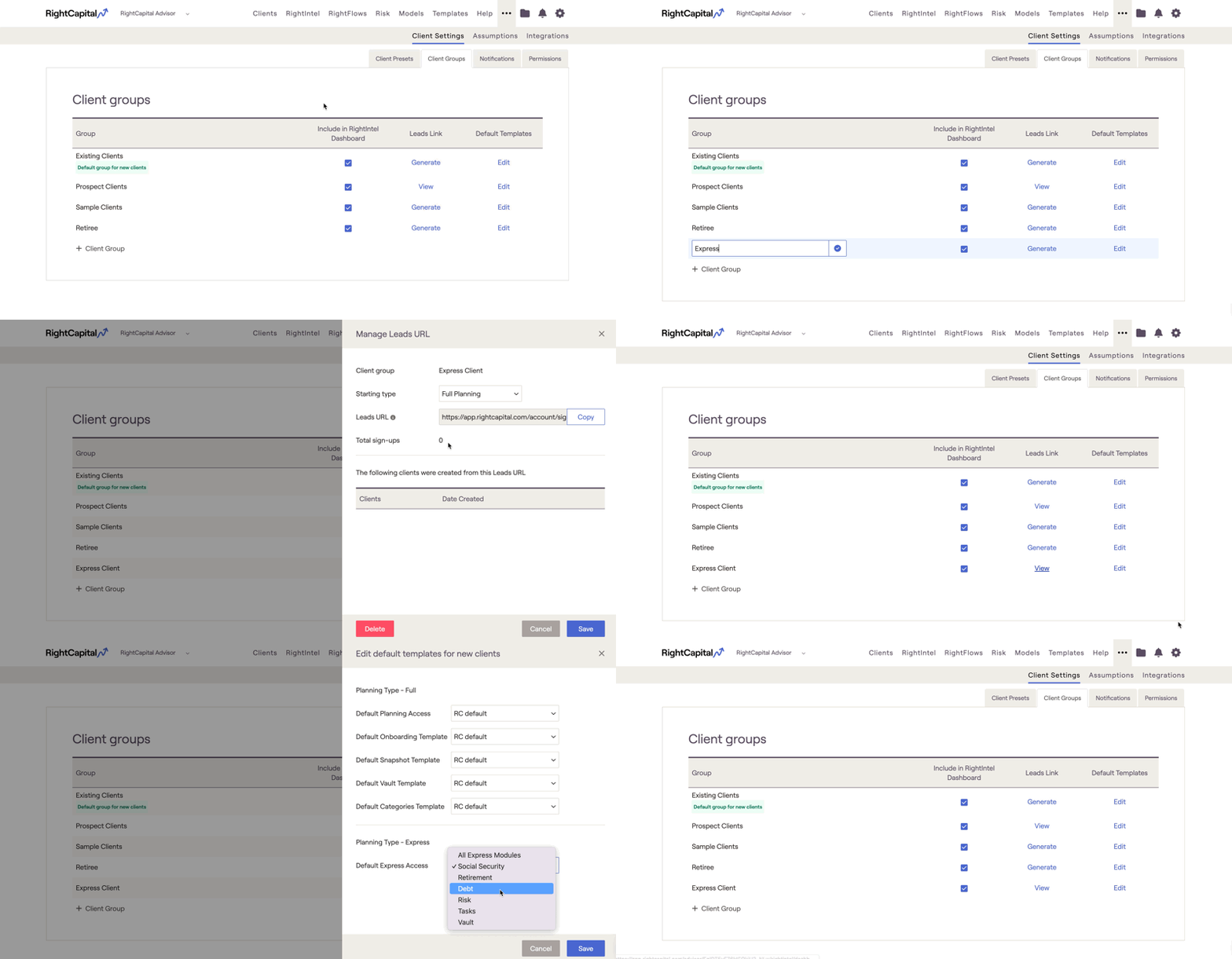
Streamline your workflow by creating RightExpress Groups. Follow these steps to create and manage Express Groups.
How to Access Client Groups
1
Click the “...” (More) icon in the top navigation of the advisor portal.
2
Select Client Settings > Client Groups.
Create a New Express Group
1
Click the '➕ Group' icon.
2
Enter a name for your new group.
3
Click Generate to create a unique sign-up link for the group. Clients who use this link will be added to this group by default.
4
Click Edit to choose which Express Modules the group will have access to.
5
Save your changes.