Overview
Retirement > Health Care > Medicare Options provides a range of data points and helpful tips to make the Medicare sign-up process easier for clients. Each of these can be viewed by clicking the graph title.
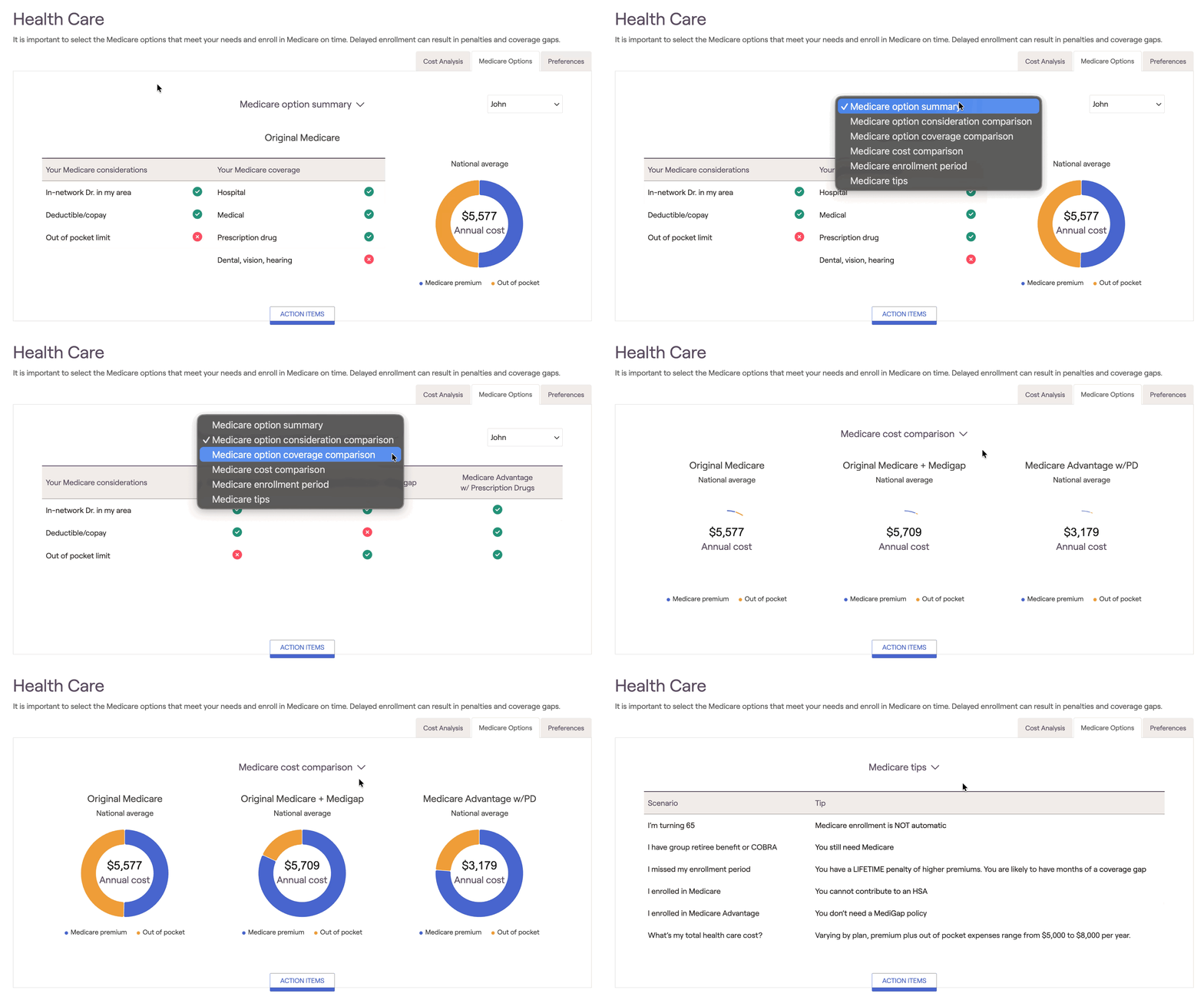
Medicare option summary
This section will display the client's Medicare considerations (set up under preferences) and the currently selected Medicare coverage for each client. The current healthcare cost will also be displayed on the right.
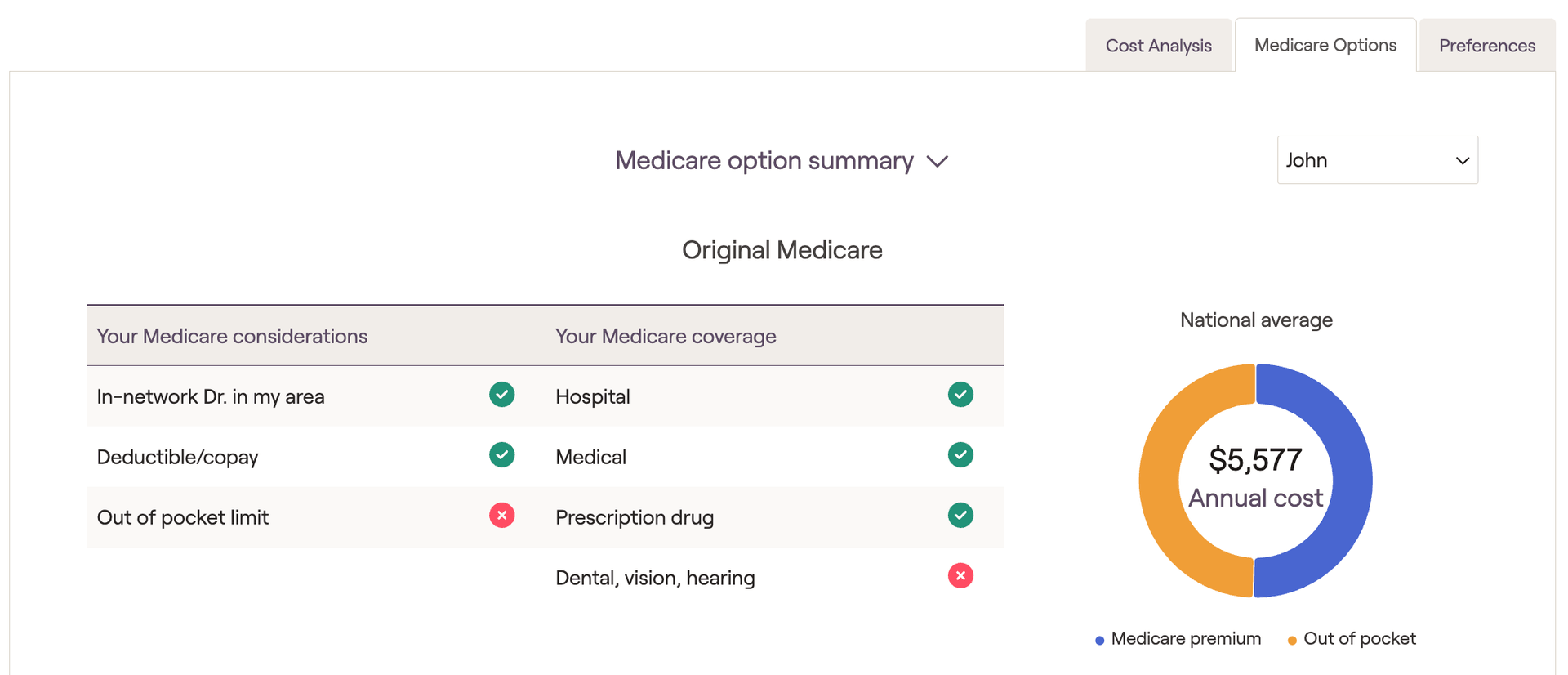
To switch between info for each client, use the dropdown in the upper right of the Medicare Options page.
Medicare option consideration comparison
Original Medicare
Original Medicare + Medigap
Medicare Advantage w/ prescription drugs
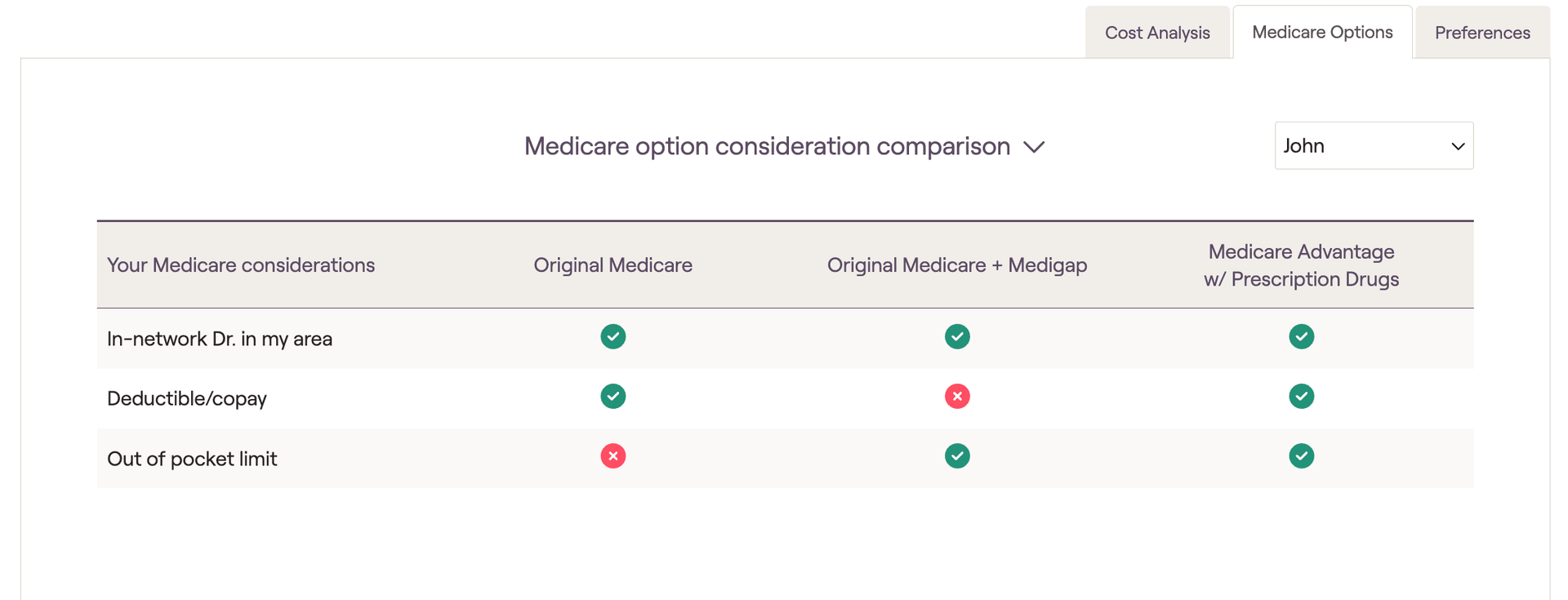
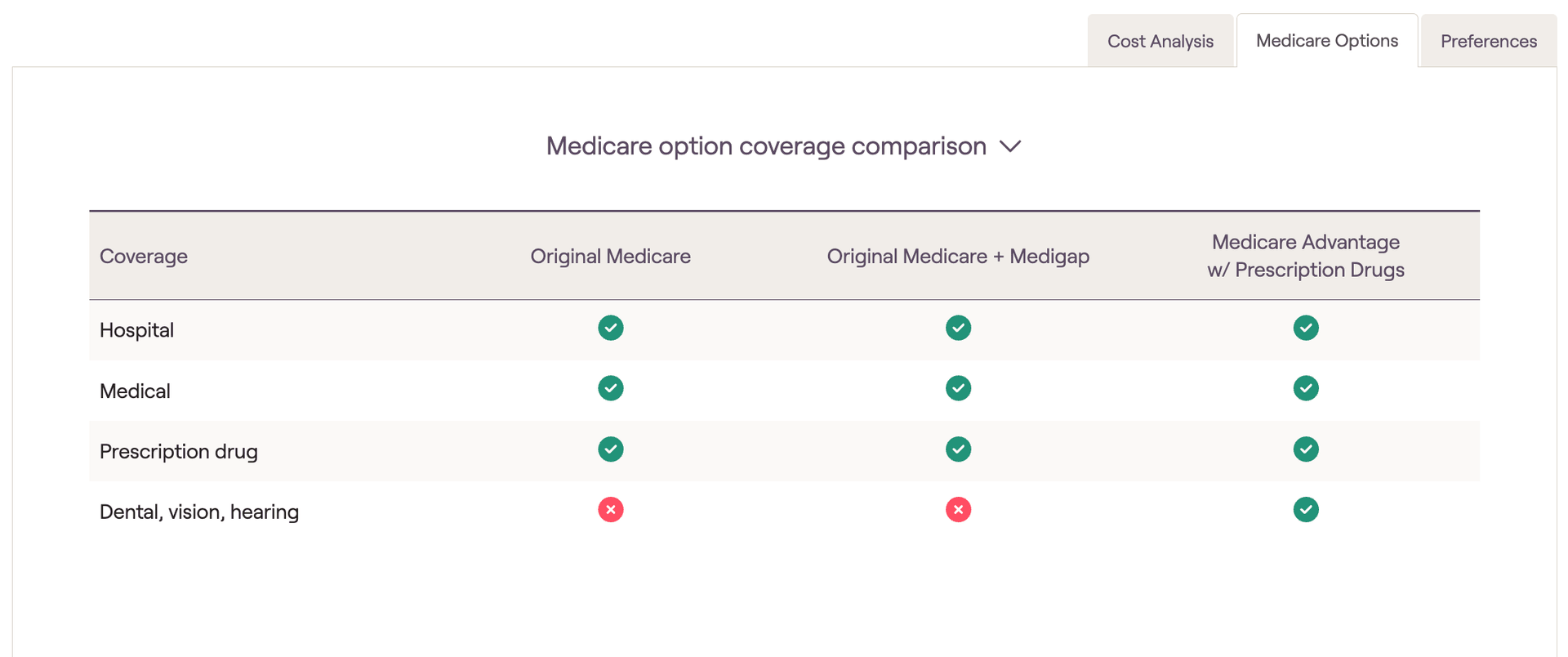
Medicare option coverage comparison
Here, you will see coverage comparisons between the same 3 medicare types:
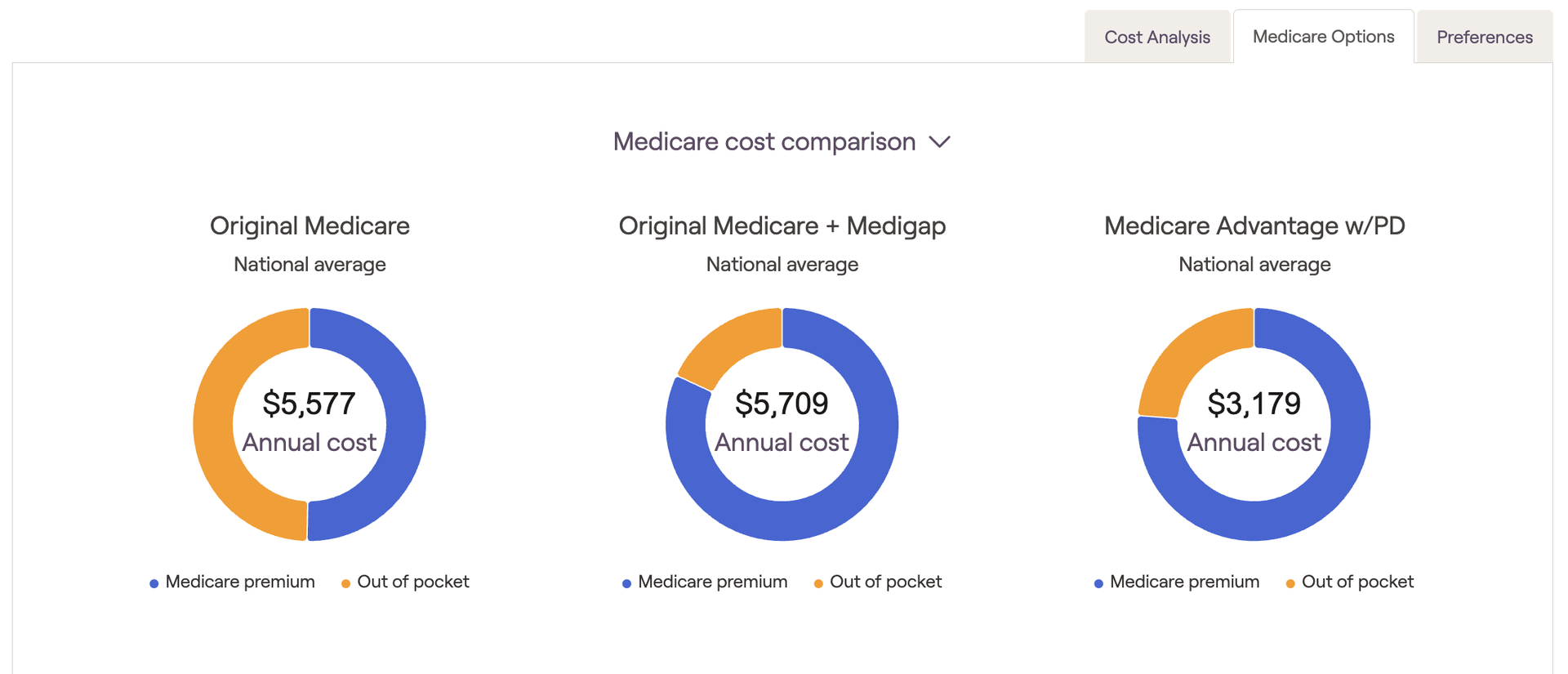
Medicare cost comparison
The cost comparison section will display the annual healthcare cost between the same 3 medicare types:
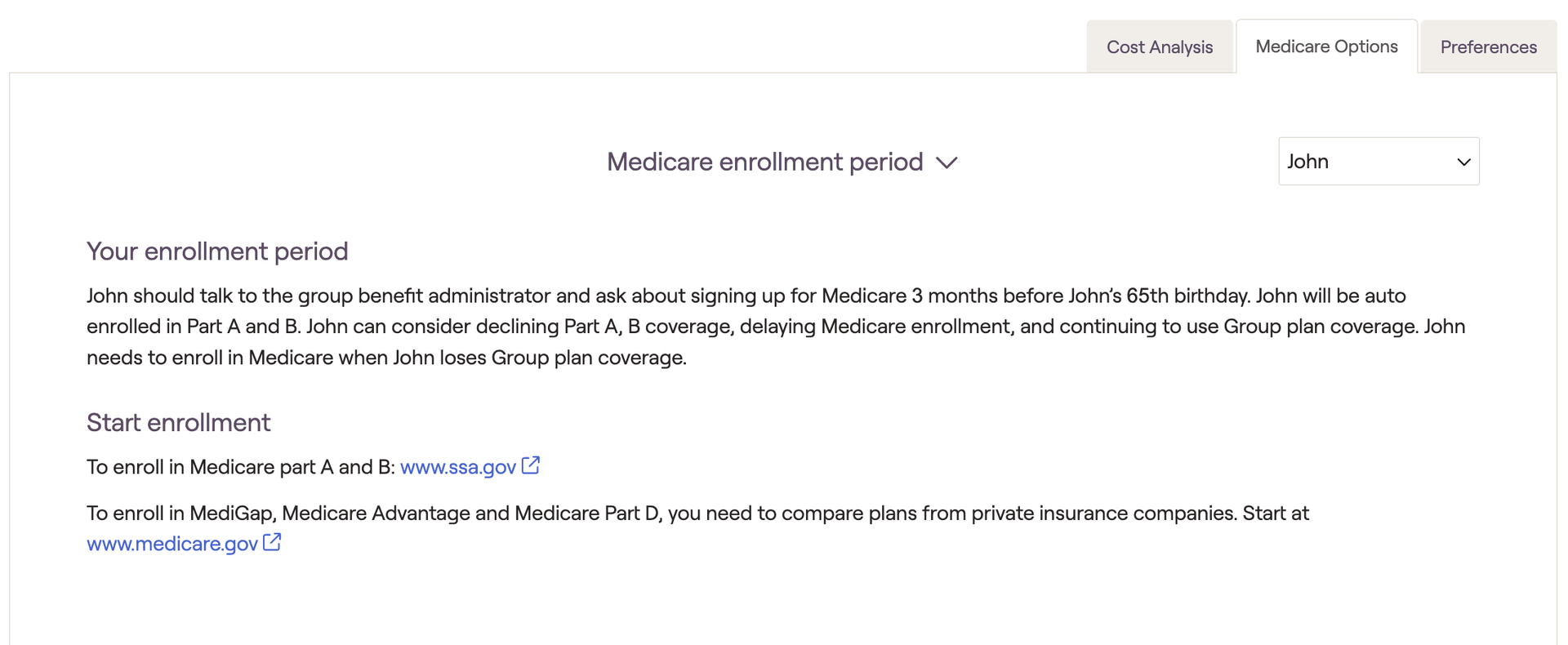
Medicare enrollment period
This section will reflect the actions each client should take to get properly enrolled in their selected Medicare plan:
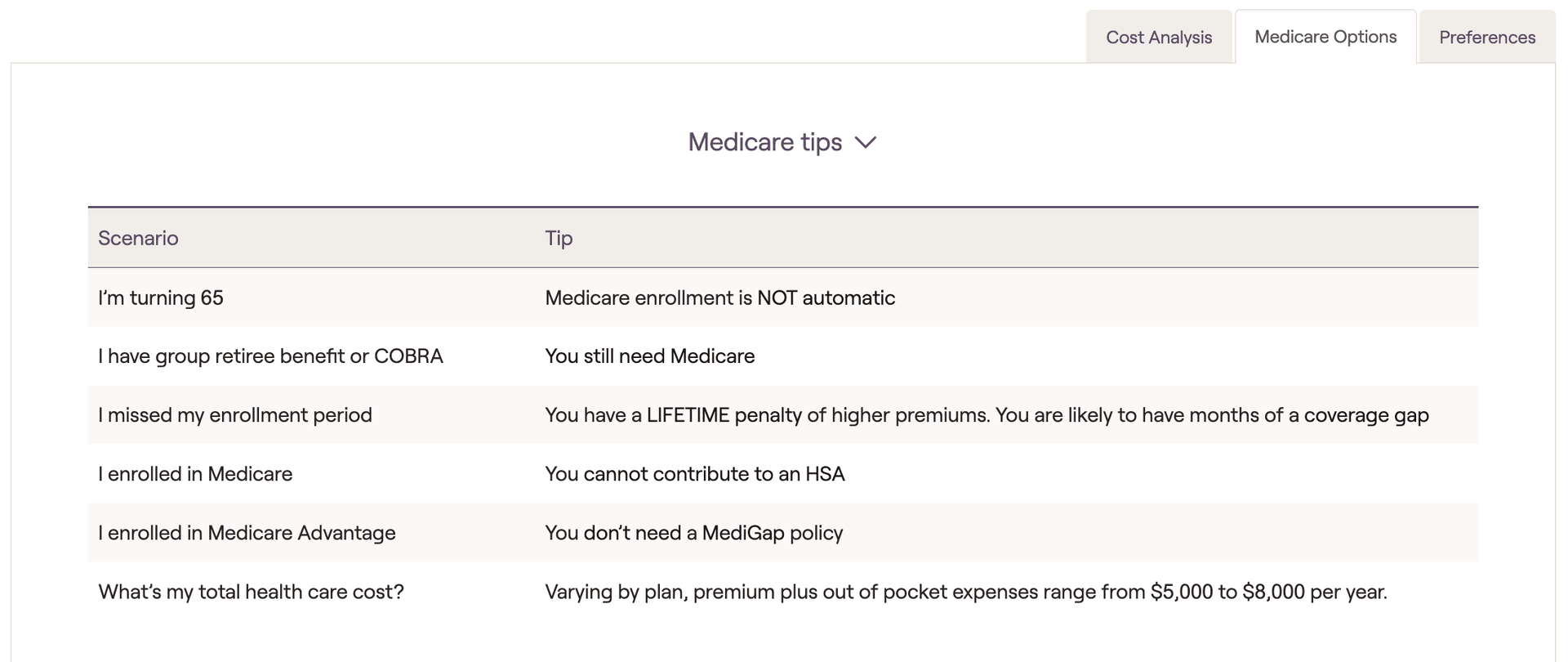
Medicare tips
The Tips section reflects some additional details about Medicare coverage and enrollment that may be helpful to ensure that your client pays proper attention to making their Medicare choices: