Customizing Text in Notes

To customize your notes, highlight the text to access the available options:
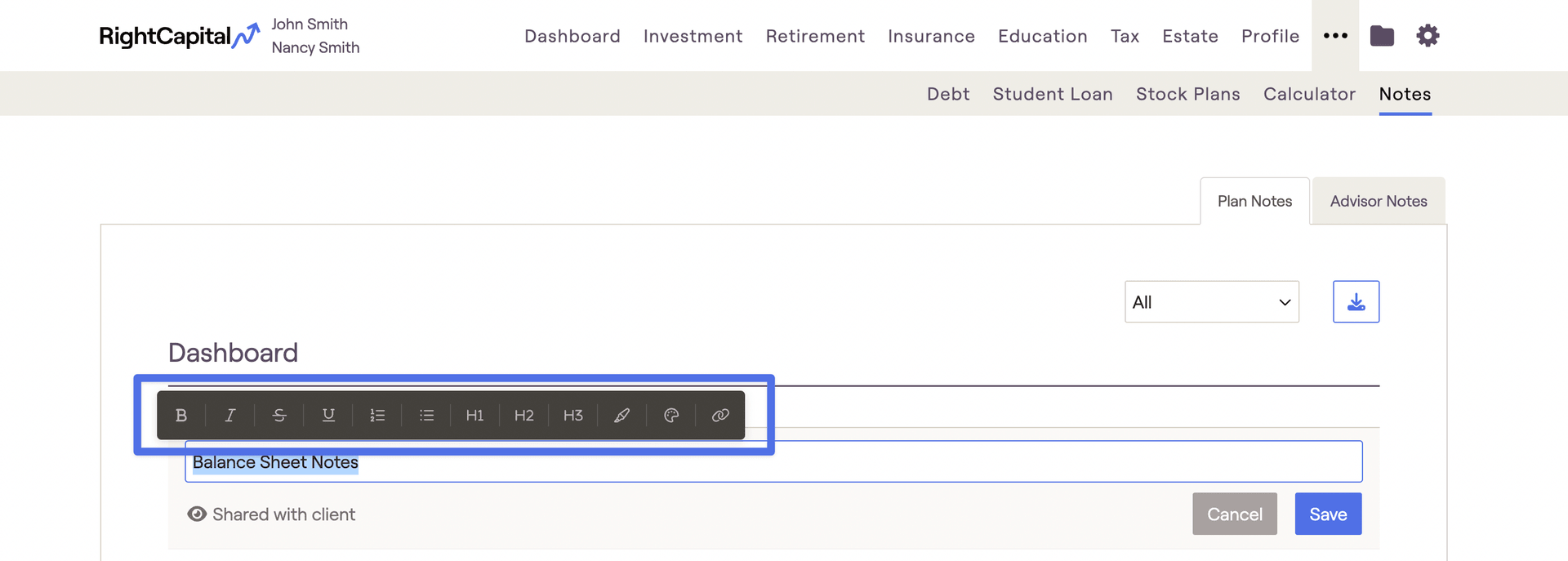
Customization options from left to right:
  1. Bold text

  2. Italize text

  3. Strikethrough text

  4. Underline text

  5. Number list

  6. Bulleted list

  7. Heading 1 (Large)

  8. Heading 2 (Medium)

  9. Heading 3 (Small)

  10. Highlighting text

  11. Font color

  12. Hyperlink text

Contact Us

For additional assistance within RightCapital please contact our Support team.

Educational Webinars

RightCapital is committed to enabling your success. Each week, we cover essential planning modules and product updates.

RightCapital in Action

Check out our YouTube channel where we highlight Advisor Success Stories and share more Tips & Tricks!