The Coverage tab of the Long-Term Care Insurance Analysis highlights information on a client's total projected LTC costs, and the percentage covered by current and proposed LTC insurance coverage. You can access the LTC Analysis in RightCapital within the Insurance > Long-Term Care module of each and every client plan:

The LTC costs reflected here are based on the information entered in the Goals section of the Profile, within the Annual Retirement LTC Cost data card. This page provides you with simple, intuitive visuals detailing how much of a client's LTC costs will be covered by current and proposed LTC insurance:
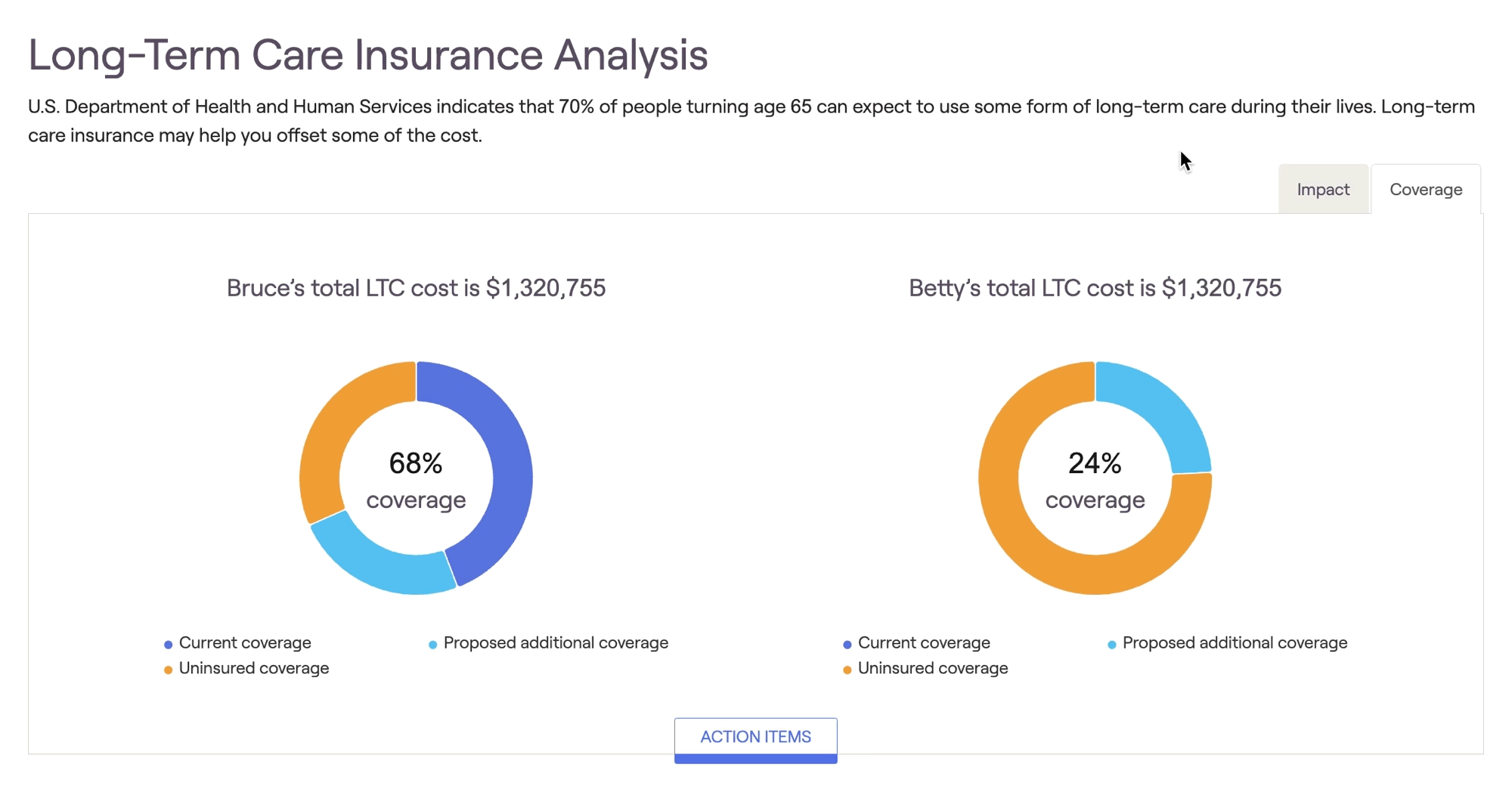
Current vs. Proposed Coverage
Current coverage reflects coverage from existing LTC insurance policies entered into the Net Worth section of the Profile. For more information on entering existing insurance policies into a client's plan, click here.
Any LTC insurance that has been proposed within the Retirement Analysis > Action Items will also be reflected as 'Current Insurance' within the LTC Insurance Analysis.
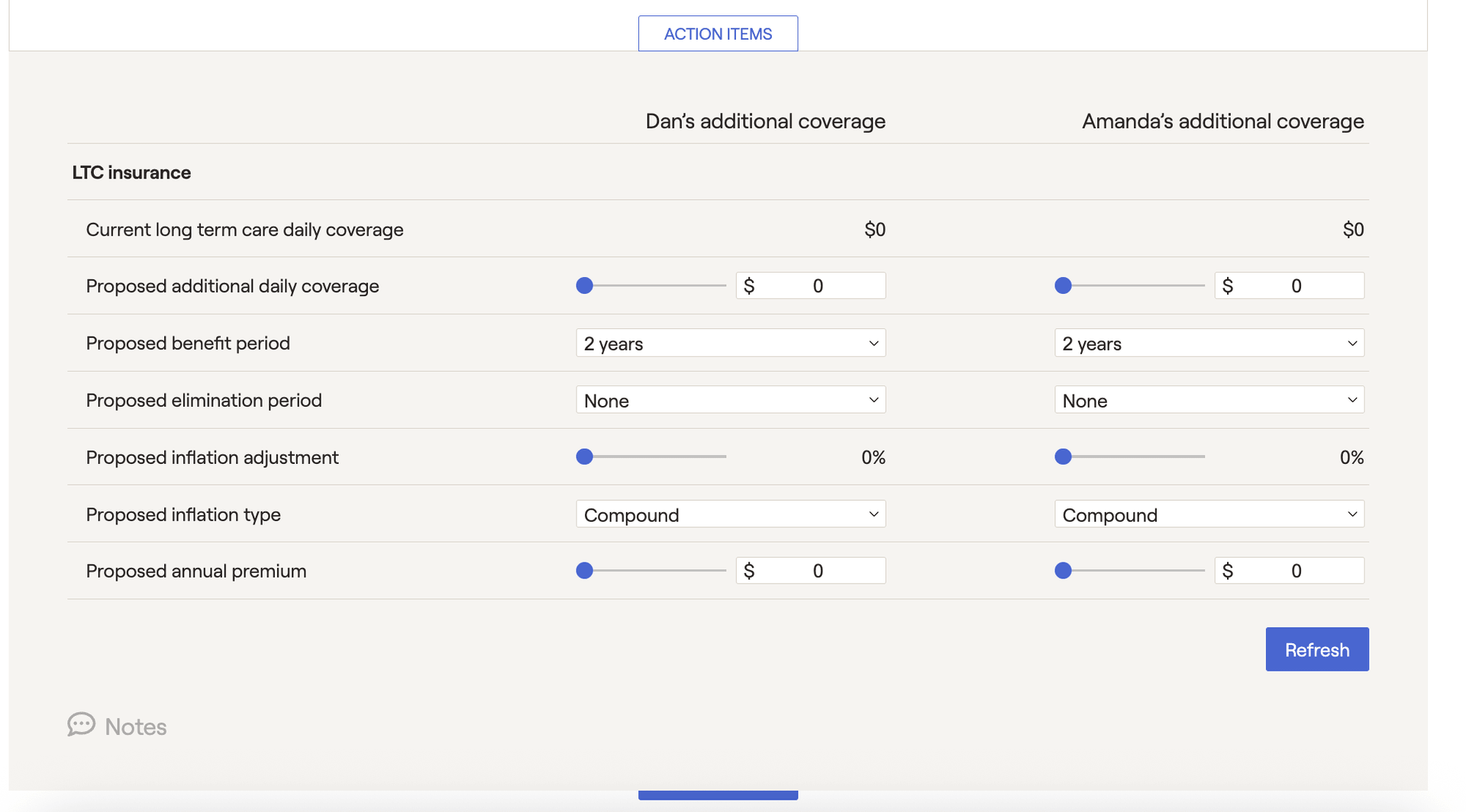
Proposed additional coverage reflects coverage from the policy proposed in the Action Items section at the bottom of the page. Within the Action Items, dial in the details of the proposed LTC coverage for one or both clients, and then click the Refresh button in the lower right:
The % coverage shown in the center of each pie chart represents the total amount of LTC costs covered by both current and proposed coverage.


