You can replace the default budget categories in RightCapital by creating a Budget Category Template, and then setting that template as the default budget category template for new households.
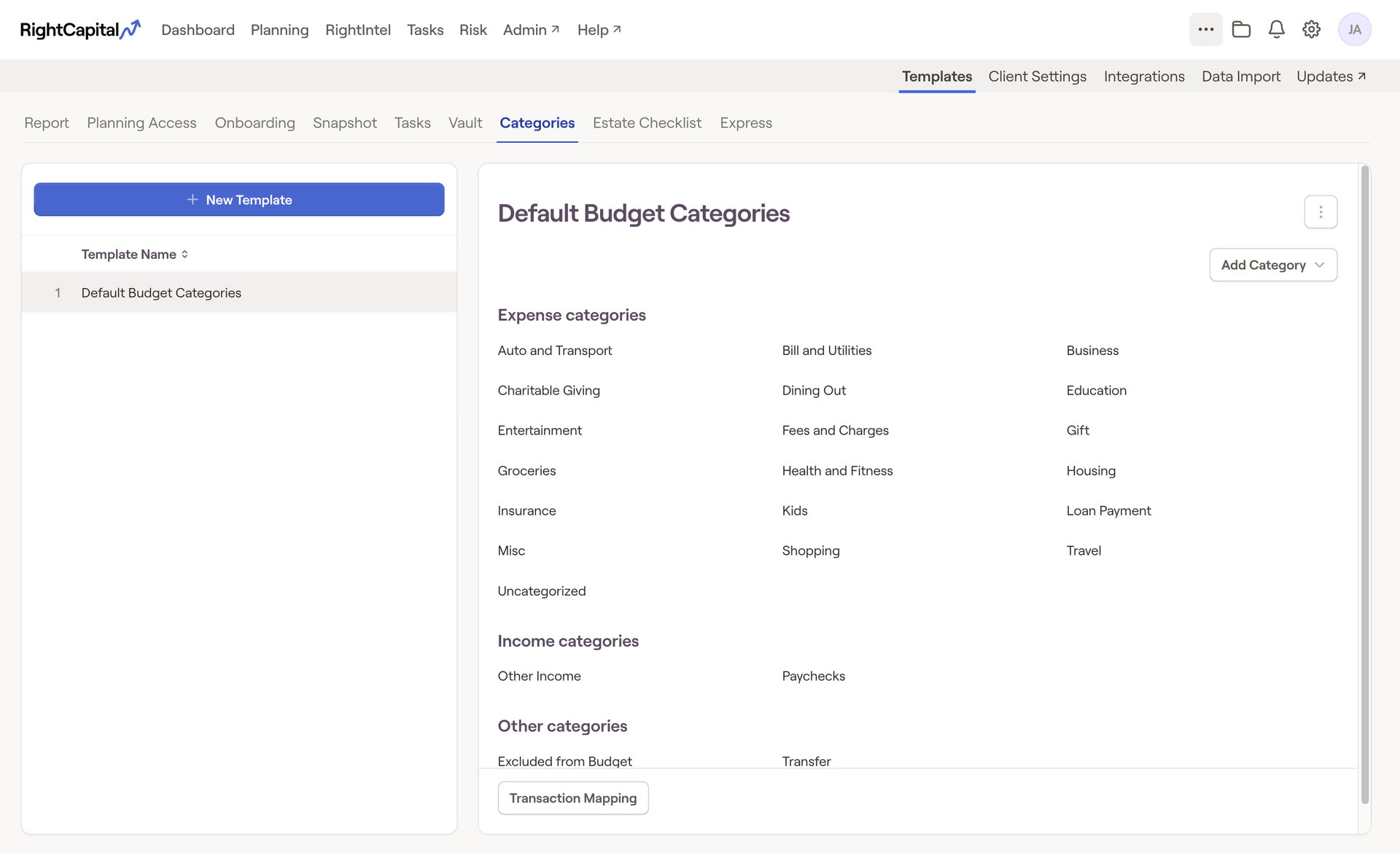
Budget Category Templates can be created within the Templates > Categories tab of the Advisor Portal:
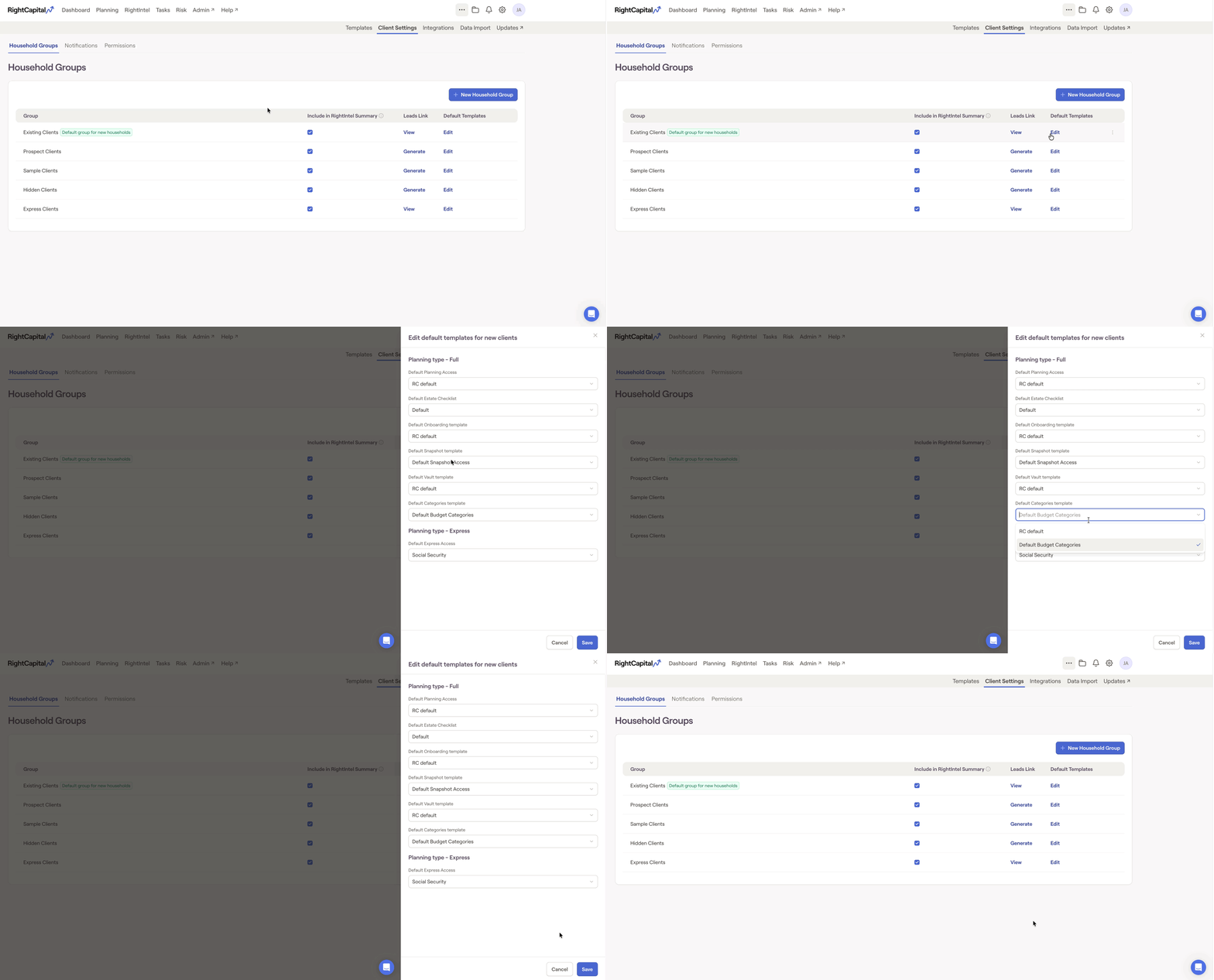
You can then set a template as the new default in the Client Settings > Household Groups tab of the Advisor Portal. Do be aware that this change will only apply to new households that you create going forward, and will not impact existing households: