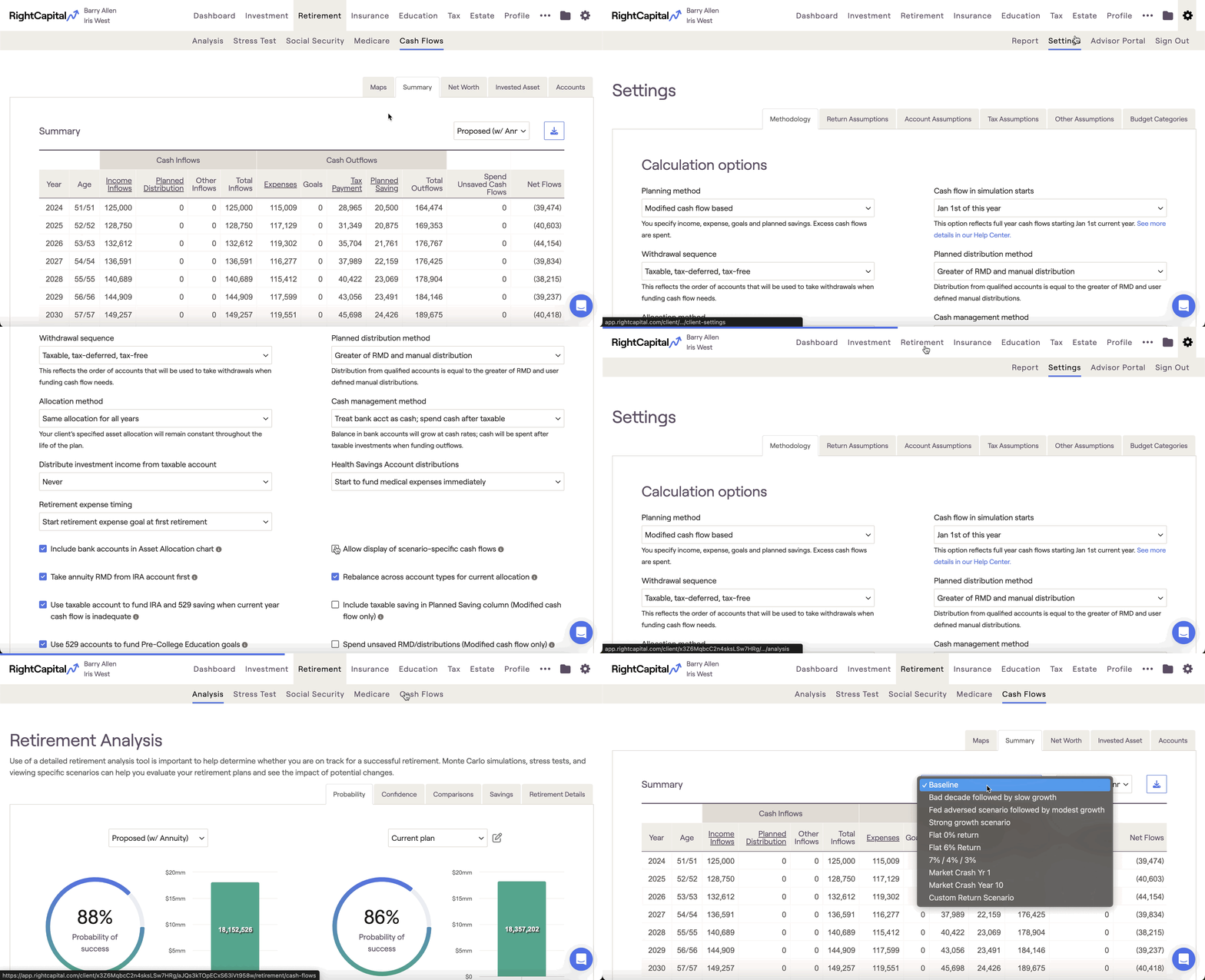
Yes! To turn on return scenarios within the Cash Flows, navigate to the Gear Icon > Settings > Methodology page, and check the 'Allow display of scenario-specific cash flows' setting:This will allow you to view that client's cash flows in the context of the four default return scenarios, as well as any of your own custom return scenarios.For more details on this setting, click here.