Other Assets can be accounted for within a financial plan via the Net Worth section of the Profile, which is where all of a client's assets and liabilities are entered, along with their current balances. By default, the Net Worth is also the 4th step of the initial data entry process for newly created clients:
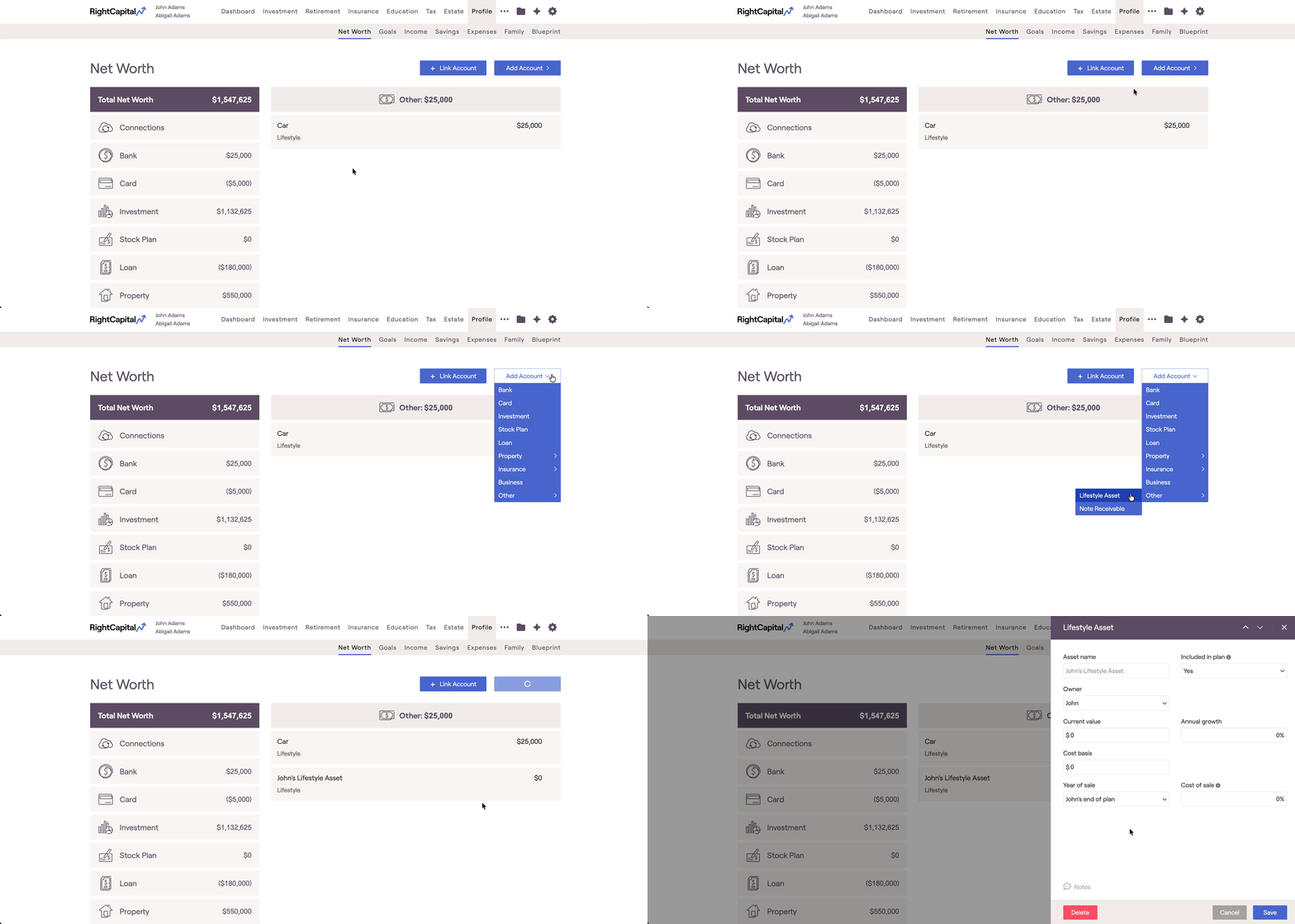
Other Asset Types
Lifestyle
Use this to include the current value of various tangible assets in the client's Net Worth, such as a car, a boat, or jewelry. This asset type allows you to specify:
- Current Value
- Annual Growth %
- Cost Basis
- Year of Sale
- Cost of Sale %
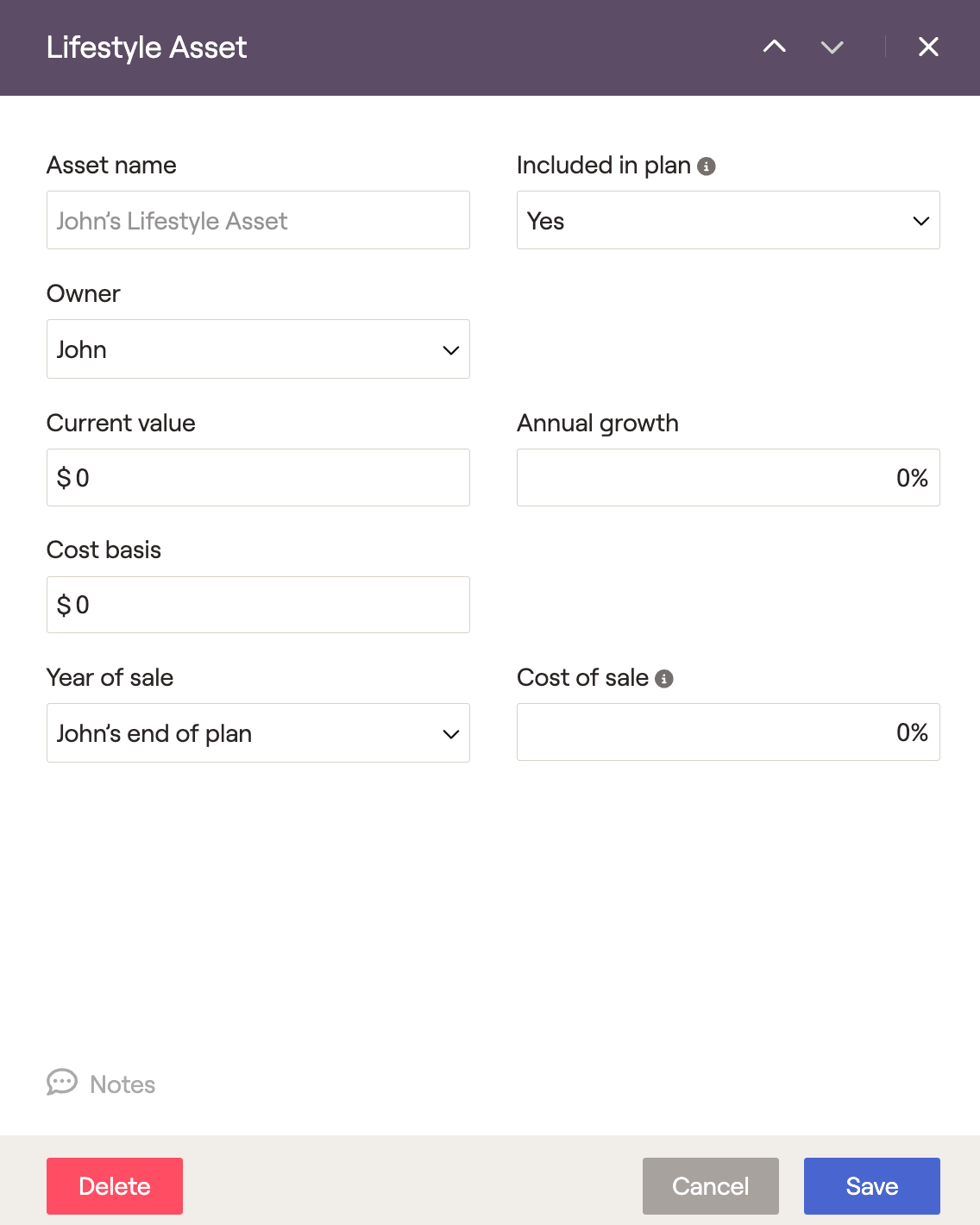
In order to model the asset depreciating over time, you can enter a negative value for the annual growth %. This is a common practice when entering vehicles as a lifestyle asset.
Note receivable
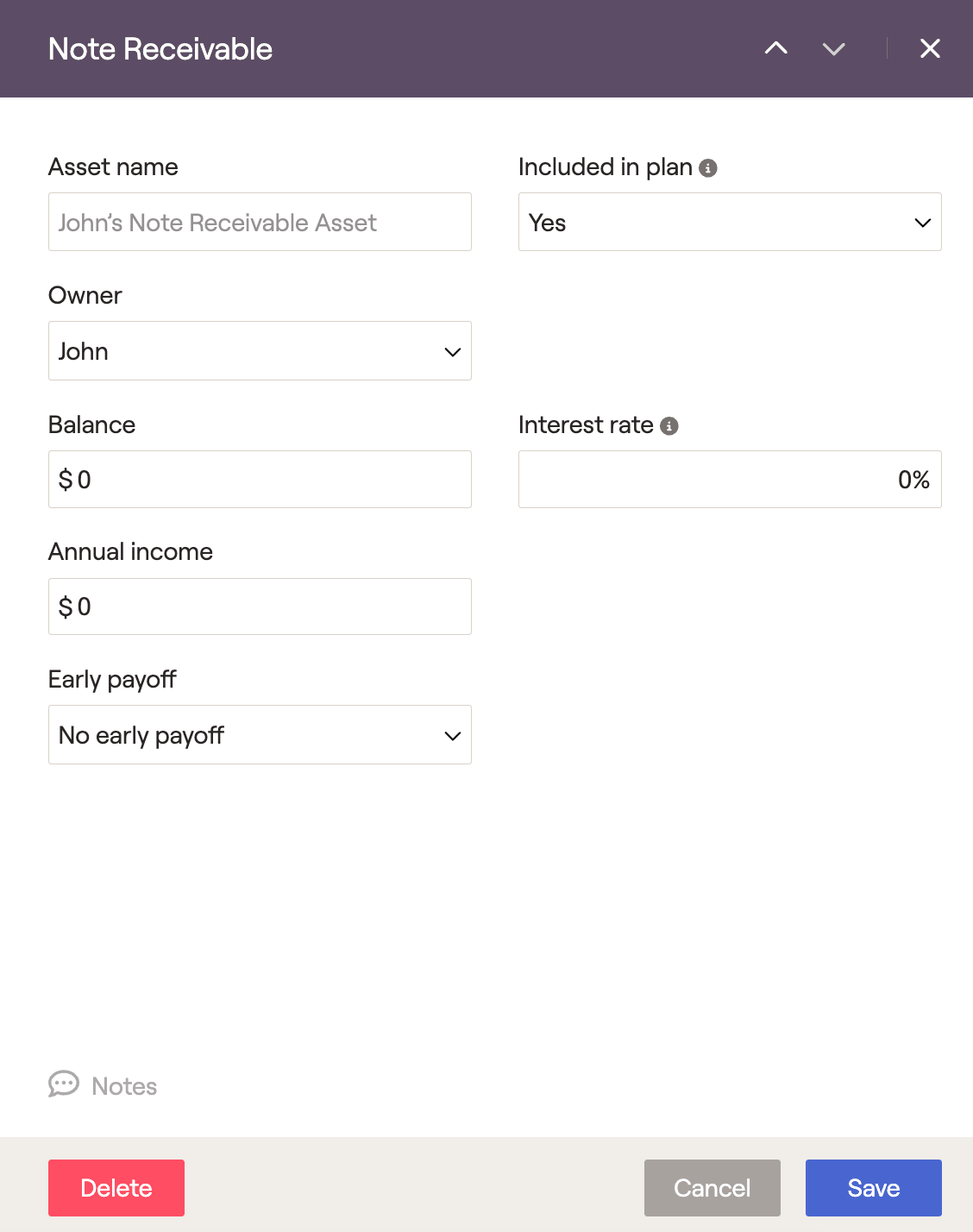
If clients have loaned money and are receiving payments, use the Note Receivable option to reflect income received from those payments. The note receivable option will allow you to specify:
- Balance
- Interest rate
- Annual Income
Lifestyle assets can be used to model cryptocurrency within client plans, allowing you to specify details like the current value, expected growth rate, cost basis, and year/cost of sale.


