Adding Stock Plans To a Client's Net Worth
RightCapital enables you to capture every element of a client's financial landscape — even nebulous elements like vesting stock plans, private stock, and unqualified stock options.
If you're looking for an overview of our dedicated Stock Plans Module, click here.
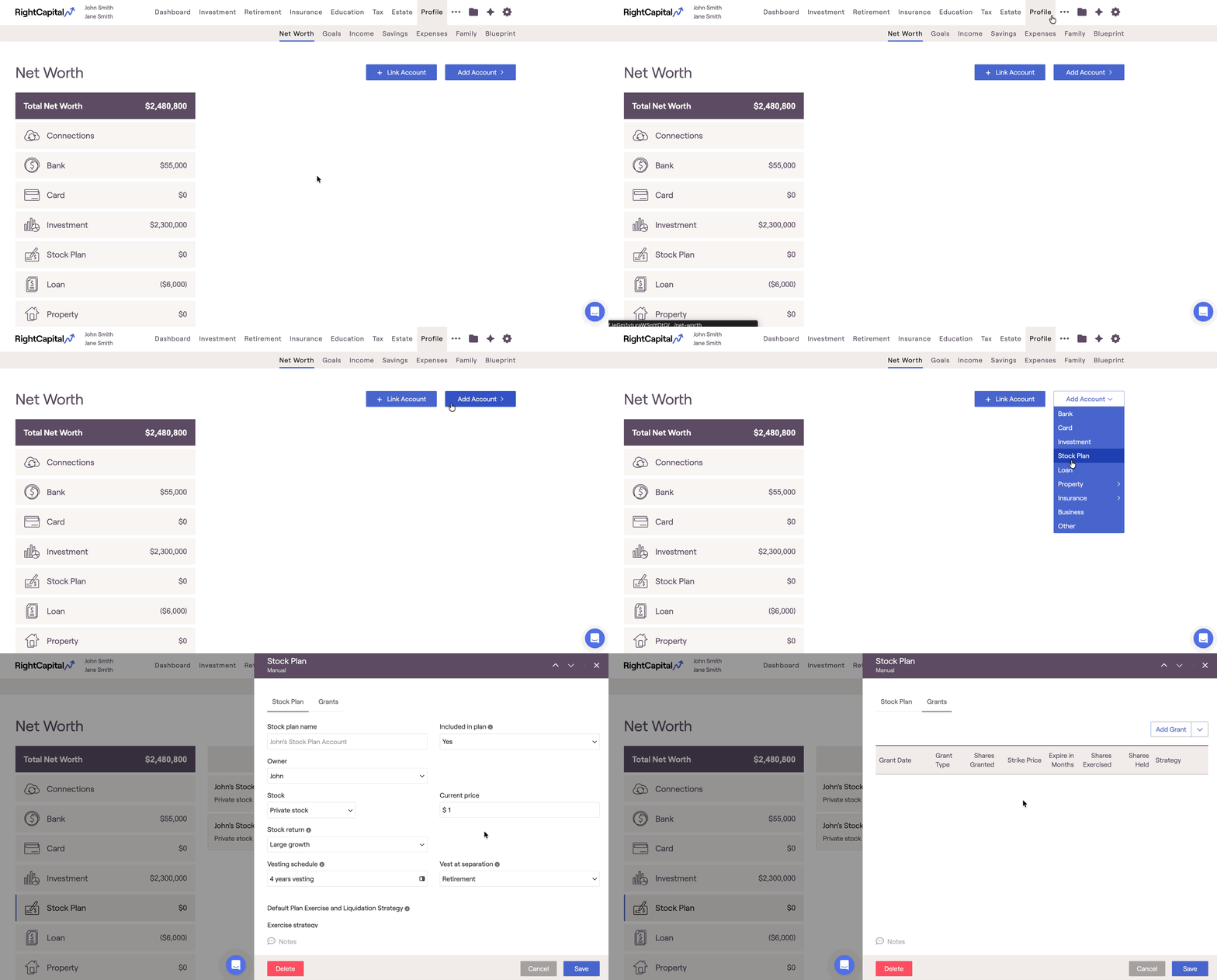
Adding Stock Plans Overview


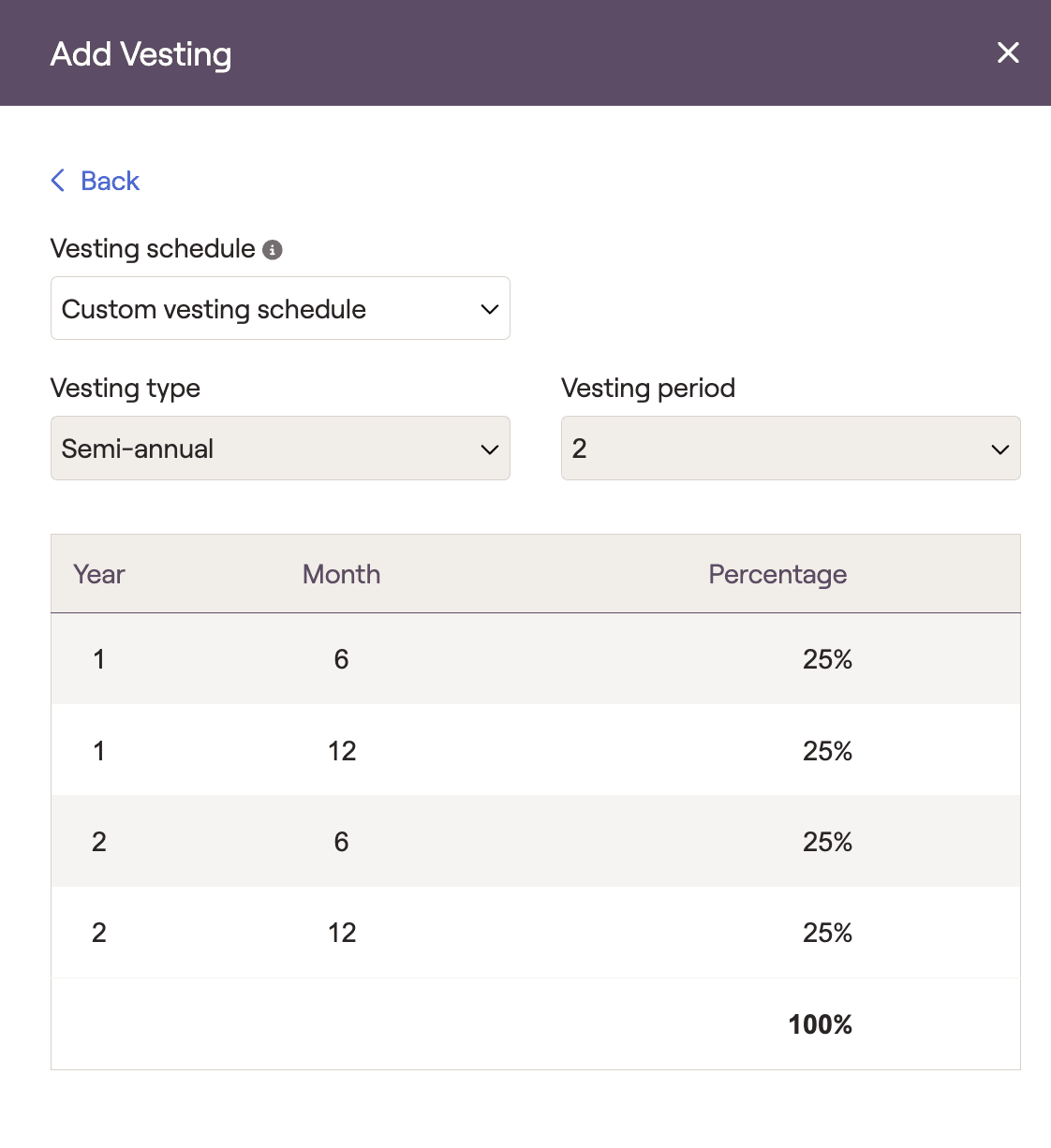
Retirement/Death: When selected, all unvested shares will vest at the first of retirement or death. This setting provides additional flexibility when adjusting the planning horizon or retirement age.
Retirement: When selected, all unvested shares will vest in the year of retirement
Death: When selected unvested shares will vest in the year of death
None: When selected all unvested shares will stop vesting after the client’s retirement. Unvested shares after retirement will be ignored within the financial plan.
Additionally, specify exercise and liquidation strategies. By default, these will apply to all grants within the stock plan unless a different strategy is specified under the individual grant.
Exercise upon vesting, starting now: options will be exercised as they vest
Exercise upon expiry, starting now: options will be exercised on the expiry date
Start year and at vested: options will be exercised at the later of the year specified or the vesting date
Start year and at expiry: options will be exercised at the later of the year specified or the expiration date
Liquidate upon exercise: Stock will be liquidated on the exercise date
Liquidate one year after exercise: Stock will be liquidated one year after the exercise date
Liquidate at specific year: Stock will be liquidated starting in the year specified. Depending on the Liquidation Option selected, stock can be liquidated all in one year, or over a number of years.
Adding Grants
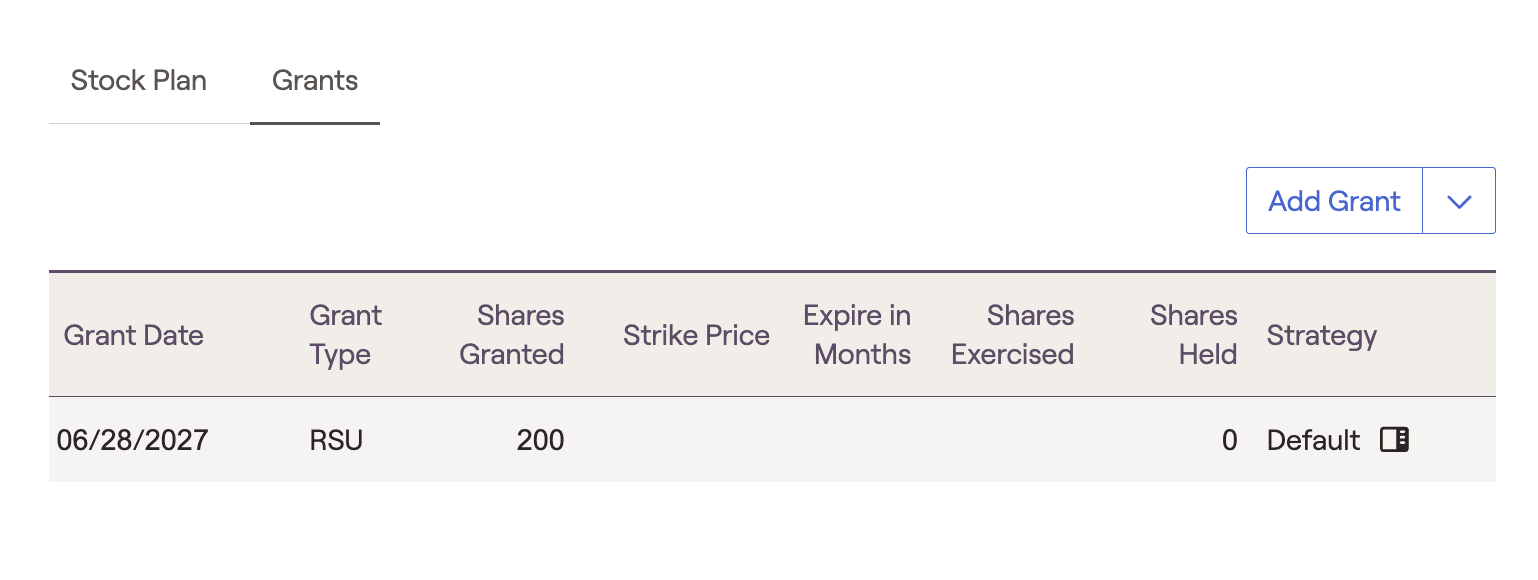
ISO (Incentive stock options)
NQO (Non-qualified stock options)
RSU (Restricted stock units)
RS (Restricted stock)
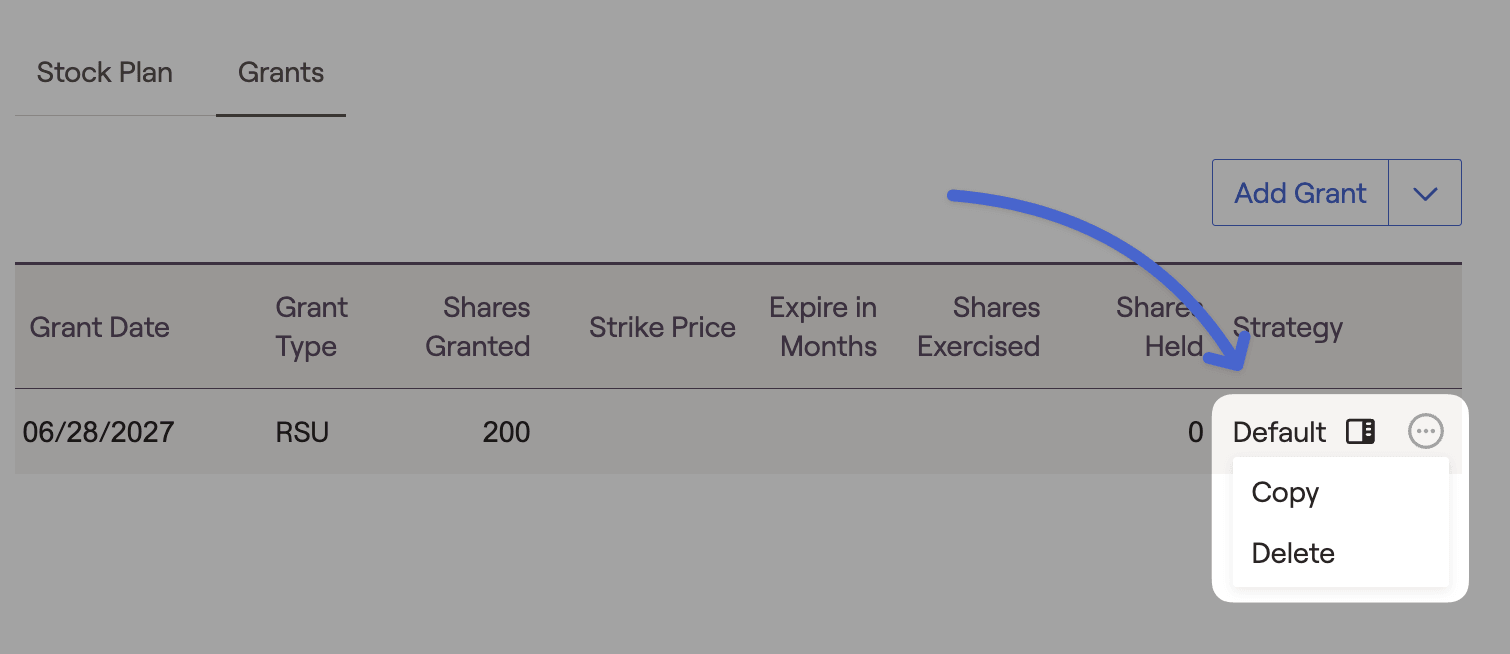
You can also copy/delete a stock plan by selecting the 3 dots icon to the right of each grant:
Upload Grants
Stock grants can also be uploaded by selecting the down arrow next to the "Add Grant" option:
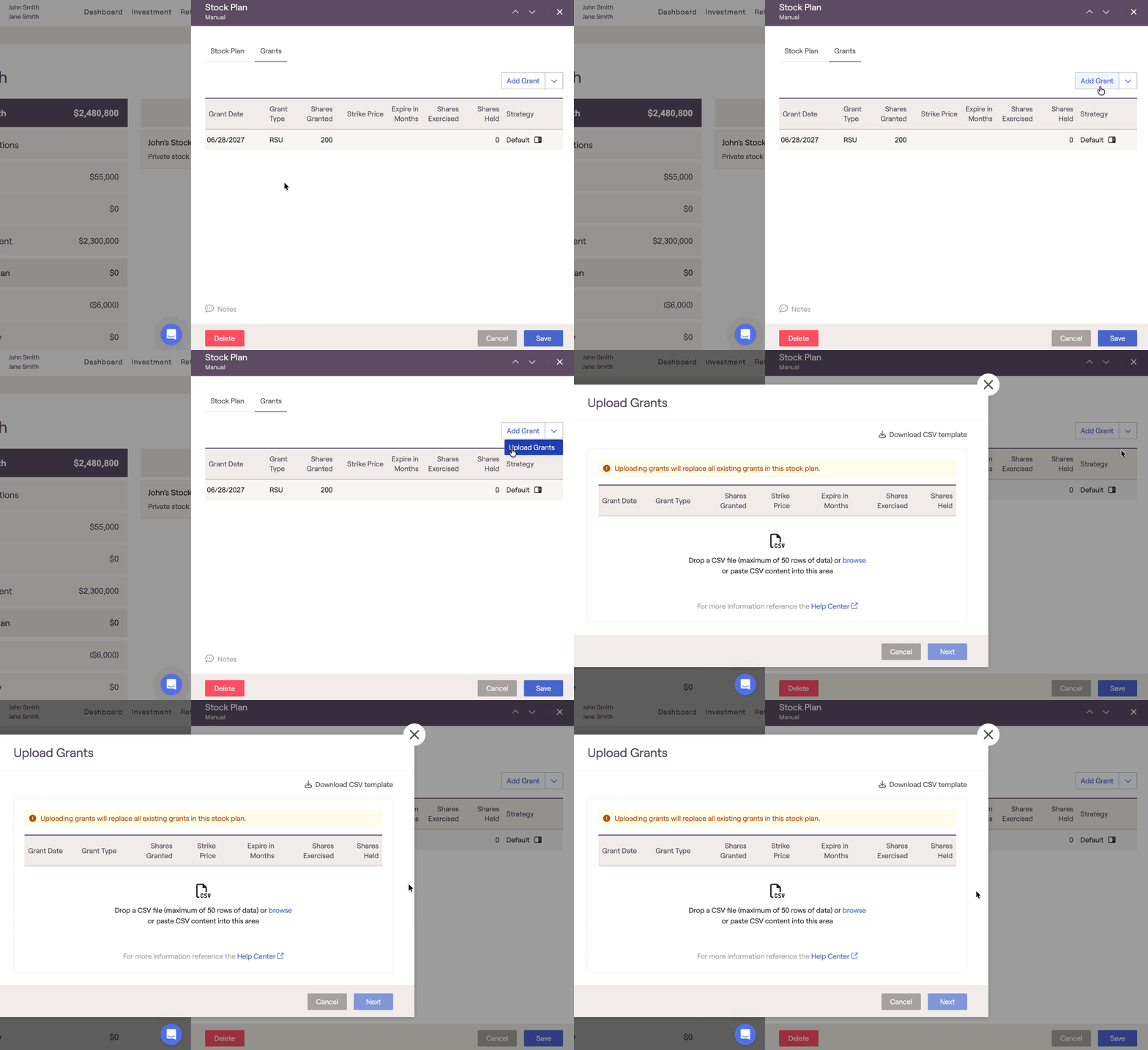
Here, you can upload a CSV file that can import grant information automatically. Once uploaded, you will be able to review/fix any possible missing information or errors prior to uploading.
Understanding Cash Flow Details
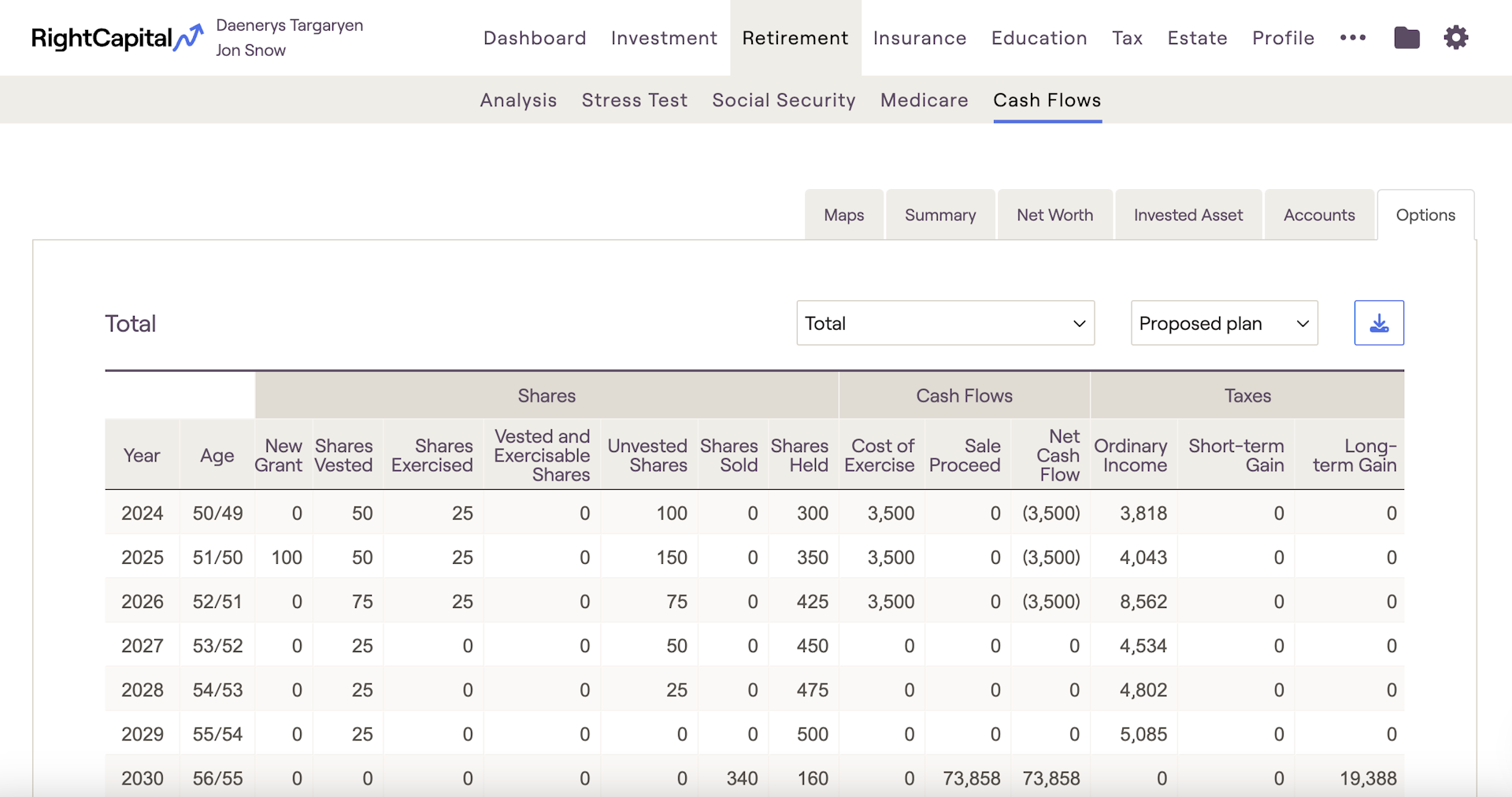
To evaluate the impact of stock plans on a client's assets, advisors look to the future cash flow projections within the Retirement > Cash Flows > Options Tab. In this area advisors can view specific grants as they vest, exercise & liquidate based on schedules set within the Profile > Net Worth area.
The income associated with liquidating a grant can analyzed within the Retirement > Cash Flows > Summary Tab. Advisors can click the Other Inflows column to reveal income generated from liquidating Options and RSU's. Advisors also use the Retirement > Cash Flows > Summary area to to determine whether the income is being used fund outflows or whether it is being saved and reinvested within the financial plan.
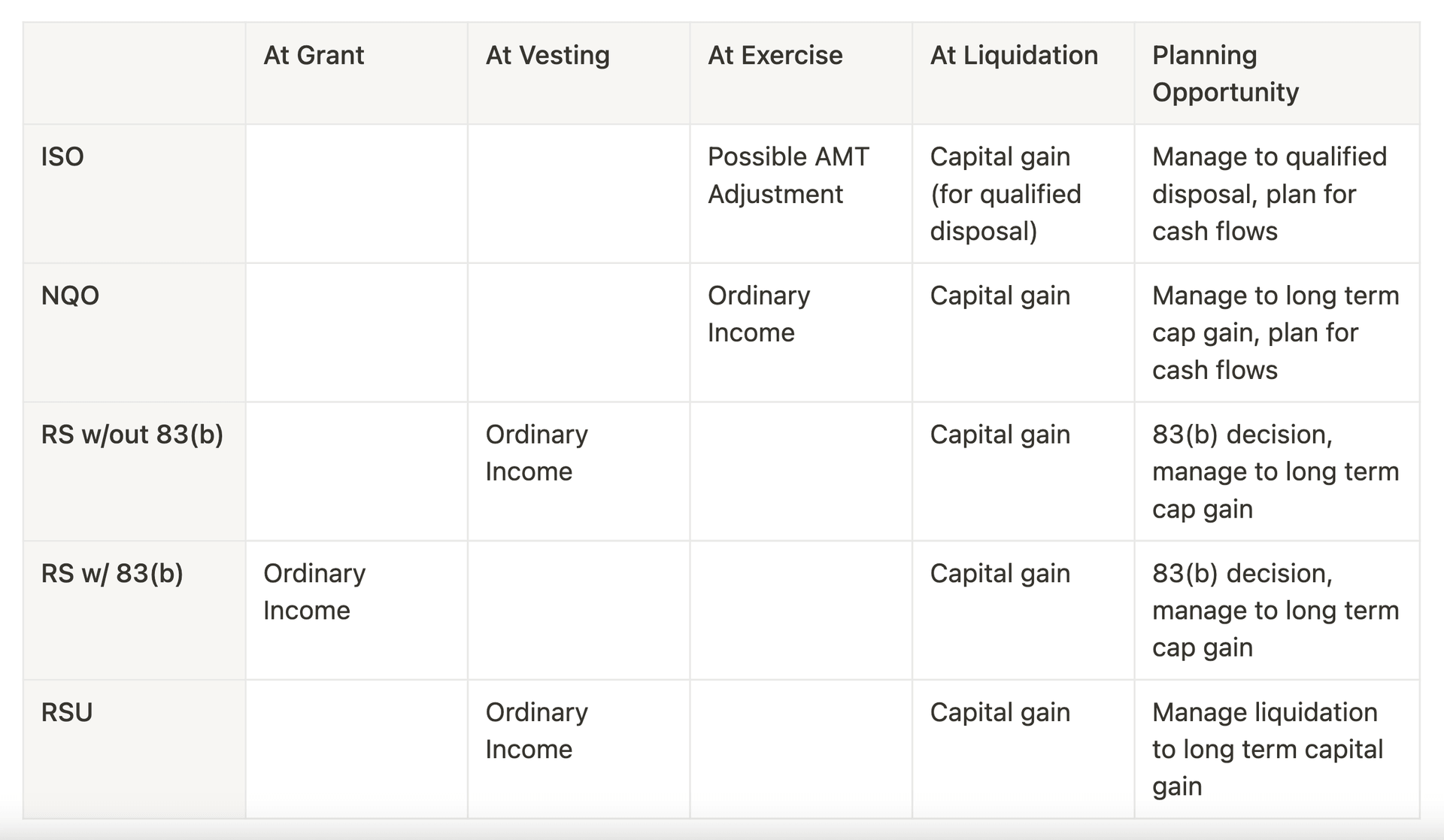
Summary of Taxation
Misc
- See the impact of the stock plans on the Retirement > Cash Flows screen by clicking on the Options tab.
Only the net value of vested but unexercised stock will be reflected in the client's current Net Worth.
Shares that vest before the first year in the cash flows will not be reflected since they are previously exercised and included in the Net Worth.


