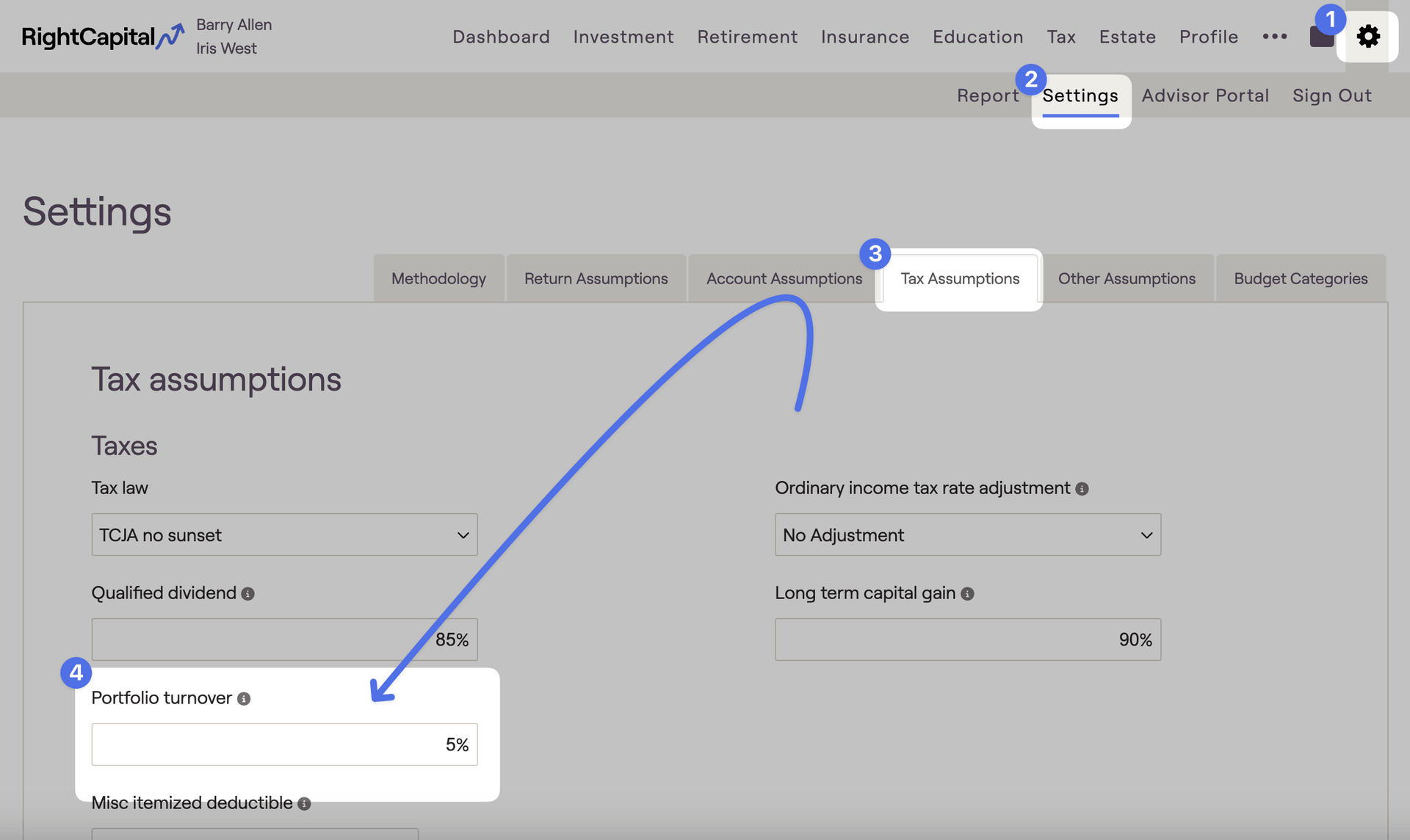
You can update portfolio turnover within a plan by navigating to the Gear Icon > Settings > Tax Assumptions tab:
You can use this field to adjust the average annual turnover in taxable accounts. This value represents annual portfolio balancing, and will produce capital gains in the plan.
Contact Us
For additional assistance within RightCapital please contact our Support team.
Educational Webinars
RightCapital is committed to enabling your success. Each week, we cover essential planning modules and product updates.
RightCapital in Action
Check out our YouTube channel where we highlight Advisor Success Stories and share more Tips & Tricks!